
FaheemxKing - Minecraft Skins & Skin History
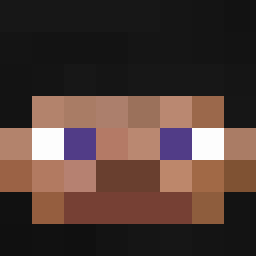
Current Minecraft skin of the player FaheemxKing, loaded from the official Mojang API. Rotate the 3D model with your mouse or finger, then download the skin as a PNG file and use it in Minecraft: Bedrock Edition or Java Edition for free. When FaheemxKing changes their skin, this page updates automatically and the old skin stays in the history below.

Other players with this skin (94)
FaheemxKing was the 52nd player we have seen with this skin, first spotted on 06.09.2026. The same skin was seen on these players. Open a nickname to see their current skin and skin history.
 PROOYUNCU02011 Insanity6767 IamNotTurtle_ Martmannen Zipner Youngo__o MatiasXD_ Sznnnnn DooDooDog HaYaShiCyan KingggCJ C40415Z LarpandoPvP Vindexy imflirting TxJU ENALDINHO6767 cocokamii Swagger4ht shangjiang NeyZie_ yiwen_0509 SeungMin0418 Amraiu purexeee WorstAu azwe_ GGMkimbo JDanielll21 qUltraHardcore azur_ft 1only_obito wejde bebrasomchik2267 Doruk10919 VDMDONO2008 Inimigo_da_moda SoggyBurrito87 mamessi Henry0816 Awes0me_Sauc3 joao711 AndreSerGay Dreachq
 sudar_08 fexium_ae willyyy444 dotdot12 luci111111 t_nao08 MASONMOUNT7 CoolerCap777 Caerau11 scsq reloadedmygun _29h
 DragonStar_5000 JDCool999 Benefitt strong_biceps
More Smiley Face Minecraft skins
See all 1726 Smiley Face skins
How to install the FaheemxKing skin
- Press the Download button above to save the skin as a PNG file.
- Minecraft: Bedrock Edition (PE): open the Dressing Room from the main menu (or tap your character → Edit Character), go to Classic Skins → Owned, press the + (new skin) button, choose the downloaded PNG and pick the Classic (Steve) model. Works on PC and mobile; consoles cannot import custom skins.
- Minecraft: Java Edition: open the Minecraft Launcher, go to the Skins tab, click New Skin, load the PNG, pick the Classic (Steve) model and press Save & Use. You can also upload it at minecraft.net → Profile → Change Skin.
The skin does not show up after import - what should I do?
Restart Minecraft and open the Dressing Room again - imported skins sometimes appear only after a restart. Also make sure you selected the imported skin and picked the Classic (Steve) model.
Which model should I choose, Classic or Slim?
This skin is designed for the Classic (Steve) model. If you pick the wrong model, the arms of the skin will look stretched or squeezed.
Is the skin of FaheemxKing free to download?
Yes. Press Download, save the PNG file and use it in Minecraft: Bedrock Edition or Java Edition - no payment or registration needed. The skin also works on multiplayer servers and Realms.
More skins
Looking for more? Go back to all Minecraft skins and check the top skins of the week, month and all time, or find any player's skin by nickname.