
Facista - Minecraft Skins & Skin History
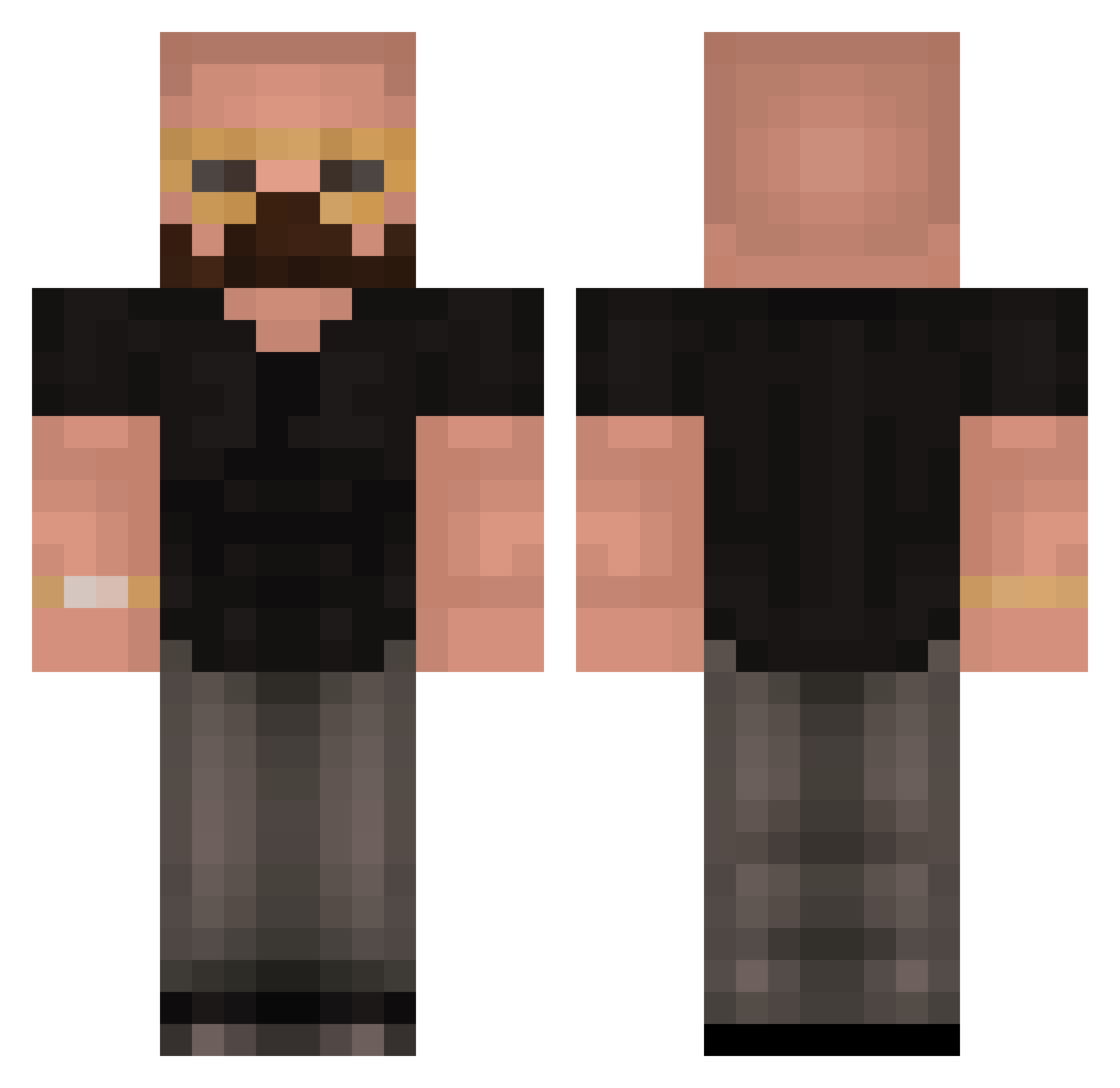
Current Minecraft skin of the player Facista, loaded from the official Mojang API. Rotate the 3D model with your mouse or finger, then download the skin as a PNG file and use it in Minecraft: Bedrock Edition or Java Edition for free. When Facista changes their skin, this page updates automatically and the old skin stays in the history below.
Other players with this skin (417)
Facista was the 111th player we have seen with this skin, first spotted on 22.08.2026. The same skin was seen on these players. Open a nickname to see their current skin and skin history.
 Gustavo_Hamer bott0mG Morpeist Hmankman 69Moe_Lester420 IDonntnoo Shady2z Jelshen FatherMoose1993 Stavgren JayTee860 zaxnator Adamek3559 LoffeeBB Squaze_69 DomasBomas HAITSCH stewpidly SuperFrostDemon TrueLasagna AWWWHE11NAWW disrxpted unlustiqeLola vNooski_ onnnz GamingVogel timmuenster cheatingonmywife nakonqjivota LightSpeed4242 Xerdar_ franjjjjjjjrrrrr Sugar_G4Y sdunkq Massachino NightDrifter01 diddywantstoplay Goffy2301 Notjack56 McInnes AndrewTOPGTate Mylifegamer44 Fast258 EmmanDSlayer Harison9491 JayTheSeconddd zurbitt deniz1233211 JackTrotter Samkothegod ROIILE amongii R33isout Aydenstidwill27 JokerDrill Gary_Tank ba11as HenryMait deadly_hunter242 JonHavoc
More Heisenberg Minecraft skins
How to install the Facista skin
- Press the Download button above to save the skin as a PNG file.
- Minecraft: Bedrock Edition (PE): open the Dressing Room from the main menu (or tap your character → Edit Character), go to Classic Skins → Owned, press the + (new skin) button, choose the downloaded PNG and pick the Classic (Steve) model. Works on PC and mobile; consoles cannot import custom skins.
- Minecraft: Java Edition: open the Minecraft Launcher, go to the Skins tab, click New Skin, load the PNG, pick the Classic (Steve) model and press Save & Use. You can also upload it at minecraft.net → Profile → Change Skin.
The skin does not show up after import - what should I do?
Restart Minecraft and open the Dressing Room again - imported skins sometimes appear only after a restart. Also make sure you selected the imported skin and picked the Classic (Steve) model.
Which model should I choose, Classic or Slim?
This skin is designed for the Classic (Steve) model. If you pick the wrong model, the arms of the skin will look stretched or squeezed.
Is the skin of Facista free to download?
Yes. Press Download, save the PNG file and use it in Minecraft: Bedrock Edition or Java Edition - no payment or registration needed. The skin also works on multiplayer servers and Realms.
More skins
Looking for more? Go back to all Minecraft skins and check the top skins of the week, month and all time, or find any player's skin by nickname.