
Fabrox23 - Minecraft Skins & Skin History
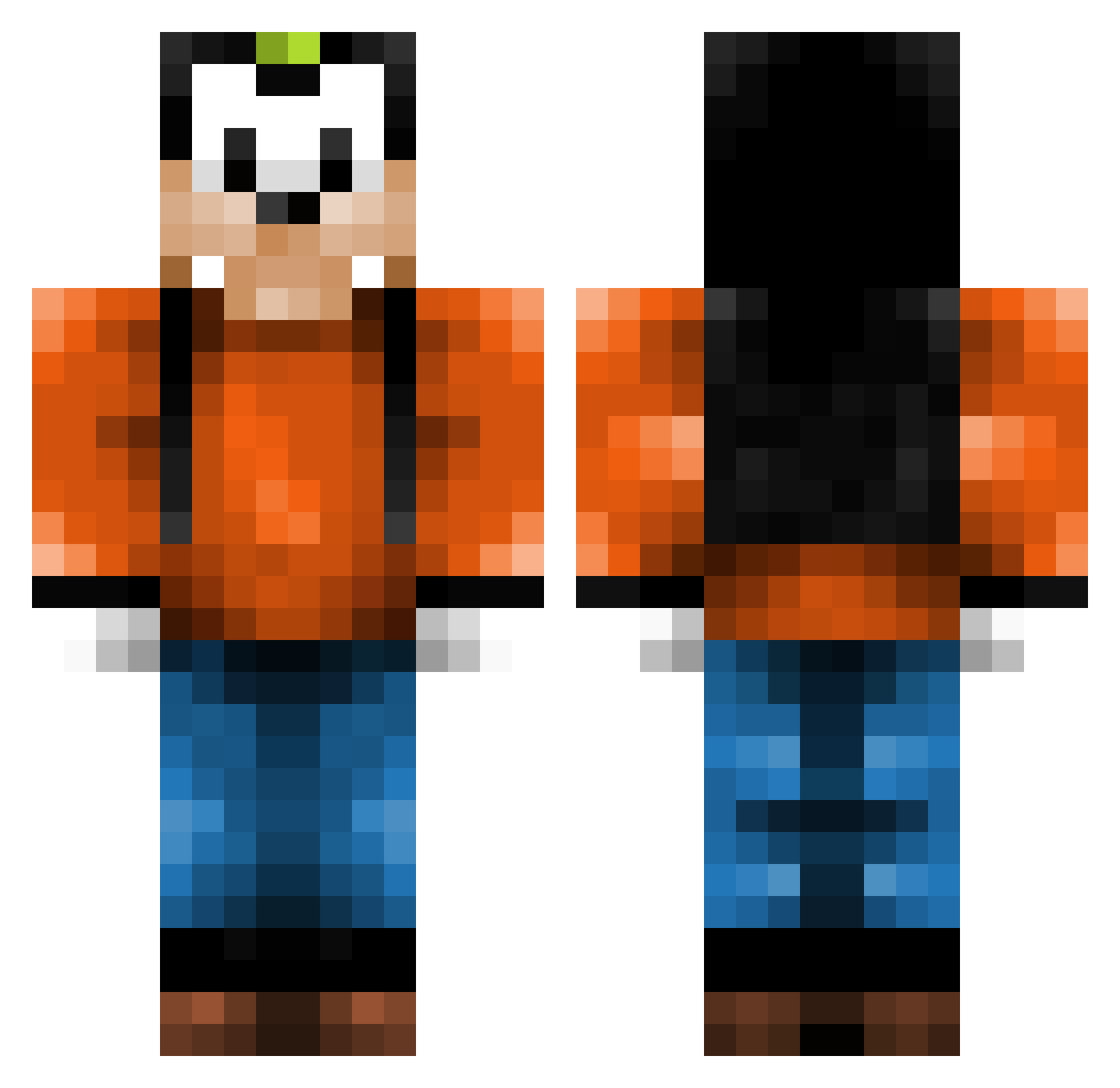
Current Minecraft skin of the player Fabrox23, loaded from the official Mojang API. Rotate the 3D model with your mouse or finger, then download the skin as a PNG file and use it in Minecraft: Bedrock Edition or Java Edition for free. When Fabrox23 changes their skin, this page updates automatically and the old skin stays in the history below.
Other players with this skin (142)
Fabrox23 was the 37th player we have seen with this skin, first spotted on 15.08.2026. The same skin was seen on these players. Open a nickname to see their current skin and skin history.
 Renaudingo goofy221 QuesoBee paulniklas2004 vebjornbakken Leeswagger Henham Polairecamo shadow9assailant Xulphix bombelek12345 7arnel KmK27 Rarakskrar Tonoric Cellph0ne mrswagslowdive Tonygomu_ LOULIDDD Concernacus Selma_52 left4kev FrxshVoldemort Dustysteve709 killmeee EldarTheComrade RickyPee123 Potassiuhm KoolerX OveOve Troll_d4rk ZombieGooba SpeedyCompton SnugLucas LesterPenguinne2 ProGamerHere pretles IsaiahJT Avasolutely ReviewTymeLuke BlitzSpartan399 TheTrolll BILIBELSSON cookie123066 Goofy1007 Qu4ckIV dregender Busch53 __Mulan__ Jayemmms jimslim1 Smokah_ MerrylZEn Ilikeyogurt227 Runo1243 motherofyou Goofyzx DagdaSon TorlordJL _dease_
More Goofy Minecraft skins
How to install the Fabrox23 skin
- Press the Download button above to save the skin as a PNG file.
- Minecraft: Bedrock Edition (PE): open the Dressing Room from the main menu (or tap your character → Edit Character), go to Classic Skins → Owned, press the + (new skin) button, choose the downloaded PNG and pick the Classic (Steve) model. Works on PC and mobile; consoles cannot import custom skins.
- Minecraft: Java Edition: open the Minecraft Launcher, go to the Skins tab, click New Skin, load the PNG, pick the Classic (Steve) model and press Save & Use. You can also upload it at minecraft.net → Profile → Change Skin.
The skin does not show up after import - what should I do?
Restart Minecraft and open the Dressing Room again - imported skins sometimes appear only after a restart. Also make sure you selected the imported skin and picked the Classic (Steve) model.
Which model should I choose, Classic or Slim?
This skin is designed for the Classic (Steve) model. If you pick the wrong model, the arms of the skin will look stretched or squeezed.
Is the skin of Fabrox23 free to download?
Yes. Press Download, save the PNG file and use it in Minecraft: Bedrock Edition or Java Edition - no payment or registration needed. The skin also works on multiplayer servers and Realms.
More skins
Looking for more? Go back to all Minecraft skins and check the top skins of the week, month and all time, or find any player's skin by nickname.