
FaZeJosefStalin - Minecraft Skins & Skin History
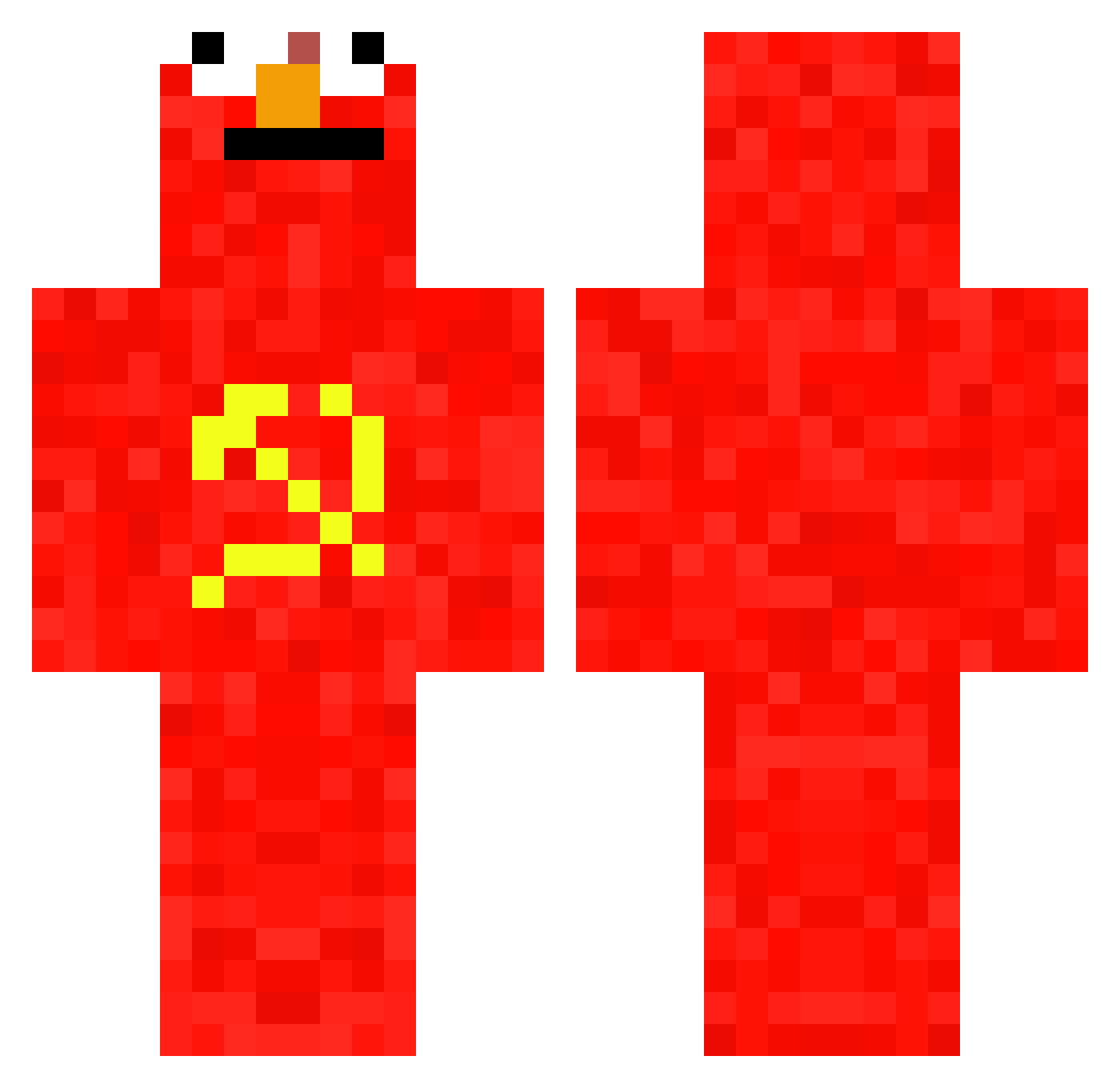
Current Minecraft skin of the player FaZeJosefStalin, loaded from the official Mojang API. Rotate the 3D model with your mouse or finger, then download the skin as a PNG file and use it in Minecraft: Bedrock Edition or Java Edition for free. When FaZeJosefStalin changes their skin, this page updates automatically and the old skin stays in the history below.
Other players with this skin (697)
FaZeJosefStalin was the 232nd player we have seen with this skin, first spotted on 29.08.2026. The same skin was seen on these players. Open a nickname to see their current skin and skin history.
 CJJCaoNiMa TheGimmick Paceusz Glad_iator ra0s1k MagzIsMvP BillyB2 MrJestes No_UUUUUUUUUUUUU rvalton LetMeLogIn matthew63 Qufell RumblyCarton275 Raubenhauft Jayk54 wojtek_stolek1 ShoulderrMann BjurnOut ludovico22 Klownclss MrOldik BannedCharlie Ocrgmz
 Pabmmtl ez_exe MrWinkel660 LeFishe1488 zugistef beaakers KinderKill717 Bennieboy2858 johnyRegss STUPEEEED EmCuqlandin Cresess_ blainegames Jokos53 Carter_666 Juanchistes old_kreumat marcucci3010 Pato_Agiota89 blebleblabla Harund Immus2000 Heng1234 Callido_ li_xian6324 0_mini_ baller_2000 Bene_5151 LavaKnight oatmaeal yudiajg saviomod XXebon cofl_ derboersenmakler archie_SAPPHIRE
More Communist Minecraft skins
How to install the FaZeJosefStalin skin
- Press the Download button above to save the skin as a PNG file.
- Minecraft: Bedrock Edition (PE): open the Dressing Room from the main menu (or tap your character → Edit Character), go to Classic Skins → Owned, press the + (new skin) button, choose the downloaded PNG and pick the Classic (Steve) model. Works on PC and mobile; consoles cannot import custom skins.
- Minecraft: Java Edition: open the Minecraft Launcher, go to the Skins tab, click New Skin, load the PNG, pick the Classic (Steve) model and press Save & Use. You can also upload it at minecraft.net → Profile → Change Skin.
The skin does not show up after import - what should I do?
Restart Minecraft and open the Dressing Room again - imported skins sometimes appear only after a restart. Also make sure you selected the imported skin and picked the Classic (Steve) model.
Which model should I choose, Classic or Slim?
This skin is designed for the Classic (Steve) model. If you pick the wrong model, the arms of the skin will look stretched or squeezed.
Is the skin of FaZeJosefStalin free to download?
Yes. Press Download, save the PNG file and use it in Minecraft: Bedrock Edition or Java Edition - no payment or registration needed. The skin also works on multiplayer servers and Realms.
More skins
Looking for more? Go back to all Minecraft skins and check the top skins of the week, month and all time, or find any player's skin by nickname.