
F_A_B_1_O - Minecraft Skins & Skin History
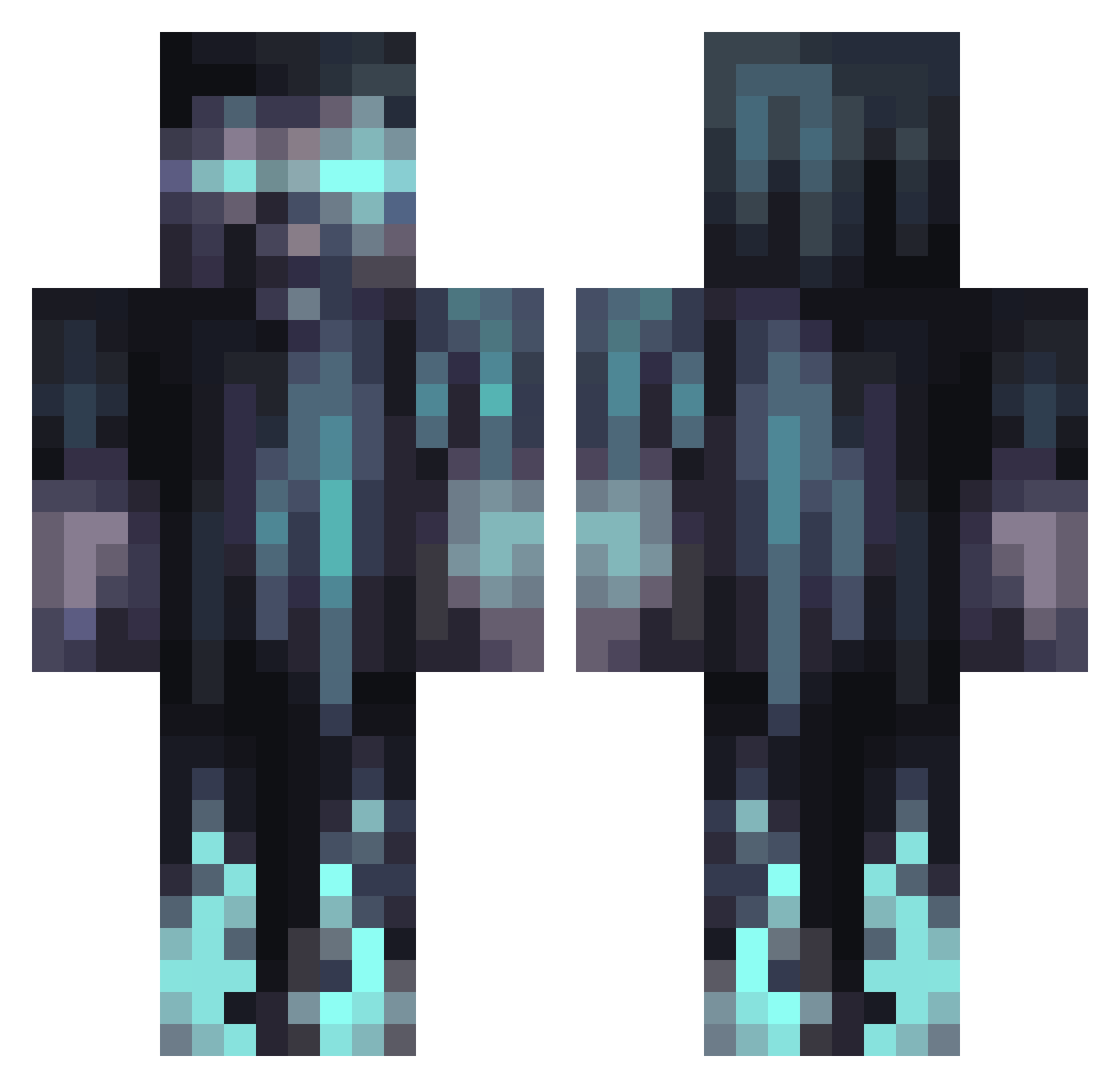
Current Minecraft skin of the player F_A_B_1_O, loaded from the official Mojang API. Rotate the 3D model with your mouse or finger, then download the skin as a PNG file and use it in Minecraft: Bedrock Edition or Java Edition for free. When F_A_B_1_O changes their skin, this page updates automatically and the old skin stays in the history below.
Other players with this skin (1066)
F_A_B_1_O was the 216th player we have seen with this skin, first spotted on 16.08.2026. The same skin was seen on these players. Open a nickname to see their current skin and skin history.
 Slxd28 sTaTiiCz0407 _Hugh_Mongus_ Lungt Struddel Noobton DeadlyPap77 calamity626 EnvyLeviathan Wizardo6276 Devilcasas EmeGeek
 WarmFrostyy vNeatvv Noxaut _Bark3r_ byXenox ValadrianX Mrkimkam PopTheHobbit AddictionDeath DEMUUR Paule_xd sierra175 OverClocking2 welly_0 Knight4815 __IC3__ suhdamu Pottharn Hebi_sennin gummybear9381 TrulySerg Jemitofuk JoeY34kaze zheLucky vreugderups Golfmaster07 jonnysins123 XhUs3 EOCPRO Rusty_711 Emryus Chuckyletueur21 BlackBelt125 Spome25 Brightlight85 Bubbag17 diamond_sworder Inferno_Plus Jvhawk18 Stevie_Wonder__ BenMaluko HanniLongDong Illumivor shalon_21 DoupeGod Brunaus Campezi Funtimeflub
More Warden Minecraft skins
How to install the F_A_B_1_O skin
- Press the Download button above to save the skin as a PNG file.
- Minecraft: Bedrock Edition (PE): open the Dressing Room from the main menu (or tap your character → Edit Character), go to Classic Skins → Owned, press the + (new skin) button, choose the downloaded PNG and pick the Classic (Steve) model. Works on PC and mobile; consoles cannot import custom skins.
- Minecraft: Java Edition: open the Minecraft Launcher, go to the Skins tab, click New Skin, load the PNG, pick the Classic (Steve) model and press Save & Use. You can also upload it at minecraft.net → Profile → Change Skin.
The skin does not show up after import - what should I do?
Restart Minecraft and open the Dressing Room again - imported skins sometimes appear only after a restart. Also make sure you selected the imported skin and picked the Classic (Steve) model.
Which model should I choose, Classic or Slim?
This skin is designed for the Classic (Steve) model. If you pick the wrong model, the arms of the skin will look stretched or squeezed.
Is the skin of F_A_B_1_O free to download?
Yes. Press Download, save the PNG file and use it in Minecraft: Bedrock Edition or Java Edition - no payment or registration needed. The skin also works on multiplayer servers and Realms.
More skins
Looking for more? Go back to all Minecraft skins and check the top skins of the week, month and all time, or find any player's skin by nickname.