
FYN1AND - Minecraft Skins & Skin History
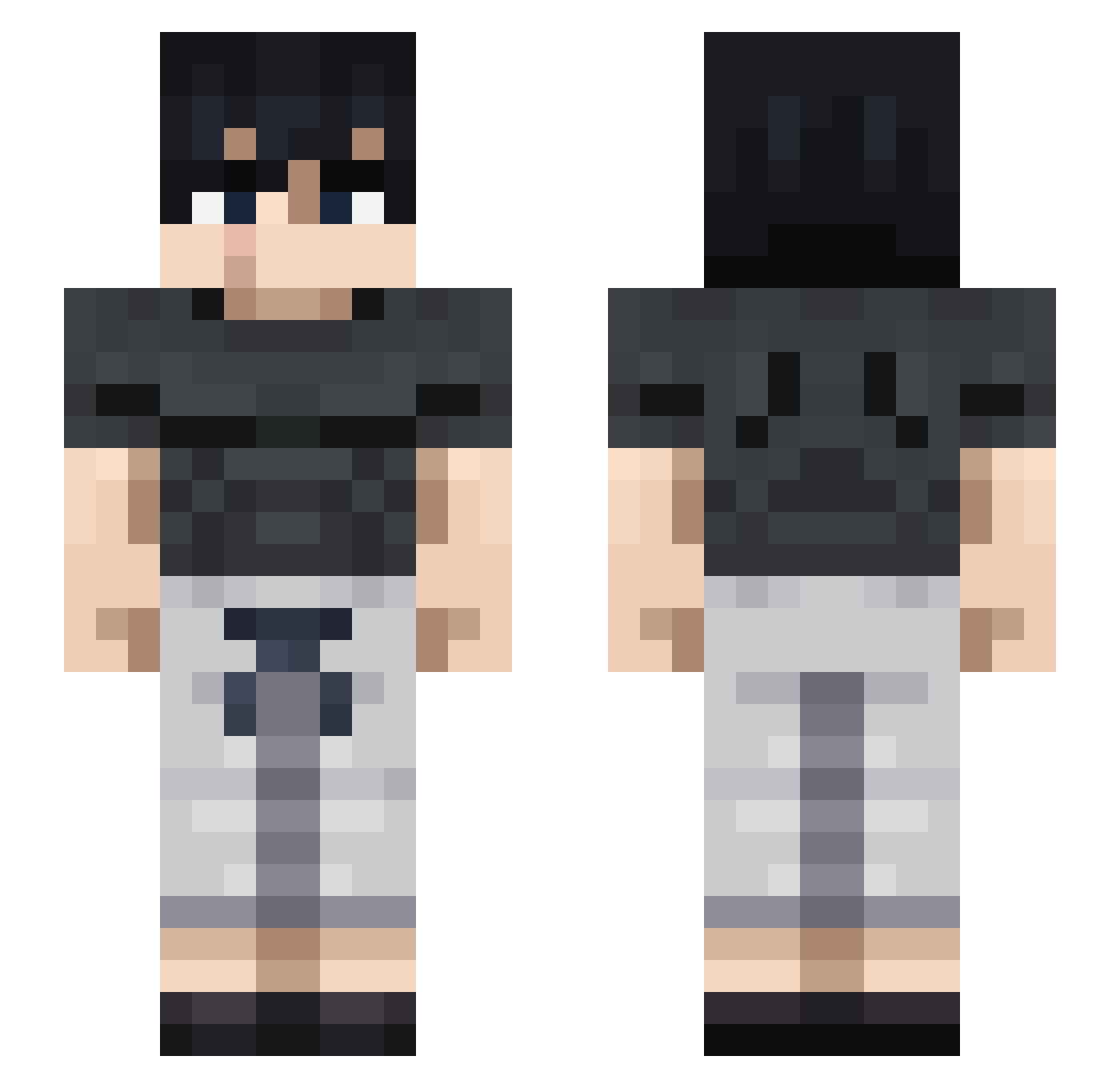
Current Minecraft skin of the player FYN1AND, loaded from the official Mojang API. Rotate the 3D model with your mouse or finger, then download the skin as a PNG file and use it in Minecraft: Bedrock Edition or Java Edition for free. When FYN1AND changes their skin, this page updates automatically and the old skin stays in the history below.
Other players with this skin (711)
FYN1AND was the 649th player we have seen with this skin, first spotted on 15.10.2026. The same skin was seen on these players. Open a nickname to see their current skin and skin history.
 HERACLI0 TheyLuvRaw milee88 Keoniiiii mps365 Sooza14 naskobagera 1_Near_ Backstages ELSAN2019 oDeathAngelx Yiri080 Marteenn Magicky Tragdey goku3x3 Acediaaa gominingen11 Raff_99 Satuoru567 Lichitayz guti_pvp DingGul02 SAMTER200 SUPER_INTERNET mirsun6 ItzTurkz Snoweurs akagonsan AkInKaDa Slnxks AstroMagex Disslikeyou123 Suidxe X_Halftone its_plues Silentguy69 Chrysis007 RTX3090Ti4 Vaaldred WaynoMate dragoncraft345 UberMeli Tony_the_Drill3r Inkyblizz narashe01 Thaifarmer AnnoyingBoy Josh_isbetter XIIIXIXCVII AcrOnyMz Smash_Mouth_Egg Eas_y1312 Pacheco_Goth SlasHanskY Doc_Hxliday _iHero_ gjiin avianion ElBasote
More Casual Minecraft skins
How to install the FYN1AND skin
- Press the Download button above to save the skin as a PNG file.
- Minecraft: Bedrock Edition (PE): open the Dressing Room from the main menu (or tap your character → Edit Character), go to Classic Skins → Owned, press the + (new skin) button, choose the downloaded PNG and pick the Slim (Alex) model. Works on PC and mobile; consoles cannot import custom skins.
- Minecraft: Java Edition: open the Minecraft Launcher, go to the Skins tab, click New Skin, load the PNG, pick the Slim (Alex) model and press Save & Use. You can also upload it at minecraft.net → Profile → Change Skin.
The skin does not show up after import - what should I do?
Restart Minecraft and open the Dressing Room again - imported skins sometimes appear only after a restart. Also make sure you selected the imported skin and picked the Slim (Alex) model.
Which model should I choose, Classic or Slim?
This skin is designed for the Slim (Alex) model. If you pick the wrong model, the arms of the skin will look stretched or squeezed.
Is the skin of FYN1AND free to download?
Yes. Press Download, save the PNG file and use it in Minecraft: Bedrock Edition or Java Edition - no payment or registration needed. The skin also works on multiplayer servers and Realms.
More skins
Looking for more? Go back to all Minecraft skins and check the top skins of the week, month and all time, or find any player's skin by nickname.