
FRANKIEDOODLE16 - Minecraft Skins & Skin History
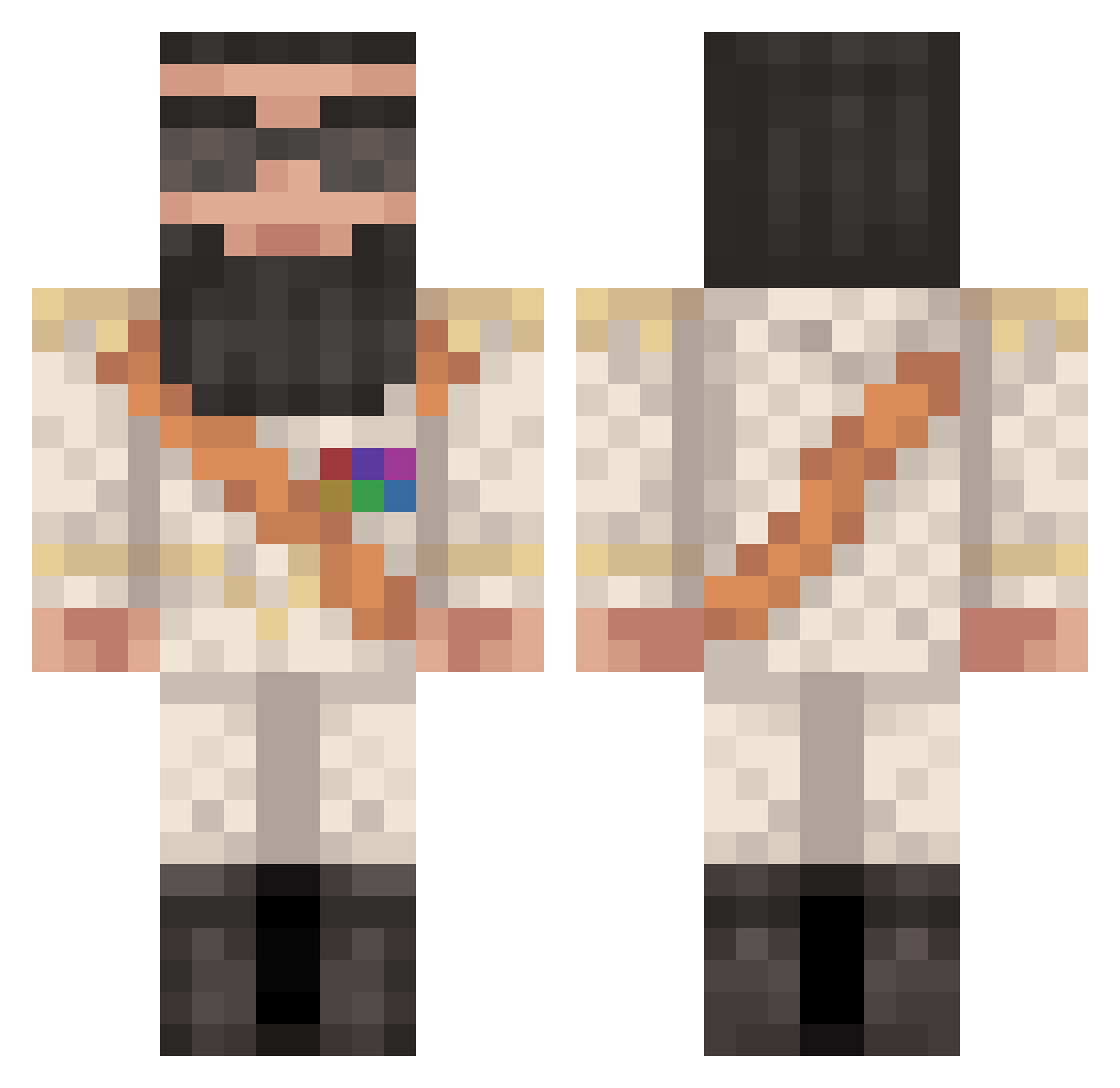
Current Minecraft skin of the player FRANKIEDOODLE16, loaded from the official Mojang API. Rotate the 3D model with your mouse or finger, then download the skin as a PNG file and use it in Minecraft: Bedrock Edition or Java Edition for free. When FRANKIEDOODLE16 changes their skin, this page updates automatically and the old skin stays in the history below.
Other players with this skin (371)
FRANKIEDOODLE16 was the 184th player we have seen with this skin, first spotted on 13.09.2026. The same skin was seen on these players. Open a nickname to see their current skin and skin history.
 DYLANCRESSWELL Werf1000 Lucassode stevo2092 B0neUK nolor ThEDaRkWeEd lucaseric Thunderz757 Asuramaya heatuptheknives Elesomy MrMovo XPhanX bjarkefog EZv_HackMe mrMcED3 superman0941 Hazzboy11 viceroydanil TheDieudo501 ChickenyJoe harrythewizzard Fhraus Xam3aa yusufk1919 filouss17 fat_lad77 boopop69 Zeus8473 blazeitmustafa MBMoos jiglypuf123 mousa12 montique811 Aly57 Ima_Legit_Player coolsun4k snowlime zpete16 Meazel98 nikprime Terrorized killeurbanane weezy22 crash41 Neroking London72 ikbunmax Kbot5 Lythiaz Diidounette Roj_Oboy Devillgod SilverWolfiii raphael2310 gustaflu99 thomas34100 spasdickcow Asvp_Jason
More General Minecraft skins
How to install the FRANKIEDOODLE16 skin
- Press the Download button above to save the skin as a PNG file.
- Minecraft: Bedrock Edition (PE): open the Dressing Room from the main menu (or tap your character → Edit Character), go to Classic Skins → Owned, press the + (new skin) button, choose the downloaded PNG and pick the Classic (Steve) model. Works on PC and mobile; consoles cannot import custom skins.
- Minecraft: Java Edition: open the Minecraft Launcher, go to the Skins tab, click New Skin, load the PNG, pick the Classic (Steve) model and press Save & Use. You can also upload it at minecraft.net → Profile → Change Skin.
The skin does not show up after import - what should I do?
Restart Minecraft and open the Dressing Room again - imported skins sometimes appear only after a restart. Also make sure you selected the imported skin and picked the Classic (Steve) model.
Which model should I choose, Classic or Slim?
This skin is designed for the Classic (Steve) model. If you pick the wrong model, the arms of the skin will look stretched or squeezed.
Is the skin of FRANKIEDOODLE16 free to download?
Yes. Press Download, save the PNG file and use it in Minecraft: Bedrock Edition or Java Edition - no payment or registration needed. The skin also works on multiplayer servers and Realms.
More skins
Looking for more? Go back to all Minecraft skins and check the top skins of the week, month and all time, or find any player's skin by nickname.