
FR0ST_zx_ - Minecraft Skins & Skin History
Current Minecraft skin of the player FR0ST_zx_, loaded from the official Mojang API. Rotate the 3D model with your mouse or finger, then download the skin as a PNG file and use it in Minecraft: Bedrock Edition or Java Edition for free. When FR0ST_zx_ changes their skin, this page updates automatically and the old skin stays in the history below.
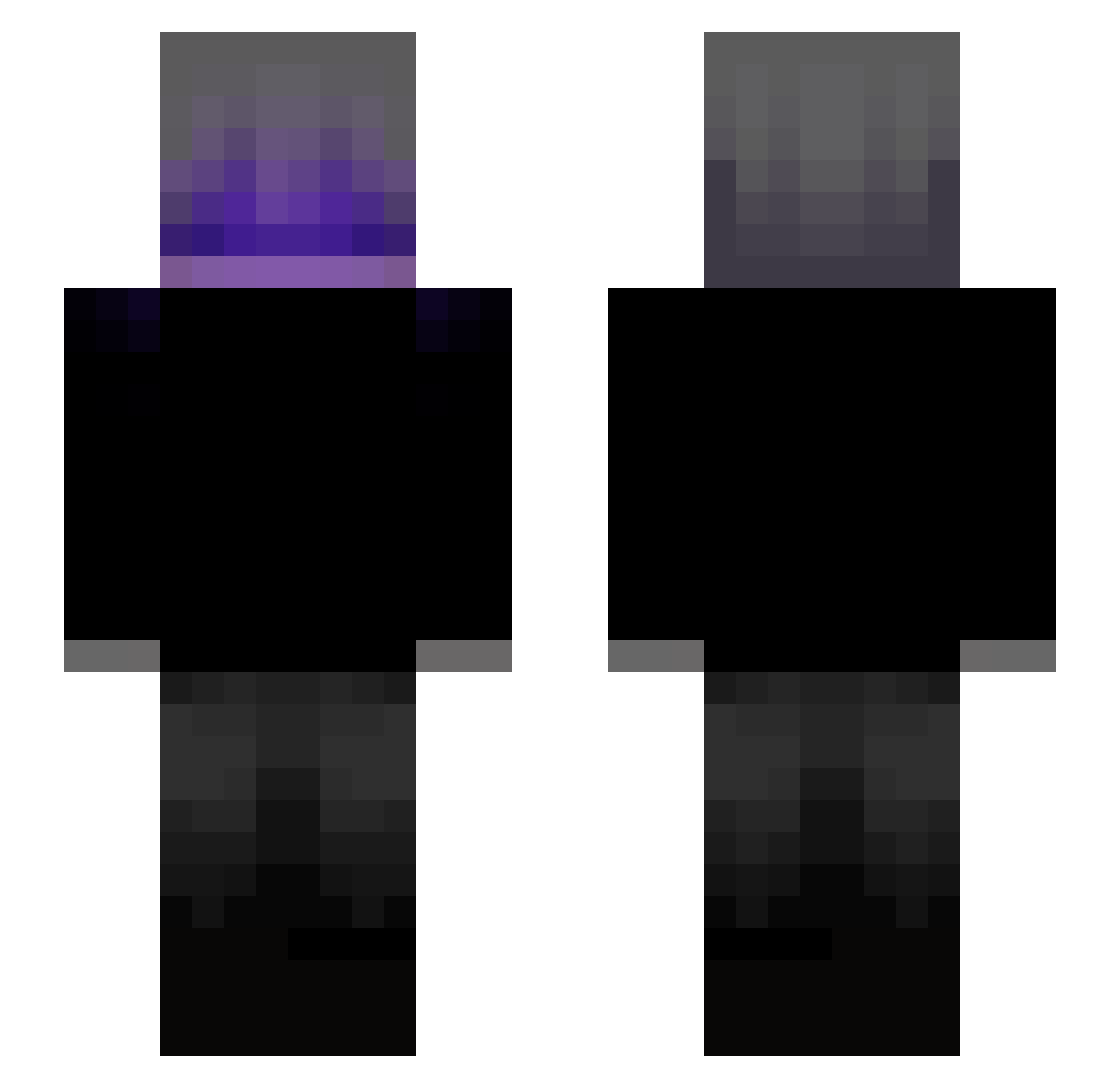
Other players with this skin (146)
FR0ST_zx_ was the 46th player we have seen with this skin, first spotted on 20.08.2026. The same skin was seen on these players. Open a nickname to see their current skin and skin history.
 Trinhlagiz Losst13 zophx DJvAny floydfn xTrOded_ ItzMungo Linus123siu janiuu H10Creeper moxiusk TrueNova__ ImSh4d0w16 juihot
 Fxn29n B2nds Riquna LuckHT 2009_AGUS StanTheManz Bypi
 phil1gamer 51s_ Rg4alife Myself06 N0Th3R laughing_Knight prime_jojkoSK xettal_ PrimoRisotto Saakamoto Martas190 CalitoTT Tanatologia HiosL
 Canguro08 Slime011 Akish KqwodMC KG_312 QCLOW Jimaruu rimon_lak_lak Elbelico016 HUNTER1Q Zang02 S4yang WizzyBeast vaajk
 Reloxzz Fabizzin00 QuyenAlime Shxdxw_
 MrGingerbreadv1 syncroo1s Andrxinxs
 exposedhate pacalgr2 Bub3nsahne Lihgaen
Previous skins of FR0ST_zx_
Skins that FR0ST_zx_ wore before, newest first. Click a skin to open its page and download it.
More Emo Minecraft skins
How to install the FR0ST_zx_ skin
- Press the Download button above to save the skin as a PNG file.
- Minecraft: Bedrock Edition (PE): open the Dressing Room from the main menu (or tap your character → Edit Character), go to Classic Skins → Owned, press the + (new skin) button, choose the downloaded PNG and pick the Slim (Alex) model. Works on PC and mobile; consoles cannot import custom skins.
- Minecraft: Java Edition: open the Minecraft Launcher, go to the Skins tab, click New Skin, load the PNG, pick the Slim (Alex) model and press Save & Use. You can also upload it at minecraft.net → Profile → Change Skin.
The skin does not show up after import - what should I do?
Restart Minecraft and open the Dressing Room again - imported skins sometimes appear only after a restart. Also make sure you selected the imported skin and picked the Slim (Alex) model.
Which model should I choose, Classic or Slim?
This skin is designed for the Slim (Alex) model. If you pick the wrong model, the arms of the skin will look stretched or squeezed.
Is the skin of FR0ST_zx_ free to download?
Yes. Press Download, save the PNG file and use it in Minecraft: Bedrock Edition or Java Edition - no payment or registration needed. The skin also works on multiplayer servers and Realms.
More skins
Looking for more? Go back to all Minecraft skins and check the top skins of the week, month and all time, or find any player's skin by nickname.