
FH1905 - Minecraft Skins & Skin History
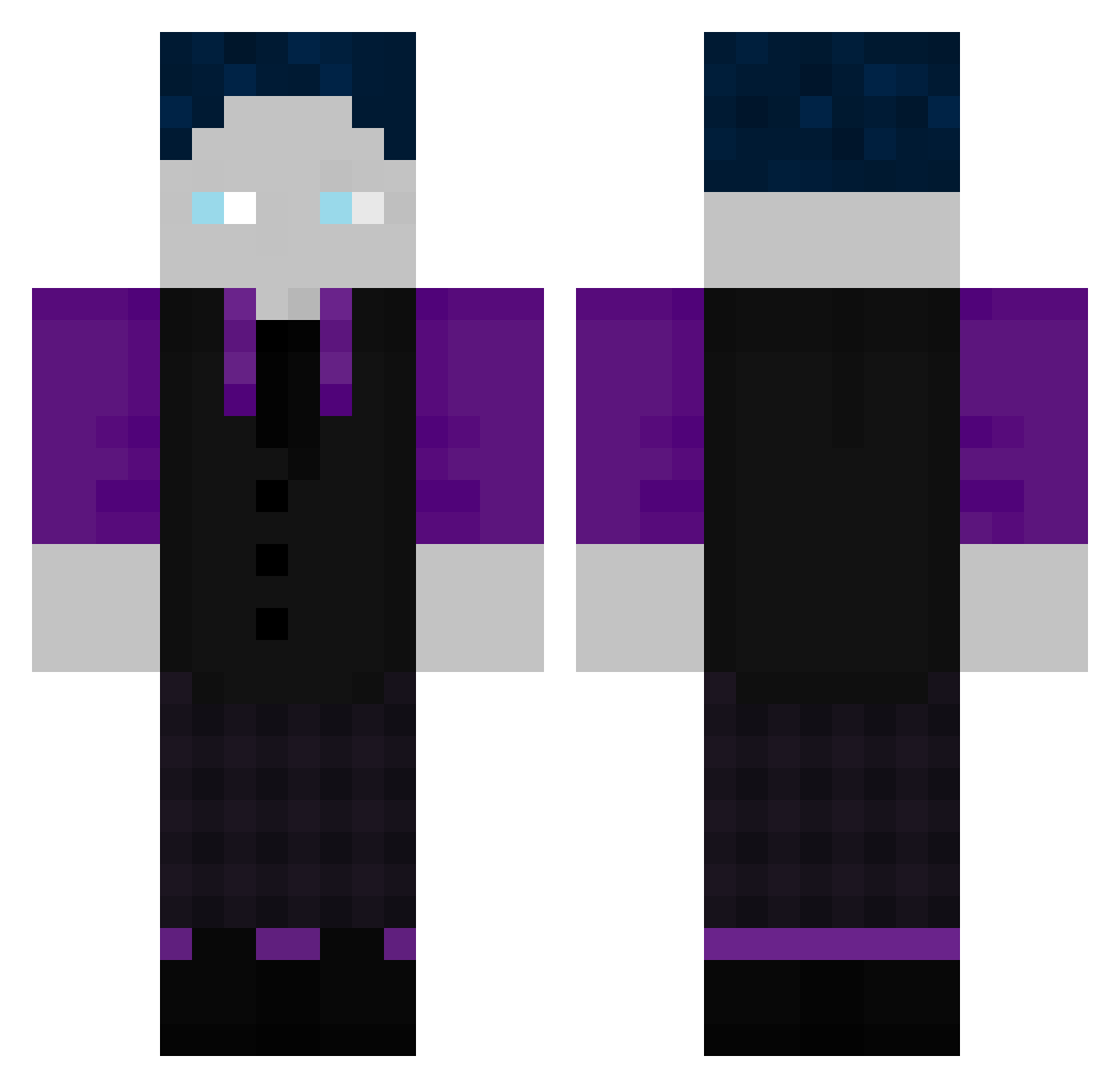
Current Minecraft skin of the player FH1905, loaded from the official Mojang API. Rotate the 3D model with your mouse or finger, then download the skin as a PNG file and use it in Minecraft: Bedrock Edition or Java Edition for free. When FH1905 changes their skin, this page updates automatically and the old skin stays in the history below.
Other players with this skin (507)
FH1905 was the 19th player we have seen with this skin, first spotted on 29.07.2026. The same skin was seen on these players. Open a nickname to see their current skin and skin history.
 dont0sweatculte
 Giraffe125 Justin_hd2009 LZFu Zerox_btw Ole808 Semix1 OHIOrizzler69ben Kona2308 Zander007_ 77leonn BastiGHG15 Slowly2571 Sudoku96 BasdiGHG PauLlGHG Atomig007 matzeglatze11234 GastricMarmot0 EnesGHG Joranski alex6412 JOJO1300 ImGrolle Jvlixn Tithanos1912 lxotrix JoJaKe MaxGHG07 Chicken_ona_Hook AniolGHG Tryh4rd1828 Leander2011S jojohannes2513
 Joe_Crafter
 ashsmile BastiGHGFanboy Arthur12521 ALXX44 EinfachGHG_ Karsti38 Bippo_Rex refdwe Void_787 Crxy1 HagenGHG
 Nilsmtb26 PhilGDT Chaos_Master_ Pro68777 Janify_UR Jonah461 puslee Passarso NxcoR Jumpin_09 FinanzamtHater KanzakiHideri Eliascef enton025
How to install the FH1905 skin
- Press the Download button above to save the skin as a PNG file.
- Minecraft: Bedrock Edition (PE): open the Dressing Room from the main menu (or tap your character → Edit Character), go to Classic Skins → Owned, press the + (new skin) button, choose the downloaded PNG and pick the Classic (Steve) model. Works on PC and mobile; consoles cannot import custom skins.
- Minecraft: Java Edition: open the Minecraft Launcher, go to the Skins tab, click New Skin, load the PNG, pick the Classic (Steve) model and press Save & Use. You can also upload it at minecraft.net → Profile → Change Skin.
The skin does not show up after import - what should I do?
Restart Minecraft and open the Dressing Room again - imported skins sometimes appear only after a restart. Also make sure you selected the imported skin and picked the Classic (Steve) model.
Which model should I choose, Classic or Slim?
This skin is designed for the Classic (Steve) model. If you pick the wrong model, the arms of the skin will look stretched or squeezed.
Is the skin of FH1905 free to download?
Yes. Press Download, save the PNG file and use it in Minecraft: Bedrock Edition or Java Edition - no payment or registration needed. The skin also works on multiplayer servers and Realms.
More skins
Looking for more? Go back to all Minecraft skins and check the top skins of the week, month and all time, or find any player's skin by nickname.