
FAKEKOREAN06 - Minecraft Skins & Skin History
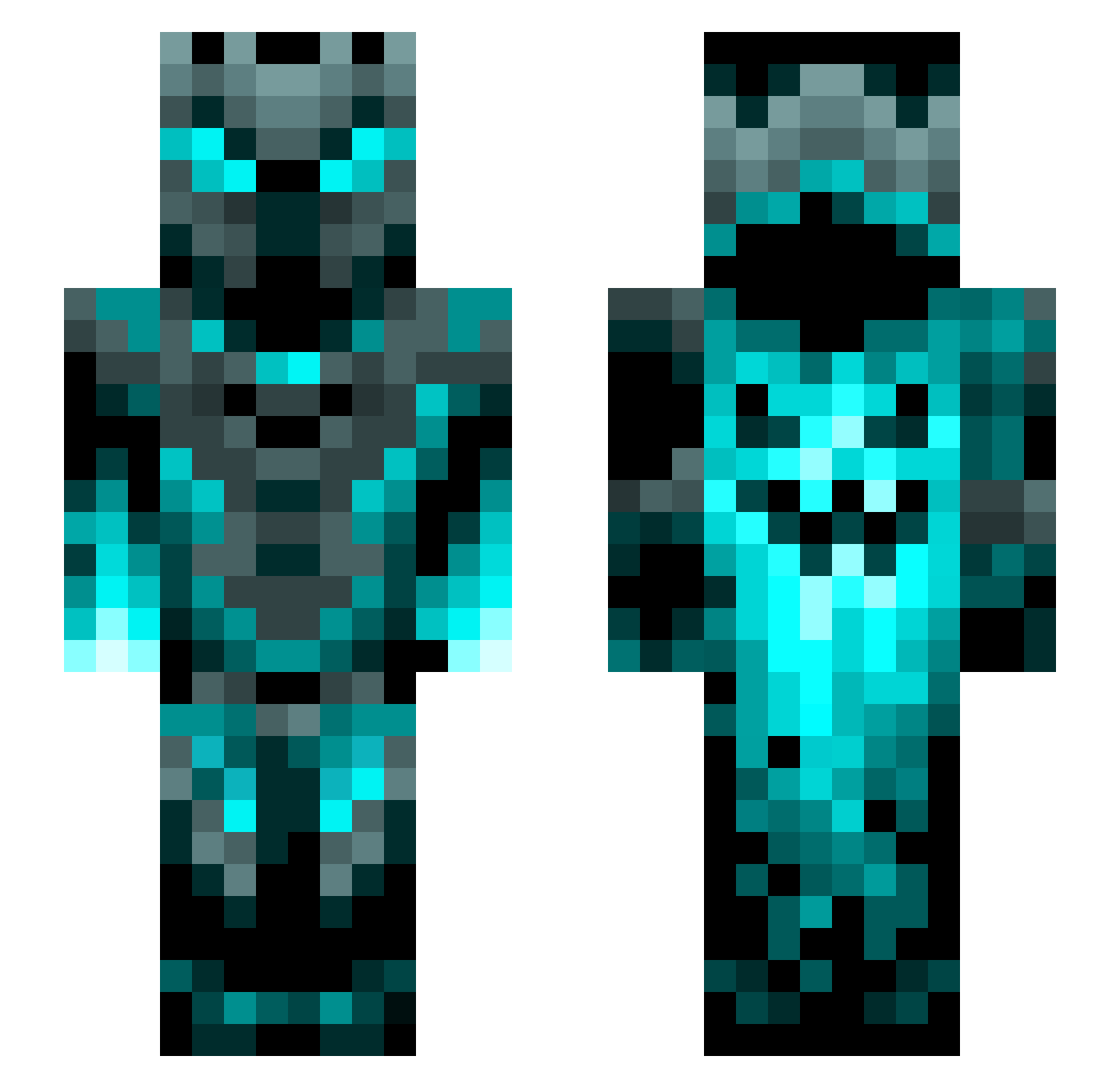
Current Minecraft skin of the player FAKEKOREAN06, loaded from the official Mojang API. Rotate the 3D model with your mouse or finger, then download the skin as a PNG file and use it in Minecraft: Bedrock Edition or Java Edition for free. When FAKEKOREAN06 changes their skin, this page updates automatically and the old skin stays in the history below.
Other players with this skin (1200)
FAKEKOREAN06 was the 205th player we have seen with this skin, first spotted on 12.08.2026. The same skin was seen on these players. Open a nickname to see their current skin and skin history.
 forevvrr ZombieNumen Hades140603 binado0 brad217
 Jul123x snapdragon6861 Griffelkistn creeperseven1 Bawooga24 Kirez33 saulgamer5568 ___whateverDE___ HiddenMoves DoktorekPL2 Nihekoil mosasaurus39 Mother_Sohai DeadmanYT1 TokusatsureII DarkMagicKing66 grandblue98 IateUranium Yeet35 AleksanderDGreat qcar123 Superwiski Blaubeere1000 Brian_782 Simon204050 Cryptedbeast SilverLightning7 Gustinator3000 Jonathan_gg Nabby803 SuperGameKing ilovedogs503 Leonides1010 JohnsonLiao Xamarento _ItZeroTwo_ Slate197 gaijinlag szadidi notchthelad Hardaboss Cool2409 NinOrion Mthai19 GHT_VMP kdog_32 2awesomer_ JayKay200 Whiskers1514 Akumadas YousefUL bosmuha_ Lulinio09 Thom314 Hipeoples0786
More Phantom Minecraft skins
How to install the FAKEKOREAN06 skin
- Press the Download button above to save the skin as a PNG file.
- Minecraft: Bedrock Edition (PE): open the Dressing Room from the main menu (or tap your character → Edit Character), go to Classic Skins → Owned, press the + (new skin) button, choose the downloaded PNG and pick the Slim (Alex) model. Works on PC and mobile; consoles cannot import custom skins.
- Minecraft: Java Edition: open the Minecraft Launcher, go to the Skins tab, click New Skin, load the PNG, pick the Slim (Alex) model and press Save & Use. You can also upload it at minecraft.net → Profile → Change Skin.
The skin does not show up after import - what should I do?
Restart Minecraft and open the Dressing Room again - imported skins sometimes appear only after a restart. Also make sure you selected the imported skin and picked the Slim (Alex) model.
Which model should I choose, Classic or Slim?
This skin is designed for the Slim (Alex) model. If you pick the wrong model, the arms of the skin will look stretched or squeezed.
Is the skin of FAKEKOREAN06 free to download?
Yes. Press Download, save the PNG file and use it in Minecraft: Bedrock Edition or Java Edition - no payment or registration needed. The skin also works on multiplayer servers and Realms.
More skins
Looking for more? Go back to all Minecraft skins and check the top skins of the week, month and all time, or find any player's skin by nickname.