
F64_RxAlt29 - Minecraft Skins & Skin History
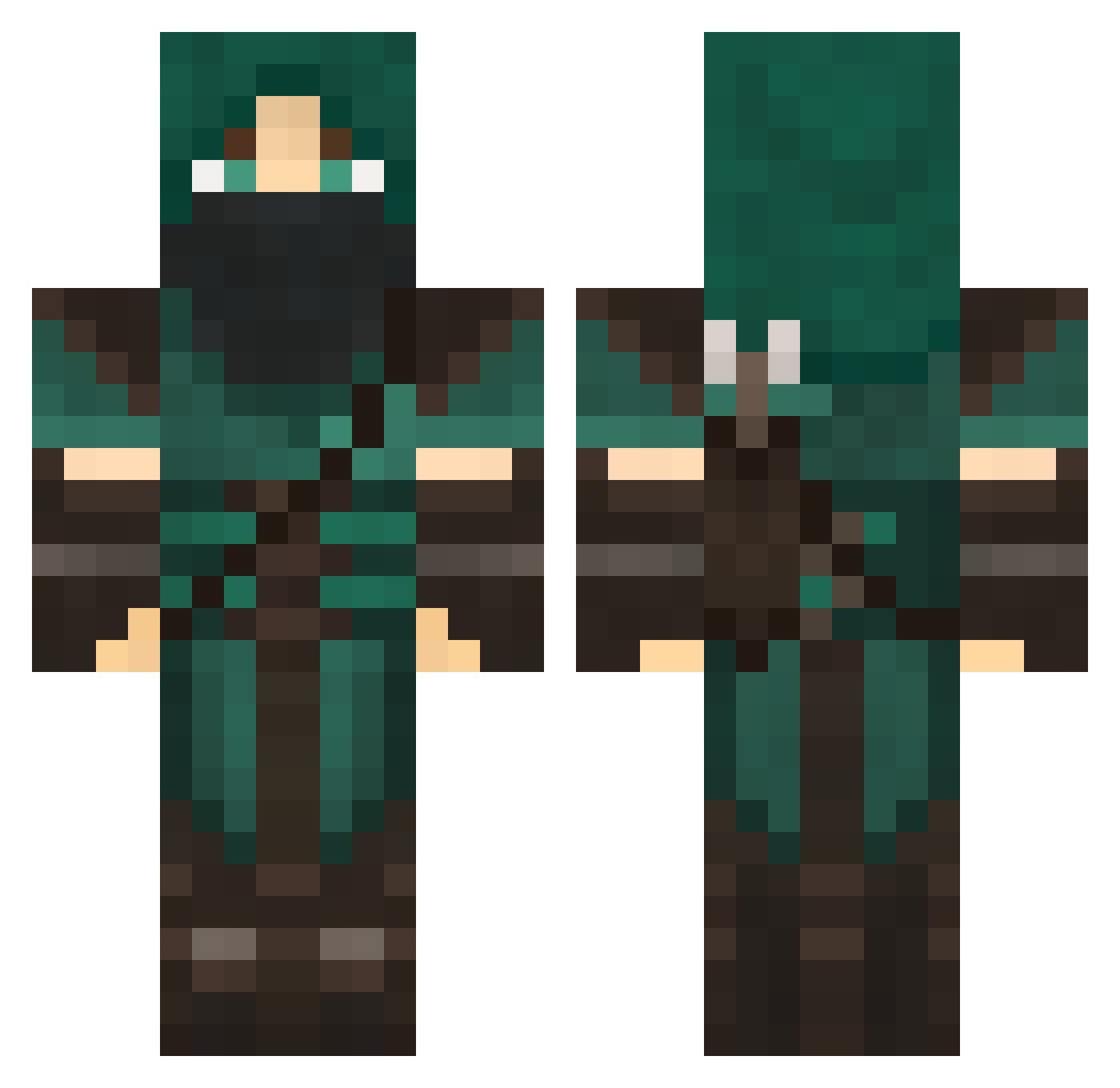
Current Minecraft skin of the player F64_RxAlt29, loaded from the official Mojang API. Rotate the 3D model with your mouse or finger, then download the skin as a PNG file and use it in Minecraft: Bedrock Edition or Java Edition for free. When F64_RxAlt29 changes their skin, this page updates automatically and the old skin stays in the history below.
Other players with this skin (708)
F64_RxAlt29 was the 464th player we have seen with this skin, first spotted on 03.10.2026. The same skin was seen on these players. Open a nickname to see their current skin and skin history.
 Raevoc Sanguine_14 AerodynamicsGame JPParadise Hvor Haydude1999 Seanboy316 xyrtae Cal_Hark Havokist chad132 cwem PoptartDemon nichtdeinName derekfisher55 Neblos1 Ghost_Is_Sleepin tyfighter247 Predatorsexual Legolas_Elwynn Phalaran Kyon_san mel819 Jeydusor ShogeyBear Englishmuffin21 McMuffinSanchez Rocky1115 coolstan10 n0nmako0t Revolt_93 mrb1991 Auranair unrealcrafter1 lelezard hopscotchsmi killercoyote Enternal_One HeroicUzzer PineapplePlayer Wajjao 11skip11 tentofawesome owightman97 Master_Lant Bonhomie ninja69_ Achak_Adhay rinnanstimpy zanethedestroyer JoeHardenBei Deathjaw123 ChizzyChung nldragon bonearrow Ulikefishsticks progamerlildrew ElusiveFear Jazz0400 Benjire
More Rogue Minecraft skins
How to install the F64_RxAlt29 skin
- Press the Download button above to save the skin as a PNG file.
- Minecraft: Bedrock Edition (PE): open the Dressing Room from the main menu (or tap your character → Edit Character), go to Classic Skins → Owned, press the + (new skin) button, choose the downloaded PNG and pick the Classic (Steve) model. Works on PC and mobile; consoles cannot import custom skins.
- Minecraft: Java Edition: open the Minecraft Launcher, go to the Skins tab, click New Skin, load the PNG, pick the Classic (Steve) model and press Save & Use. You can also upload it at minecraft.net → Profile → Change Skin.
The skin does not show up after import - what should I do?
Restart Minecraft and open the Dressing Room again - imported skins sometimes appear only after a restart. Also make sure you selected the imported skin and picked the Classic (Steve) model.
Which model should I choose, Classic or Slim?
This skin is designed for the Classic (Steve) model. If you pick the wrong model, the arms of the skin will look stretched or squeezed.
Is the skin of F64_RxAlt29 free to download?
Yes. Press Download, save the PNG file and use it in Minecraft: Bedrock Edition or Java Edition - no payment or registration needed. The skin also works on multiplayer servers and Realms.
More skins
Looking for more? Go back to all Minecraft skins and check the top skins of the week, month and all time, or find any player's skin by nickname.