
Ezran - Minecraft Skins & Skin History
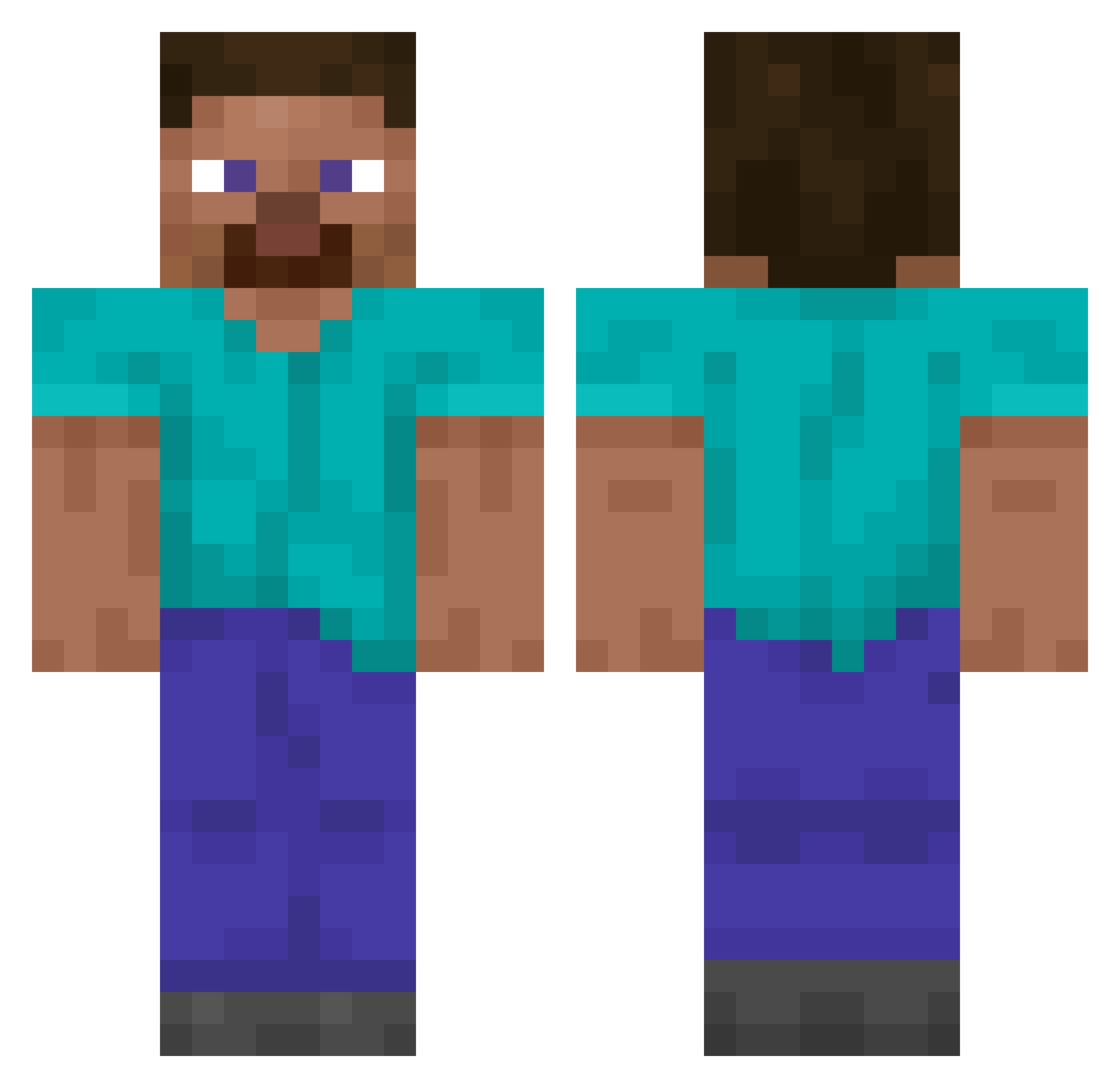
Current Minecraft skin of the player Ezran, loaded from the official Mojang API. Rotate the 3D model with your mouse or finger, then download the skin as a PNG file and use it in Minecraft: Bedrock Edition or Java Edition for free. When Ezran changes their skin, this page updates automatically and the old skin stays in the history below.
Other players with this skin (13493)
Ezran was the 13453rd player we have seen with this skin, first spotted on 02.11.2026. The same skin was seen on these players. Open a nickname to see their current skin and skin history.
 gogiters N0tGh05ty Rami711 Yamatek Aerocyst Evolt_Fire Blackened_Kell AnticMermaid665 idontknowwhateve ZimTNS Dogedom JackChai August821 revolut555 tuPhayze Hoelterson v_ll Elijello7 Foolishly anisibalmoeyo namedRiley Zoco_x adn_brt wasedahamster HIVnegatv0 JCHimself NNNEEEAAALLL82 kianynou idow77 kks_mati Mardi_Thicc ditzyyy jimmyagarthian KanyeWGlazer Xshadow144 BigFish_Meek Enderr__01 BulNur Prince_Jihun Elcomeyayas N1CK_mc Kiriyoko Antun1122 tony_sall gddog2006 mikrochel_0w0 Drclau huhaso Yeehop Deanorinho XiJinpingReal WiserKaiser061 tunneldweIIer Flopper099 Scooby_Doo_00 blinchik_master boyz4 lemonbeast32 ANTICYCLONE09 mountagung
How to install the Ezran skin
- Press the Download button above to save the skin as a PNG file.
- Minecraft: Bedrock Edition (PE): open the Dressing Room from the main menu (or tap your character → Edit Character), go to Classic Skins → Owned, press the + (new skin) button, choose the downloaded PNG and pick the Classic (Steve) model. Works on PC and mobile; consoles cannot import custom skins.
- Minecraft: Java Edition: open the Minecraft Launcher, go to the Skins tab, click New Skin, load the PNG, pick the Classic (Steve) model and press Save & Use. You can also upload it at minecraft.net → Profile → Change Skin.
The skin does not show up after import - what should I do?
Restart Minecraft and open the Dressing Room again - imported skins sometimes appear only after a restart. Also make sure you selected the imported skin and picked the Classic (Steve) model.
Which model should I choose, Classic or Slim?
This skin is designed for the Classic (Steve) model. If you pick the wrong model, the arms of the skin will look stretched or squeezed.
Is the skin of Ezran free to download?
Yes. Press Download, save the PNG file and use it in Minecraft: Bedrock Edition or Java Edition - no payment or registration needed. The skin also works on multiplayer servers and Realms.
More skins
Looking for more? Go back to all Minecraft skins and check the top skins of the week, month and all time, or find any player's skin by nickname.