
Eyub_El_Ensari - Minecraft Skins & Skin History
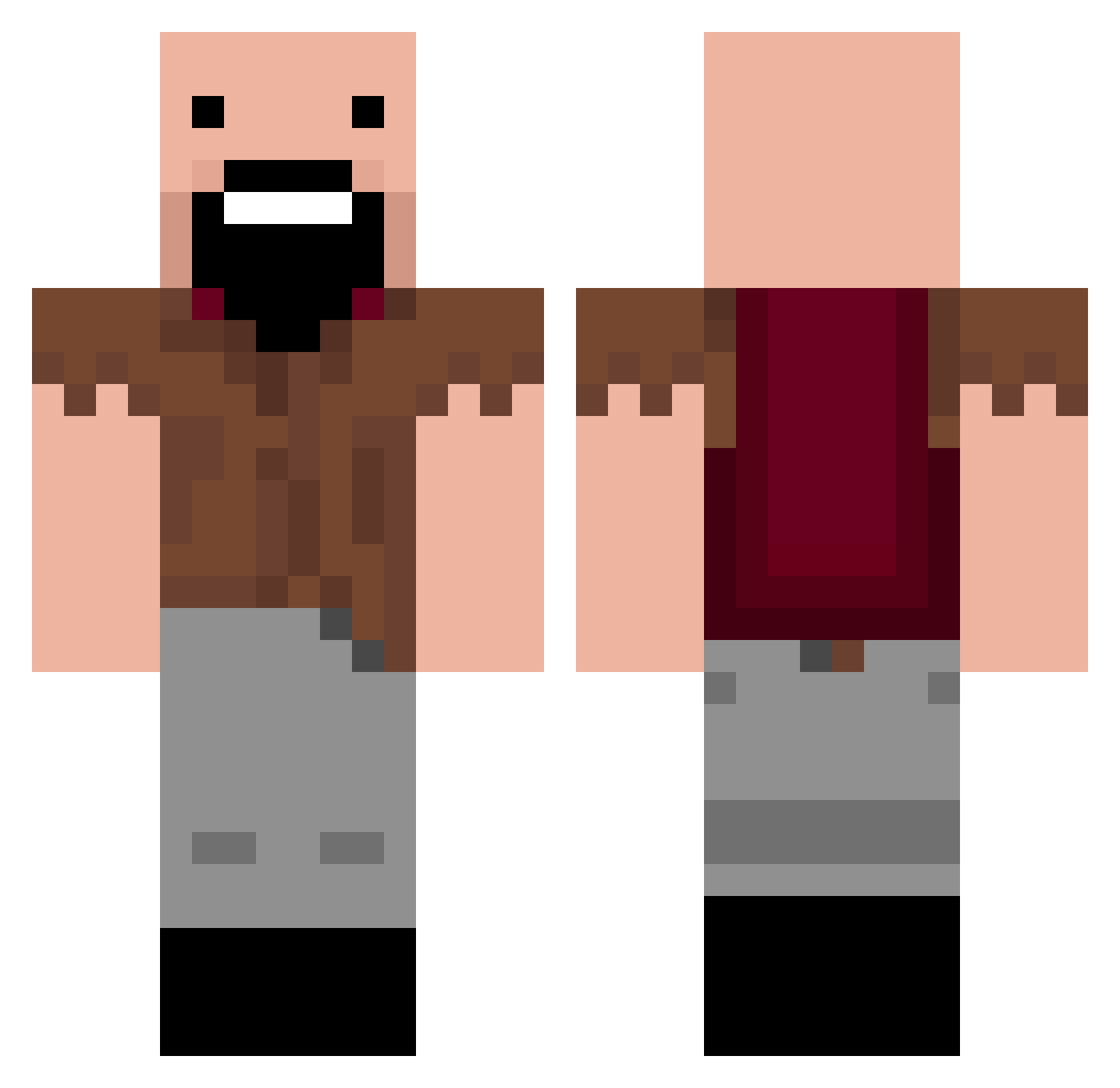
Current Minecraft skin of the player Eyub_El_Ensari, loaded from the official Mojang API. Rotate the 3D model with your mouse or finger, then download the skin as a PNG file and use it in Minecraft: Bedrock Edition or Java Edition for free. When Eyub_El_Ensari changes their skin, this page updates automatically and the old skin stays in the history below.
Other players with this skin (245)
Eyub_El_Ensari was the 218th player we have seen with this skin, first spotted on 21.10.2026. The same skin was seen on these players. Open a nickname to see their current skin and skin history.
 SkyrisMC xMezzy265 xCsirkErikx jjudge UzayKuzey TXMR dinodaboss Civicpreston2 Crusher_44 I_AM_A_BIG_POOP _misskoko_ MINWHOLOVE Abulige zoxez TheGigachadNazar dousiro Mamaadi KodieBaller birkamal Imop222 BigFrog987 playboi_lebron doctorshals PogeTrain Eremey228 LSM1234 tasah QinYeQy Fazedollaz Jonath4nn daddy_Noel69 Notchings Kristan231_ robbo1205 Zhl2ck yinmo66 N_tch TChen070207 monian777 RockPumpkin2296 PunisheR715 Haxxisgood NahMeta_ Hardingsoft YaserDeLorean Mattiestat NiKoX4U k6s_msmc_bnr boeing360 Nikodev1 jujugoated zizonmugug1226 MineUnwind henta1vsfurries hacoquaovo obirb PezzyItHurts Luck_y1 maktas4453 _wk_18
More Notch Minecraft skins
How to install the Eyub_El_Ensari skin
- Press the Download button above to save the skin as a PNG file.
- Minecraft: Bedrock Edition (PE): open the Dressing Room from the main menu (or tap your character → Edit Character), go to Classic Skins → Owned, press the + (new skin) button, choose the downloaded PNG and pick the Classic (Steve) model. Works on PC and mobile; consoles cannot import custom skins.
- Minecraft: Java Edition: open the Minecraft Launcher, go to the Skins tab, click New Skin, load the PNG, pick the Classic (Steve) model and press Save & Use. You can also upload it at minecraft.net → Profile → Change Skin.
The skin does not show up after import - what should I do?
Restart Minecraft and open the Dressing Room again - imported skins sometimes appear only after a restart. Also make sure you selected the imported skin and picked the Classic (Steve) model.
Which model should I choose, Classic or Slim?
This skin is designed for the Classic (Steve) model. If you pick the wrong model, the arms of the skin will look stretched or squeezed.
Is the skin of Eyub_El_Ensari free to download?
Yes. Press Download, save the PNG file and use it in Minecraft: Bedrock Edition or Java Edition - no payment or registration needed. The skin also works on multiplayer servers and Realms.
More skins
Looking for more? Go back to all Minecraft skins and check the top skins of the week, month and all time, or find any player's skin by nickname.