
ExtraSens - Minecraft Skins & Skin History
Current Minecraft skin of the player ExtraSens, loaded from the official Mojang API. Rotate the 3D model with your mouse or finger, then download the skin as a PNG file and use it in Minecraft: Bedrock Edition or Java Edition for free. When ExtraSens changes their skin, this page updates automatically and the old skin stays in the history below.
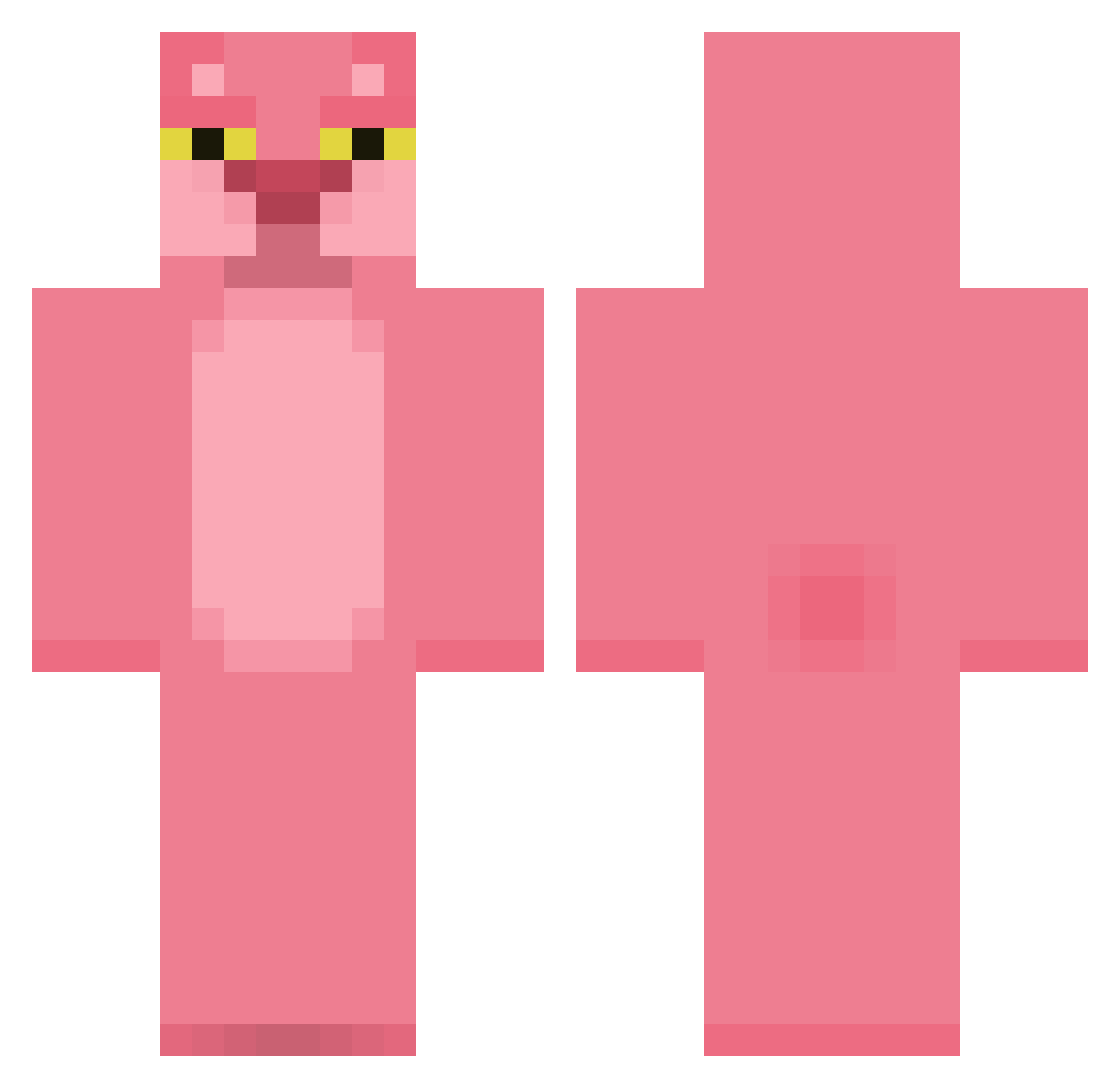
Other players with this skin (424)
ExtraSens was the 54th player we have seen with this skin, first spotted on 07.08.2026. The same skin was seen on these players. Open a nickname to see their current skin and skin history.
 MANEKINEKO16 X_99x VoxLux parmesan_x
 Wyverma Mettliak games2u fxbi_abi ElprimerDonDiego fart696969 a27620833 SayTaFF VW2021 LEKIN95 KupKup FrqN04 larirrri Jcfenix44 Mortiferum23 MadsKLN dodger2015 Minkukel nangame2 BinkBanther0 PiroliGaming27 HoneyPot12345 joannemcdougall junga_cute LaMinion Platitos
 Yom_95 MisterDudeManGuy Zyraken DG_ZMD Leenkko SuitheE bvdynv Malicious_Cereal Afenoo Schnizel_man
 Thimpus a_hlyn Shakko92 ianmacrae drewburns TienDiorrVN ev3tb Bojack_Fragman Hasbullinha lomilomio rossine007 Ju5t1n999 ZenithRhyper Mustypronggs TheLordOfBusines feanosbart Misuu7 nchiv3 Miao_owob SirMarkyMark420
More The Pink Panther Minecraft skins
See all 149 The Pink Panther skins
How to install the ExtraSens skin
- Press the Download button above to save the skin as a PNG file.
- Minecraft: Bedrock Edition (PE): open the Dressing Room from the main menu (or tap your character → Edit Character), go to Classic Skins → Owned, press the + (new skin) button, choose the downloaded PNG and pick the Classic (Steve) model. Works on PC and mobile; consoles cannot import custom skins.
- Minecraft: Java Edition: open the Minecraft Launcher, go to the Skins tab, click New Skin, load the PNG, pick the Classic (Steve) model and press Save & Use. You can also upload it at minecraft.net → Profile → Change Skin.
The skin does not show up after import - what should I do?
Restart Minecraft and open the Dressing Room again - imported skins sometimes appear only after a restart. Also make sure you selected the imported skin and picked the Classic (Steve) model.
Which model should I choose, Classic or Slim?
This skin is designed for the Classic (Steve) model. If you pick the wrong model, the arms of the skin will look stretched or squeezed.
Is the skin of ExtraSens free to download?
Yes. Press Download, save the PNG file and use it in Minecraft: Bedrock Edition or Java Edition - no payment or registration needed. The skin also works on multiplayer servers and Realms.
More skins
Looking for more? Go back to all Minecraft skins and check the top skins of the week, month and all time, or find any player's skin by nickname.