
Extenders - Minecraft Skins & Skin History
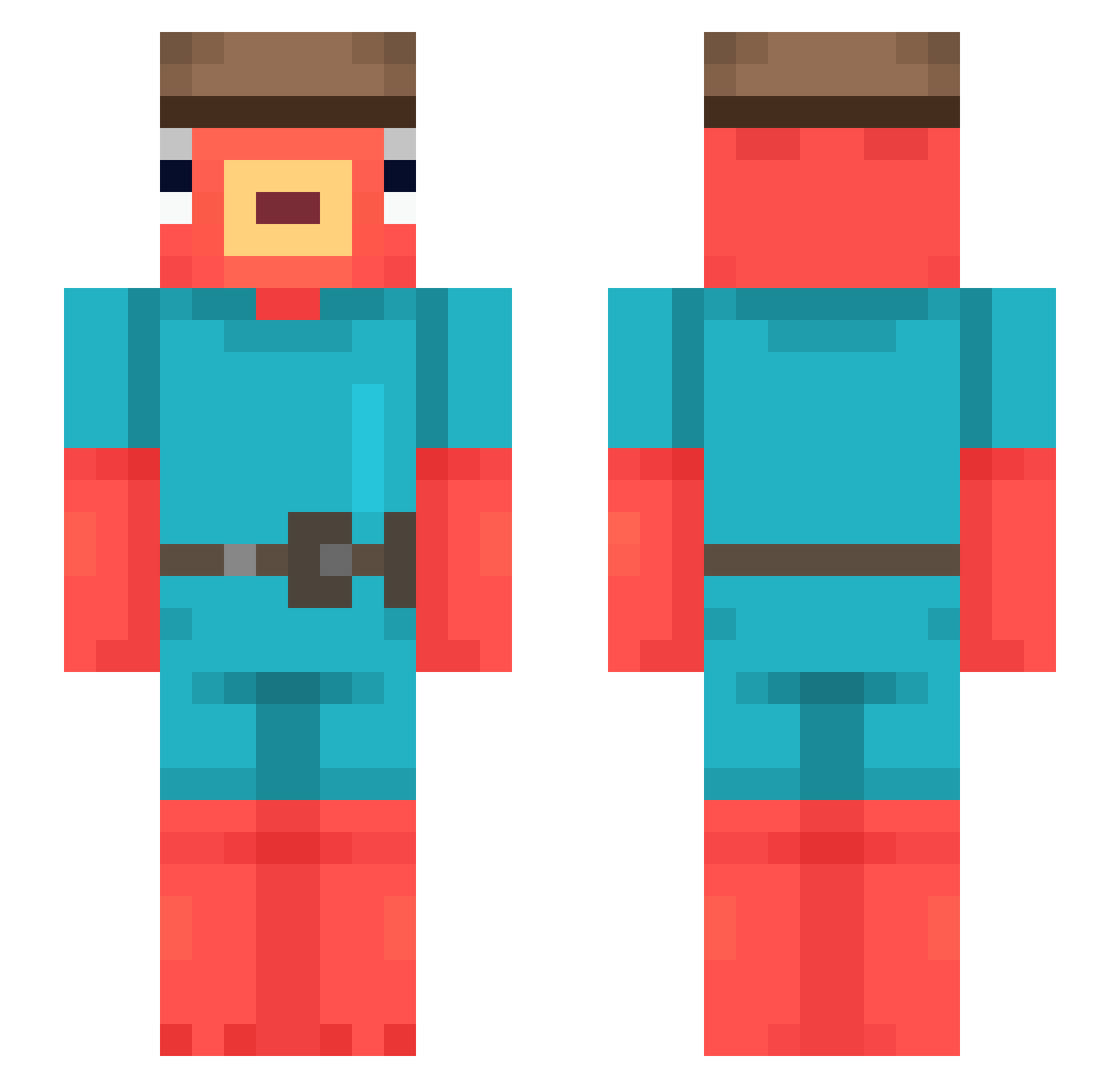
Current Minecraft skin of the player Extenders, loaded from the official Mojang API. Rotate the 3D model with your mouse or finger, then download the skin as a PNG file and use it in Minecraft: Bedrock Edition or Java Edition for free. When Extenders changes their skin, this page updates automatically and the old skin stays in the history below.
Other players with this skin (544)
Extenders was the 233rd player we have seen with this skin, first spotted on 12.09.2026. The same skin was seen on these players. Open a nickname to see their current skin and skin history.
 CHIBURASHKAA AndyUKZ69 LukeWarm523 Mert4114tr41TR31 S3xyGuigz Bbat MCitinFNitout fontiixx guilhermegomes26 cugomelo22 Dbarca manowbu cadama1007 opopobi fozy66 Parker1205 apopopanda Neitros1991 Cruze111 SpartanCraftNZ Gigobro W_SARA ToeKneeTie Akurahh Philbozzzz JaviGamer41 Thurxrz FTusa
 VICTORPEKE5 Nando_The_Fish BadLazar pokkeo Poliya956 niyoszn Zahur55 MrEptico SolarExcisaty Lybcia_2005 WizardOfLove PanchitoKLK maxanax_ Hmmedem TotoroxxMK Aimpr0 AvailingEel ErSuprem0 idan200793 bap_rob Nils2409 Mowam djTheus SSevensi SupineHeart5140 sp4ke RubenHx02 2LilNine2 DxAm0 DDominik_ Da_Jonas_04 Nikolew0722
More Fishstick Minecraft skins
How to install the Extenders skin
- Press the Download button above to save the skin as a PNG file.
- Minecraft: Bedrock Edition (PE): open the Dressing Room from the main menu (or tap your character → Edit Character), go to Classic Skins → Owned, press the + (new skin) button, choose the downloaded PNG and pick the Slim (Alex) model. Works on PC and mobile; consoles cannot import custom skins.
- Minecraft: Java Edition: open the Minecraft Launcher, go to the Skins tab, click New Skin, load the PNG, pick the Slim (Alex) model and press Save & Use. You can also upload it at minecraft.net → Profile → Change Skin.
The skin does not show up after import - what should I do?
Restart Minecraft and open the Dressing Room again - imported skins sometimes appear only after a restart. Also make sure you selected the imported skin and picked the Slim (Alex) model.
Which model should I choose, Classic or Slim?
This skin is designed for the Slim (Alex) model. If you pick the wrong model, the arms of the skin will look stretched or squeezed.
Is the skin of Extenders free to download?
Yes. Press Download, save the PNG file and use it in Minecraft: Bedrock Edition or Java Edition - no payment or registration needed. The skin also works on multiplayer servers and Realms.
More skins
Looking for more? Go back to all Minecraft skins and check the top skins of the week, month and all time, or find any player's skin by nickname.