
Explimera - Minecraft Skins & Skin History
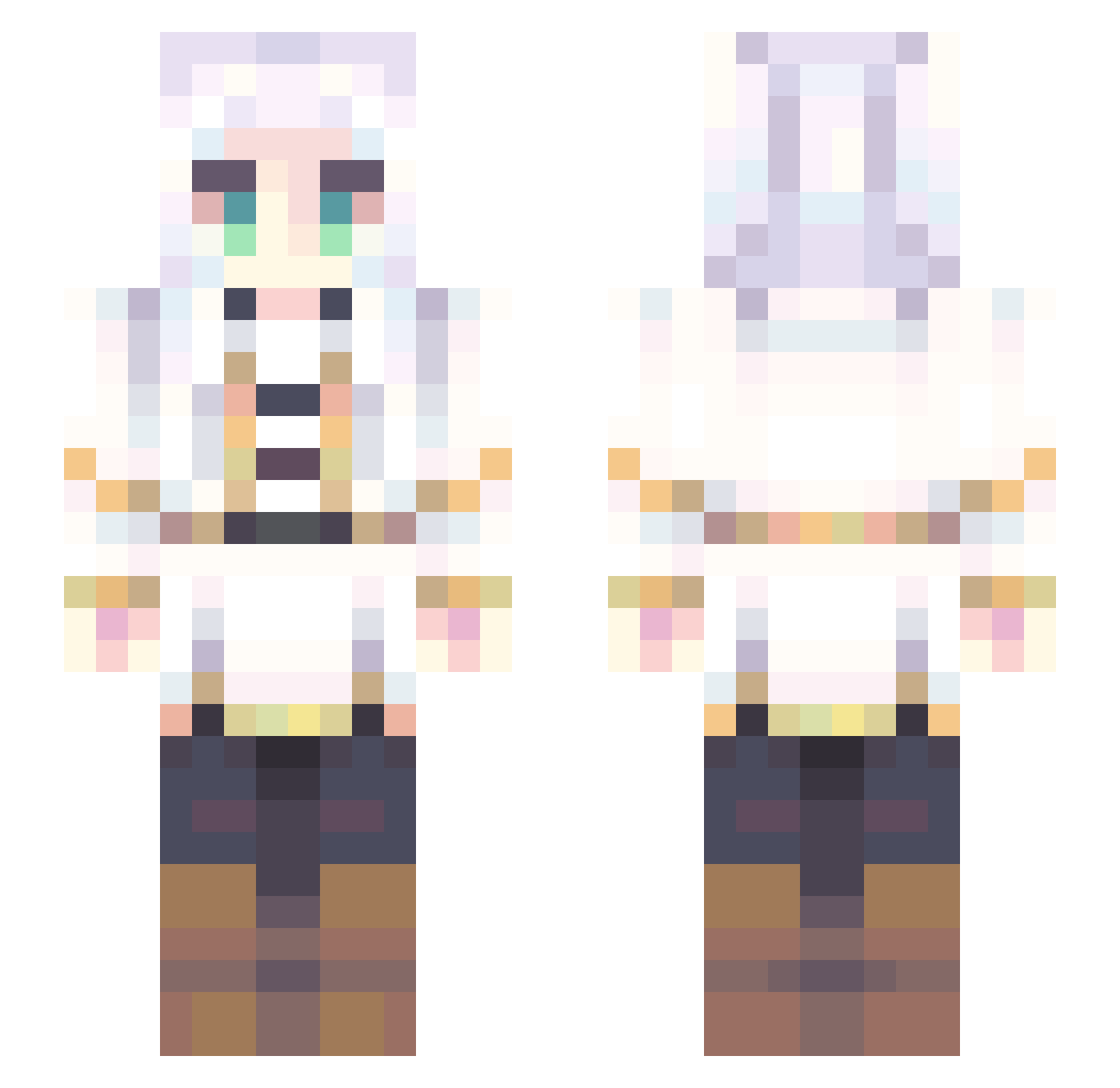
Current Minecraft skin of the player Explimera, loaded from the official Mojang API. Rotate the 3D model with your mouse or finger, then download the skin as a PNG file and use it in Minecraft: Bedrock Edition or Java Edition for free. When Explimera changes their skin, this page updates automatically and the old skin stays in the history below.
Other players with this skin (707)
Explimera was the 487th player we have seen with this skin, first spotted on 04.10.2026. The same skin was seen on these players. Open a nickname to see their current skin and skin history.
 Frieren18 Brinnari imim03 Dolkishly daskan07 dsjjb Basori0Tiara The_O_Here Chaos_NER MENTAL_DISORDER8 nikkibubu HolaMars JunbiOK ReiMzz RuriDragon Frieren_14 Joshua_GrahamFR nagune_lang Jeiq__ Star_Feather_ Carphira Ibuki1204 Nazzty Frielon chikinlegman tizac2008 Remi____________ zMoncho Polaris017 Fe1ip3 shnood ackieack xobxone123 Fredericka_ ZuhowkS musny RossaPanda _Pack__ xdyeet LoveTakagi_hm Leidianhuangquan Siegruna underemployed MilkTeaJunkie MarioJisar iNKYAKU biltian patrikaa HrabiaDruku SexyFrieren EGOIST0410 SafeBear321966 FrodileLePluBo Meehaaaw Dazenewt _sdfe TANAKAofficial ShiroChan22 FirstAidKitty amador78
More Fantasy Minecraft skins
How to install the Explimera skin
- Press the Download button above to save the skin as a PNG file.
- Minecraft: Bedrock Edition (PE): open the Dressing Room from the main menu (or tap your character → Edit Character), go to Classic Skins → Owned, press the + (new skin) button, choose the downloaded PNG and pick the Slim (Alex) model. Works on PC and mobile; consoles cannot import custom skins.
- Minecraft: Java Edition: open the Minecraft Launcher, go to the Skins tab, click New Skin, load the PNG, pick the Slim (Alex) model and press Save & Use. You can also upload it at minecraft.net → Profile → Change Skin.
The skin does not show up after import - what should I do?
Restart Minecraft and open the Dressing Room again - imported skins sometimes appear only after a restart. Also make sure you selected the imported skin and picked the Slim (Alex) model.
Which model should I choose, Classic or Slim?
This skin is designed for the Slim (Alex) model. If you pick the wrong model, the arms of the skin will look stretched or squeezed.
Is the skin of Explimera free to download?
Yes. Press Download, save the PNG file and use it in Minecraft: Bedrock Edition or Java Edition - no payment or registration needed. The skin also works on multiplayer servers and Realms.
More skins
Looking for more? Go back to all Minecraft skins and check the top skins of the week, month and all time, or find any player's skin by nickname.