
Expired_Aspirin - Minecraft Skins & Skin History
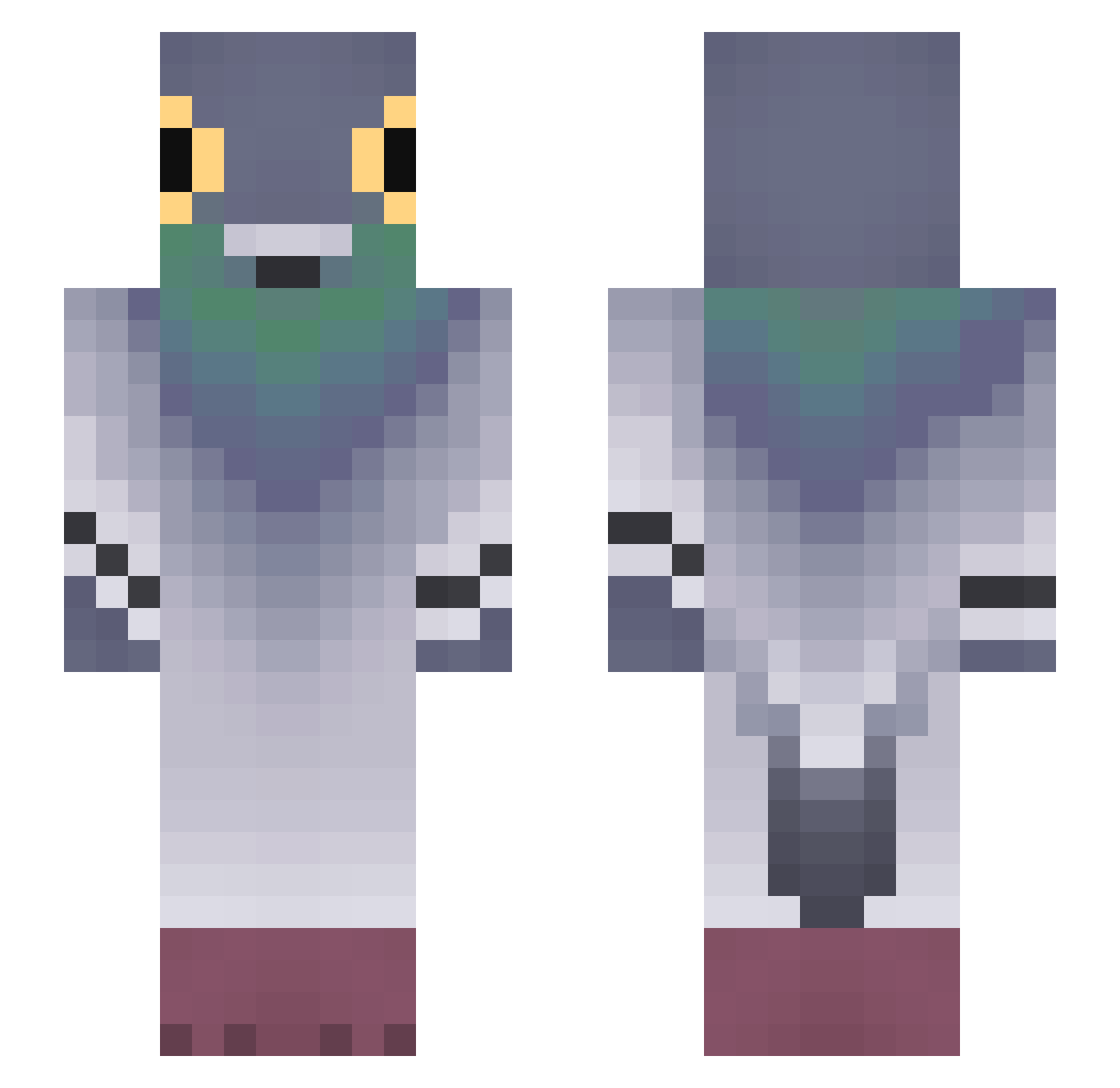
Current Minecraft skin of the player Expired_Aspirin, loaded from the official Mojang API. Rotate the 3D model with your mouse or finger, then download the skin as a PNG file and use it in Minecraft: Bedrock Edition or Java Edition for free. When Expired_Aspirin changes their skin, this page updates automatically and the old skin stays in the history below.
Other players with this skin (704)
Expired_Aspirin was the 694th player we have seen with this skin, first spotted on 23.10.2026. The same skin was seen on these players. Open a nickname to see their current skin and skin history.
 egorkt BigBilly19 _holow_ KurierPukapukpuk LIPGLOXY dewdrop0937 rei1_ lkjn_m Aphynix OniApple Bromva RileySavo Tob1as1213 MSolov mieciuwariat maultiertreiber WaifuStealer1 kropek308 Re_Game Rydahk Zykuruna Jacobfonz 5starmathi frooostyw Bananakinou Oskiee bee124 Waxius akssmvm SilemLL serioussam1 Ozankar Jeanne9278 glitchgear PowZy_ Sajmonowskyy Yaromir15 TaiChiesO jplittle14 ___HAERIN___ asterix95 Billaay98 sleepyong0925 mc_king_dream MarcoHa08 MoreTNN Roogre tbtbtbtbtbtbtb CoorVishon friendlystarfish fieleke AMZ_TURBOWARP_PR grannyjesus DOLIDOLI33 Sheath71603 Bobita123 ethanvettese P__89 airbotol bananananna123
More Pigeon Minecraft skins
How to install the Expired_Aspirin skin
- Press the Download button above to save the skin as a PNG file.
- Minecraft: Bedrock Edition (PE): open the Dressing Room from the main menu (or tap your character → Edit Character), go to Classic Skins → Owned, press the + (new skin) button, choose the downloaded PNG and pick the Slim (Alex) model. Works on PC and mobile; consoles cannot import custom skins.
- Minecraft: Java Edition: open the Minecraft Launcher, go to the Skins tab, click New Skin, load the PNG, pick the Slim (Alex) model and press Save & Use. You can also upload it at minecraft.net → Profile → Change Skin.
The skin does not show up after import - what should I do?
Restart Minecraft and open the Dressing Room again - imported skins sometimes appear only after a restart. Also make sure you selected the imported skin and picked the Slim (Alex) model.
Which model should I choose, Classic or Slim?
This skin is designed for the Slim (Alex) model. If you pick the wrong model, the arms of the skin will look stretched or squeezed.
Is the skin of Expired_Aspirin free to download?
Yes. Press Download, save the PNG file and use it in Minecraft: Bedrock Edition or Java Edition - no payment or registration needed. The skin also works on multiplayer servers and Realms.
More skins
Looking for more? Go back to all Minecraft skins and check the top skins of the week, month and all time, or find any player's skin by nickname.