
Exceeding - Minecraft Skins & Skin History
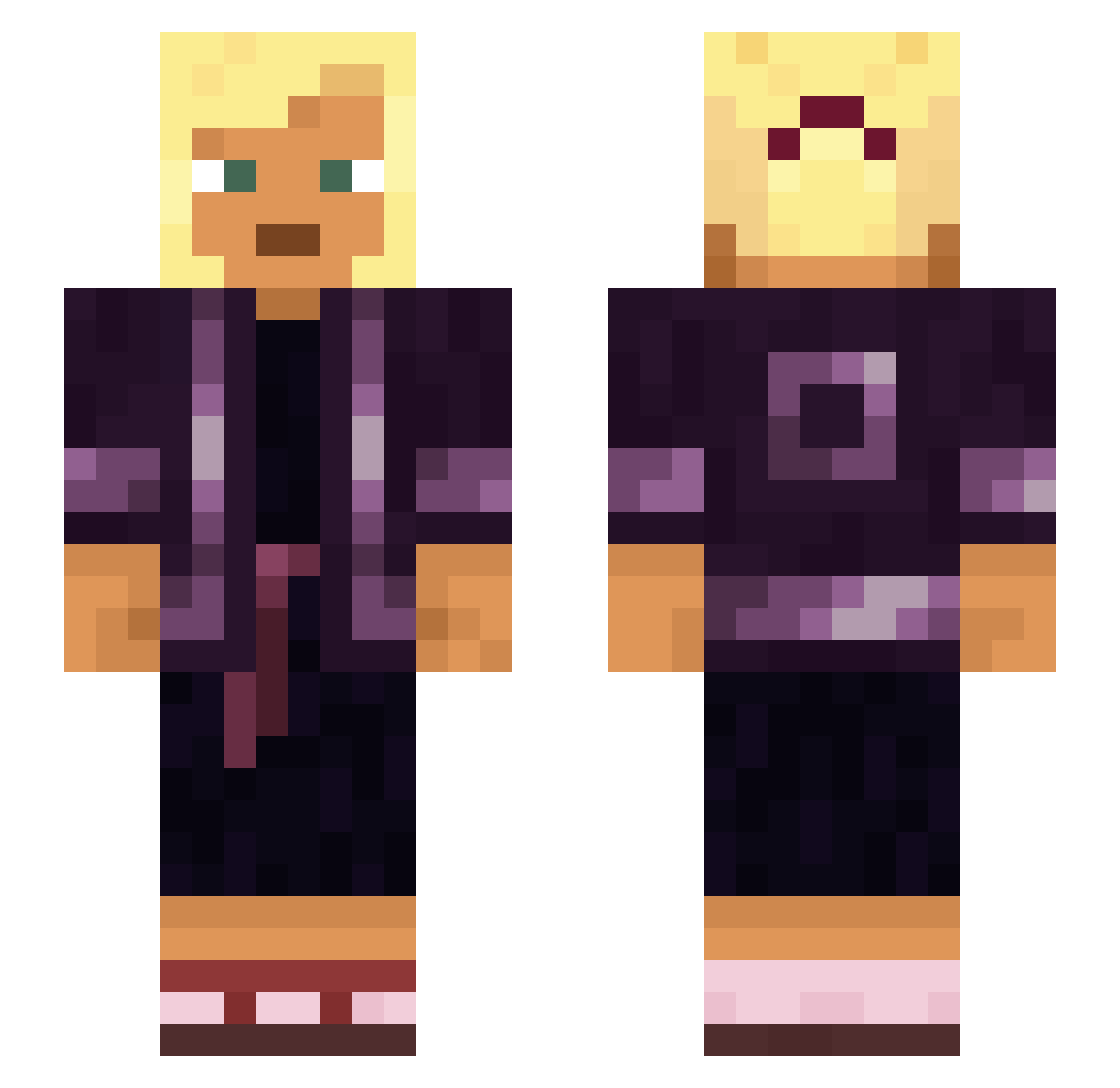
Current Minecraft skin of the player Exceeding, loaded from the official Mojang API. Rotate the 3D model with your mouse or finger, then download the skin as a PNG file and use it in Minecraft: Bedrock Edition or Java Edition for free. When Exceeding changes their skin, this page updates automatically and the old skin stays in the history below.
Other players with this skin (930)
Exceeding was the 478th player we have seen with this skin, first spotted on 22.09.2026. The same skin was seen on these players. Open a nickname to see their current skin and skin history.
 Limu impairer Glorified Elsholtzia AltitudeCow theherofails watmeans feuj13k Unhateful TheRealDeal09985 Beezy2_ crosspath Krabbe_1FC1948 kubik_76 ARKANJELBILLBORD Parthenon boran1903 The_Solar_Flare assembl WiadroNaFazie67 Hairbrained Chrsx3 Redeclared Campagnol extremesniper1 Gizem17 HoneyedHam Euphausia Coeline unindented debris scious oligomer Guest FlexOn980Fps Makhzen Anunnaki65 ImBondo Squirrelled Nitella ArranD GANGMEMBERLENI Hectocotylus BHudkins Charro Aku GuiZado Mariustaco iskenderiki inoffensive Unlinking sultam kyoka4K troparion Compendia Naolis sarcophagus felter concretization Bobritobandito13
More Asian Minecraft skins
How to install the Exceeding skin
- Press the Download button above to save the skin as a PNG file.
- Minecraft: Bedrock Edition (PE): open the Dressing Room from the main menu (or tap your character → Edit Character), go to Classic Skins → Owned, press the + (new skin) button, choose the downloaded PNG and pick the Slim (Alex) model. Works on PC and mobile; consoles cannot import custom skins.
- Minecraft: Java Edition: open the Minecraft Launcher, go to the Skins tab, click New Skin, load the PNG, pick the Slim (Alex) model and press Save & Use. You can also upload it at minecraft.net → Profile → Change Skin.
The skin does not show up after import - what should I do?
Restart Minecraft and open the Dressing Room again - imported skins sometimes appear only after a restart. Also make sure you selected the imported skin and picked the Slim (Alex) model.
Which model should I choose, Classic or Slim?
This skin is designed for the Slim (Alex) model. If you pick the wrong model, the arms of the skin will look stretched or squeezed.
Is the skin of Exceeding free to download?
Yes. Press Download, save the PNG file and use it in Minecraft: Bedrock Edition or Java Edition - no payment or registration needed. The skin also works on multiplayer servers and Realms.
More skins
Looking for more? Go back to all Minecraft skins and check the top skins of the week, month and all time, or find any player's skin by nickname.