
EveningPill - Minecraft Skins & Skin History
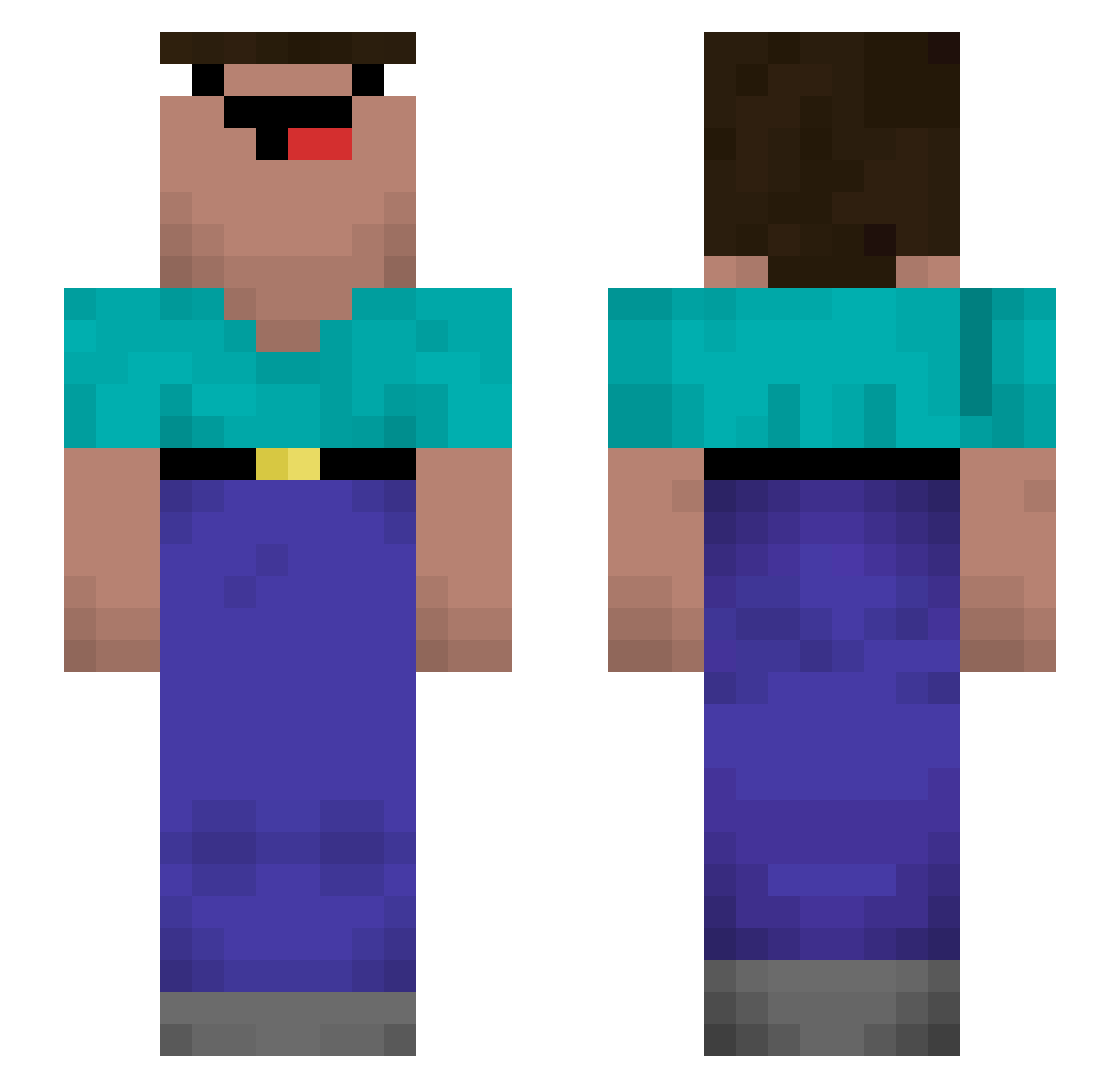
Current Minecraft skin of the player EveningPill, loaded from the official Mojang API. Rotate the 3D model with your mouse or finger, then download the skin as a PNG file and use it in Minecraft: Bedrock Edition or Java Edition for free. When EveningPill changes their skin, this page updates automatically and the old skin stays in the history below.
Other players with this skin (168)
EveningPill was the 127th player we have seen with this skin, first spotted on 27.10.2026. The same skin was seen on these players. Open a nickname to see their current skin and skin history.
 Junlis SkyaLosYT dyalB slouraine jun0605 Fun_on_a_Bun_13 iPhoneV HerrForder _bingge Adartboard Clbk_61 NewPlayer_VN MrJv140 CiMeNTiNo Regenbogenkater lollypopel KingBalint25 KingOfTheRisu Zxfatt Frederik_Schantz NoobPvPs_Vn Shashabag xehn42 Er1k_ Vill_aiN Mamatun randy21tx KylesFilthySlave Hammer63vc 303Nullbrine Tibeey AJFett18 Urktopus Craftw KAPELKA Mario_97 Jack_THNGaming Salade_Abdeslam SuperFluff00 Pupsloch _ZezOLayt_ mysteryguy2 avronL NikitosRussia KolanMolan_ggtop Nik_JQ HotZaza_ TonyRulz101 Swizzl xXIamPvPHDLPYTXx HellCrasher101 Soneka raph_007 jmarterer cpool Brickme incrivelnunes Michael432 toastyolo Funrry3355_VN
More Roblox Minecraft skins
How to install the EveningPill skin
- Press the Download button above to save the skin as a PNG file.
- Minecraft: Bedrock Edition (PE): open the Dressing Room from the main menu (or tap your character → Edit Character), go to Classic Skins → Owned, press the + (new skin) button, choose the downloaded PNG and pick the Slim (Alex) model. Works on PC and mobile; consoles cannot import custom skins.
- Minecraft: Java Edition: open the Minecraft Launcher, go to the Skins tab, click New Skin, load the PNG, pick the Slim (Alex) model and press Save & Use. You can also upload it at minecraft.net → Profile → Change Skin.
The skin does not show up after import - what should I do?
Restart Minecraft and open the Dressing Room again - imported skins sometimes appear only after a restart. Also make sure you selected the imported skin and picked the Slim (Alex) model.
Which model should I choose, Classic or Slim?
This skin is designed for the Slim (Alex) model. If you pick the wrong model, the arms of the skin will look stretched or squeezed.
Is the skin of EveningPill free to download?
Yes. Press Download, save the PNG file and use it in Minecraft: Bedrock Edition or Java Edition - no payment or registration needed. The skin also works on multiplayer servers and Realms.
More skins
Looking for more? Go back to all Minecraft skins and check the top skins of the week, month and all time, or find any player's skin by nickname.