
Even992 - Minecraft Skins & Skin History
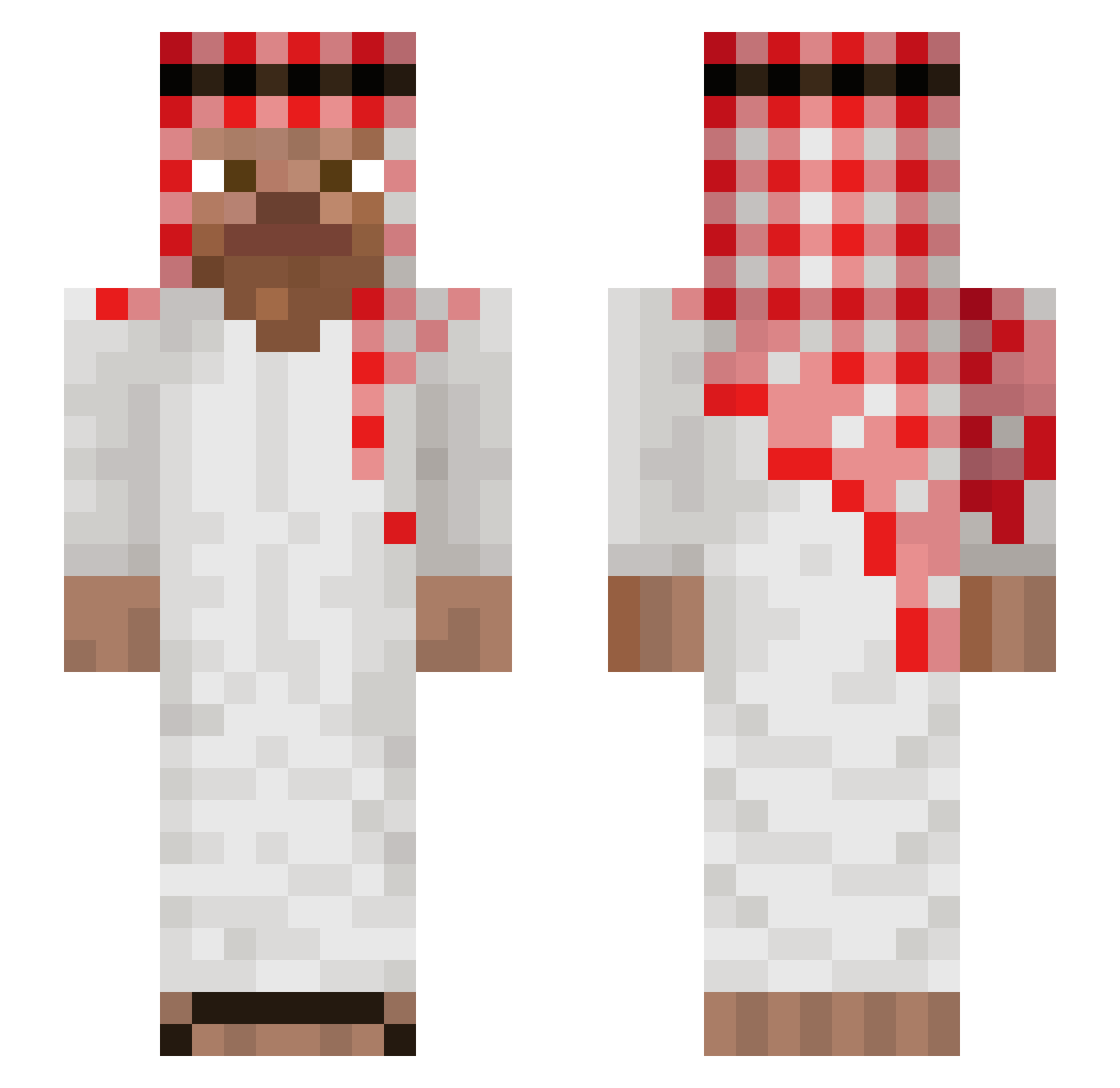
Current Minecraft skin of the player Even992, loaded from the official Mojang API. Rotate the 3D model with your mouse or finger, then download the skin as a PNG file and use it in Minecraft: Bedrock Edition or Java Edition for free. When Even992 changes their skin, this page updates automatically and the old skin stays in the history below.
Other players with this skin (1045)
Even992 was the 466th player we have seen with this skin, first spotted on 15.09.2026. The same skin was seen on these players. Open a nickname to see their current skin and skin history.
 Simonski_10 sercan_dikme samsausage123 Muhammed56 xurst osamabienLaden RastishkaR diegooo05 yRyaku AlmightyDeNueva yCleitin Slywolf70 silicate Full_Win yossifbrk vain_joni Mahmoudbahbah crofirs vicerrec geabou_ vitavlcek47 Olando__ _soczekmalinowy_ NumberFourr AliMoussaAlHarbi yagami337 GregNL salehot vreditel2009 alauagbk fullofpickles matishnlt rlk77 dishen9345 ksdasdasd Jisus10 nael914 scattersonic ClumsySwine LadiesMan217T Veyric Fsheeedy Gunahee Redboxers__ pepito2137 CowSeques MommyMilkEnjoyer Restom69 1SA_03 kamilgh BibselGOAT MAlpisnus Sharkman391 istZareK KekoZanp ramzes11123 RikV2 GugaBoy H_u_G_o_L godmango1
More Arabic Minecraft skins
How to install the Even992 skin
- Press the Download button above to save the skin as a PNG file.
- Minecraft: Bedrock Edition (PE): open the Dressing Room from the main menu (or tap your character → Edit Character), go to Classic Skins → Owned, press the + (new skin) button, choose the downloaded PNG and pick the Slim (Alex) model. Works on PC and mobile; consoles cannot import custom skins.
- Minecraft: Java Edition: open the Minecraft Launcher, go to the Skins tab, click New Skin, load the PNG, pick the Slim (Alex) model and press Save & Use. You can also upload it at minecraft.net → Profile → Change Skin.
The skin does not show up after import - what should I do?
Restart Minecraft and open the Dressing Room again - imported skins sometimes appear only after a restart. Also make sure you selected the imported skin and picked the Slim (Alex) model.
Which model should I choose, Classic or Slim?
This skin is designed for the Slim (Alex) model. If you pick the wrong model, the arms of the skin will look stretched or squeezed.
Is the skin of Even992 free to download?
Yes. Press Download, save the PNG file and use it in Minecraft: Bedrock Edition or Java Edition - no payment or registration needed. The skin also works on multiplayer servers and Realms.
More skins
Looking for more? Go back to all Minecraft skins and check the top skins of the week, month and all time, or find any player's skin by nickname.