
EuliFussel - Minecraft Skins & Skin History
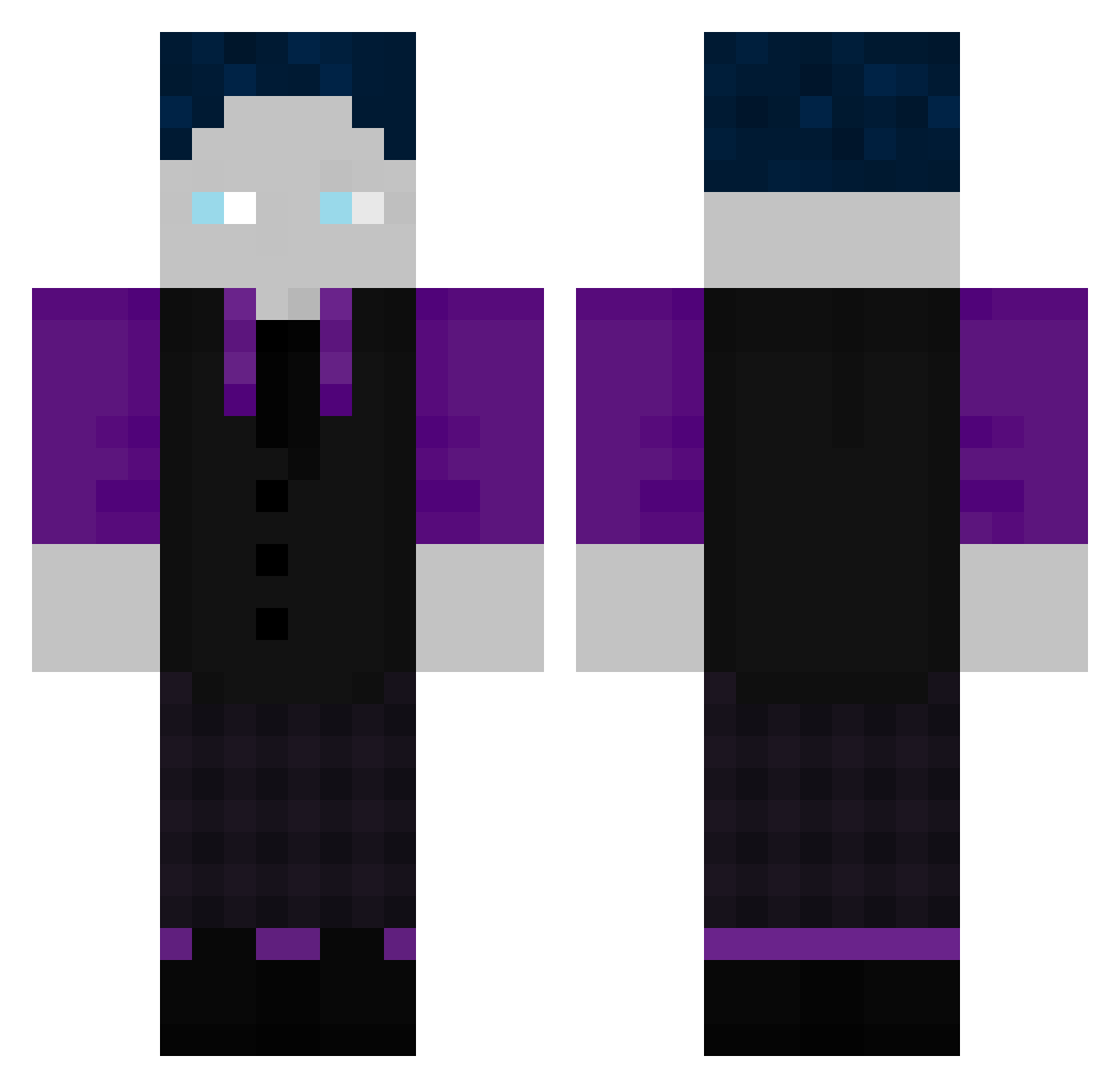
Current Minecraft skin of the player EuliFussel, loaded from the official Mojang API. Rotate the 3D model with your mouse or finger, then download the skin as a PNG file and use it in Minecraft: Bedrock Edition or Java Edition for free. When EuliFussel changes their skin, this page updates automatically and the old skin stays in the history below.
Other players with this skin (507)
EuliFussel was the 453rd player we have seen with this skin, first spotted on 22.10.2026. The same skin was seen on these players. Open a nickname to see their current skin and skin history.
 schnitzifritzi HandballerSkiPro Nameless030 ItZ_Alex_xX Oma_Butterfinger kaprisonne01 heruntergefliegt DasGurkenBrot24 Flash747 _Mr_Beast007 thegranminer Nomloc benji298 cambeebee Hackfleisch182 BastiGHG1510 LukiDuki23 RAIK_G LeCoopa MasIAusBasI JakobDreamyt DanteFurioso oliverg3176 Uniquedrive TH15782 GHGehtNichtMehr Willy070907 maxiko13 BlxckSyntax hfyp Krypton1337 Gagamelius8520 MA762 Woly3174 mici2807 Nicibro2 C1borg_MC rewiizz Olli104 Gruenertrecker08 SuperAuto2014 Tobify_lp_ Deathking3101 Marco8708 OatMUC crashdingens dedonezuluk qOnFocuz Roblox14014 TheoAbe BastiX2010 ThatsAmi Lucaluc4000 joel_blumi scaredtp Motombo1991 Sparx_12 Lnzby SneakySpace2174 StarKiller8264
How to install the EuliFussel skin
- Press the Download button above to save the skin as a PNG file.
- Minecraft: Bedrock Edition (PE): open the Dressing Room from the main menu (or tap your character → Edit Character), go to Classic Skins → Owned, press the + (new skin) button, choose the downloaded PNG and pick the Classic (Steve) model. Works on PC and mobile; consoles cannot import custom skins.
- Minecraft: Java Edition: open the Minecraft Launcher, go to the Skins tab, click New Skin, load the PNG, pick the Classic (Steve) model and press Save & Use. You can also upload it at minecraft.net → Profile → Change Skin.
The skin does not show up after import - what should I do?
Restart Minecraft and open the Dressing Room again - imported skins sometimes appear only after a restart. Also make sure you selected the imported skin and picked the Classic (Steve) model.
Which model should I choose, Classic or Slim?
This skin is designed for the Classic (Steve) model. If you pick the wrong model, the arms of the skin will look stretched or squeezed.
Is the skin of EuliFussel free to download?
Yes. Press Download, save the PNG file and use it in Minecraft: Bedrock Edition or Java Edition - no payment or registration needed. The skin also works on multiplayer servers and Realms.
More skins
Looking for more? Go back to all Minecraft skins and check the top skins of the week, month and all time, or find any player's skin by nickname.