
Eternal_Bleu - Minecraft Skins & Skin History
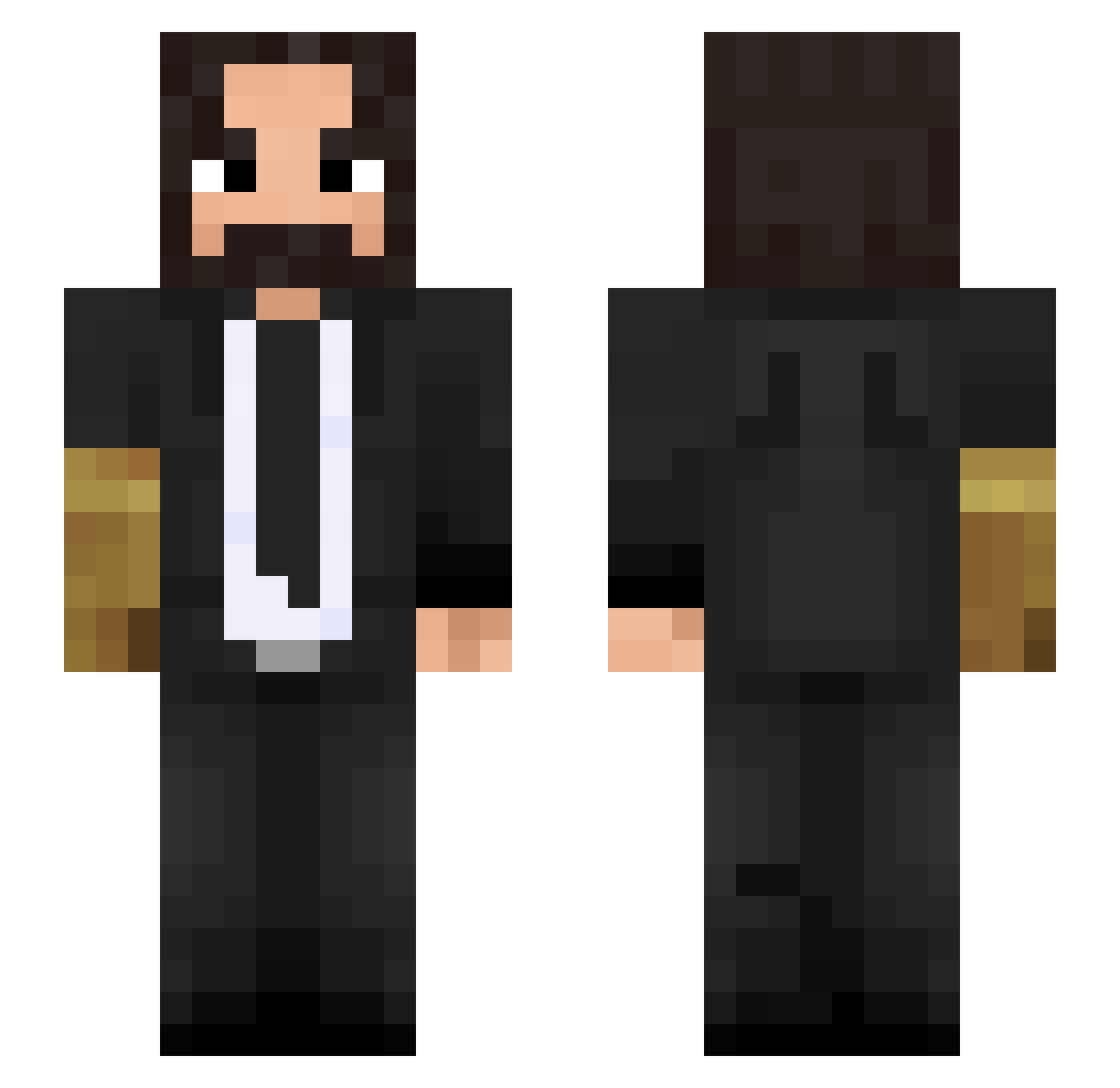
Current Minecraft skin of the player Eternal_Bleu, loaded from the official Mojang API. Rotate the 3D model with your mouse or finger, then download the skin as a PNG file and use it in Minecraft: Bedrock Edition or Java Edition for free. When Eternal_Bleu changes their skin, this page updates automatically and the old skin stays in the history below.
Other players with this skin (500)
Eternal_Bleu was the 378th player we have seen with this skin, first spotted on 24.10.2026. The same skin was seen on these players. Open a nickname to see their current skin and skin history.
 AddiGamePlayGuy HelloMaFriends Kodear Vincerin0 alejo11123 SrDenis21 kalanidb IceIceGravey GiantsDance Kraopist171 MagicSmitty _TheMychenik_ tomahrae Lurg420 Koelieeee Random SwuzziFN nohazzard Faith1117 SpaceWarlock LlamasBCN nightmare585 Kingpingamer ksdjkskd WhatTheDuke Clastics Audimatic_ Dav4id Fliper751 FlipadorMolador xqisit95 ramphass ApooKash55 Ce_Jot Fongkun _SAKE_ Ahmet1234 Liptio kuankuan5214 Antop2137 andrewldh imrickjamess Kuhlchen JhonAlonzo ThreeArcher8056 JavierAstorga __zef Benni6124 BhupendraJogi __MySTerY_ i_like_spagett Aummm18 ADAR_1337 Tommaso2003_ Nosherz DJJDBOSS JasionG03 Arceuss71 IAmLaze itsyoufault
More John Wick Minecraft skins
How to install the Eternal_Bleu skin
- Press the Download button above to save the skin as a PNG file.
- Minecraft: Bedrock Edition (PE): open the Dressing Room from the main menu (or tap your character → Edit Character), go to Classic Skins → Owned, press the + (new skin) button, choose the downloaded PNG and pick the Slim (Alex) model. Works on PC and mobile; consoles cannot import custom skins.
- Minecraft: Java Edition: open the Minecraft Launcher, go to the Skins tab, click New Skin, load the PNG, pick the Slim (Alex) model and press Save & Use. You can also upload it at minecraft.net → Profile → Change Skin.
The skin does not show up after import - what should I do?
Restart Minecraft and open the Dressing Room again - imported skins sometimes appear only after a restart. Also make sure you selected the imported skin and picked the Slim (Alex) model.
Which model should I choose, Classic or Slim?
This skin is designed for the Slim (Alex) model. If you pick the wrong model, the arms of the skin will look stretched or squeezed.
Is the skin of Eternal_Bleu free to download?
Yes. Press Download, save the PNG file and use it in Minecraft: Bedrock Edition or Java Edition - no payment or registration needed. The skin also works on multiplayer servers and Realms.
More skins
Looking for more? Go back to all Minecraft skins and check the top skins of the week, month and all time, or find any player's skin by nickname.