
Eskilllz - Minecraft Skins & Skin History
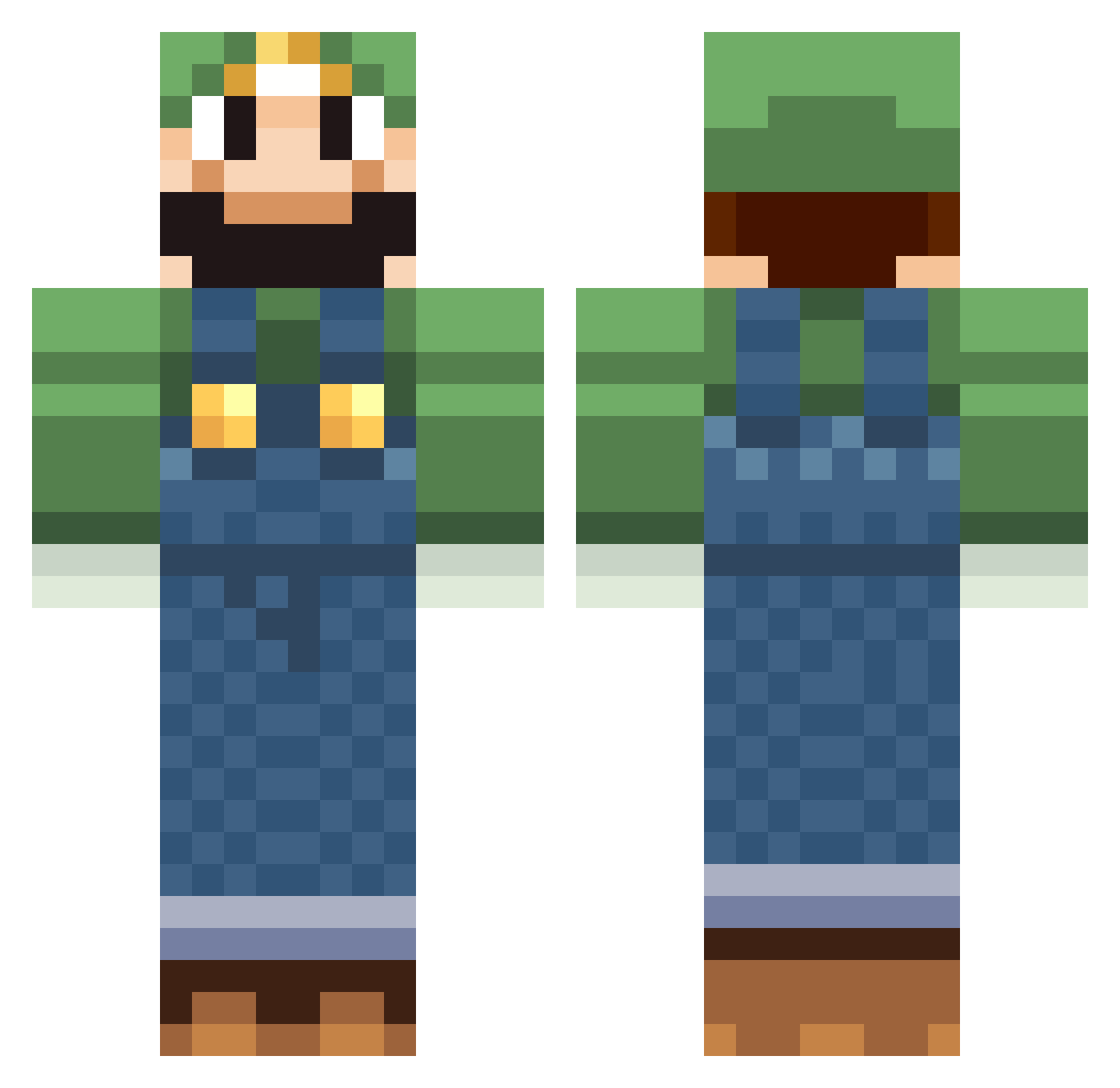
Current Minecraft skin of the player Eskilllz, loaded from the official Mojang API. Rotate the 3D model with your mouse or finger, then download the skin as a PNG file and use it in Minecraft: Bedrock Edition or Java Edition for free. When Eskilllz changes their skin, this page updates automatically and the old skin stays in the history below.
Other players with this skin (627)
Eskilllz was the 597th player we have seen with this skin, first spotted on 13.11.2026. The same skin was seen on these players. Open a nickname to see their current skin and skin history.
 eivindke Kev_Kev nara2 Petskupiip andysniper101 Generate_Name peter2005 54321marioluigi Colameista Boms2000 RipperRoo67 ryo390 Wave_FR pitufa Jhonny1988 Kay7272 james2828 Bullminers mattybassoon strtp Araoz Abob0 Orion_17 DaBedman Reiska84 artgar dilly2007 sleepvig Mathildez ShadoLaura Building_Ninja Dragonhunter4899 THOMASTHOMAS hapycamper bawebb123 prosper01 Ch0b0 minimaasen Impacthound marc433 hockeymonster22 purplerevolution Nottinator cyven64 raven_ra dkoopa Songiers DarthMuffin2000 rmarcano Juustis achaziel ThoPicK gobblox38 Nate221 DrDreadx3 dbswaan jbubba73 emilrasse NirvanaG4ming OriginalGleek
More Luigi Minecraft skins
How to install the Eskilllz skin
- Press the Download button above to save the skin as a PNG file.
- Minecraft: Bedrock Edition (PE): open the Dressing Room from the main menu (or tap your character → Edit Character), go to Classic Skins → Owned, press the + (new skin) button, choose the downloaded PNG and pick the Classic (Steve) model. Works on PC and mobile; consoles cannot import custom skins.
- Minecraft: Java Edition: open the Minecraft Launcher, go to the Skins tab, click New Skin, load the PNG, pick the Classic (Steve) model and press Save & Use. You can also upload it at minecraft.net → Profile → Change Skin.
The skin does not show up after import - what should I do?
Restart Minecraft and open the Dressing Room again - imported skins sometimes appear only after a restart. Also make sure you selected the imported skin and picked the Classic (Steve) model.
Which model should I choose, Classic or Slim?
This skin is designed for the Classic (Steve) model. If you pick the wrong model, the arms of the skin will look stretched or squeezed.
Is the skin of Eskilllz free to download?
Yes. Press Download, save the PNG file and use it in Minecraft: Bedrock Edition or Java Edition - no payment or registration needed. The skin also works on multiplayer servers and Realms.
More skins
Looking for more? Go back to all Minecraft skins and check the top skins of the week, month and all time, or find any player's skin by nickname.