
Error50444 - Minecraft Skins & Skin History
Current Minecraft skin of the player Error50444, loaded from the official Mojang API. Rotate the 3D model with your mouse or finger, then download the skin as a PNG file and use it in Minecraft: Bedrock Edition or Java Edition for free. When Error50444 changes their skin, this page updates automatically and the old skin stays in the history below.

Other players with this skin (330)
Error50444 was the 30th player we have seen with this skin, first spotted on 02.08.2026. The same skin was seen on these players. Open a nickname to see their current skin and skin history.
 Dreeaaaaaam sigggggggma ArticWolfs kesallon gushiver gyojin0113 kecsemilan covidslayer
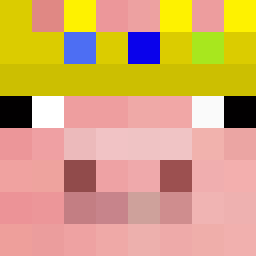 ColuiCheSalva_ XPLEAGUEPLAYER22 dxsscxly Ka1senCHINA
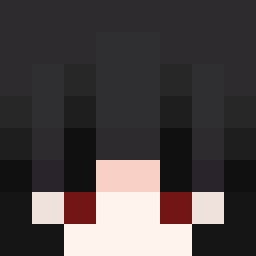 Icelord15928 CHIKIN88 BossDeer27
 onibuilder Knaidelbelt DRAKSLERTV Naechozz quaduckindiamond xFros_ Jcxv_VV lolloprogamer17 ShadowStrikeKill enqiz Phantom_Emir Rdeg mcxkyt pscreeper
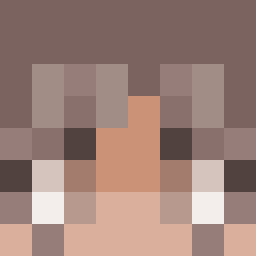 KaChoooooooooW
 Levicool2207 Electronem jolinaiscracked
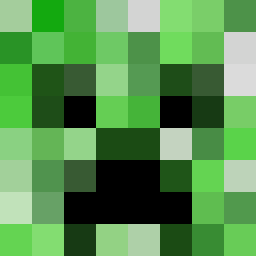 Neil_TY Suren2017 daniel_hyeoni sxmon08 tekniklabs12 dinonugget696969 wsdswdsw5558588 FutureGamer13 MitchMiles fymcollin Suliman224 RedCozy YumiiCloud sandstar_006
 Zocker_nick Exalen F1nqlly omarSOS ABOGRGR56 pozdrooo11 Chobyk BenBenNaka linkyyg Blitz007 JSBQET IHasBigBrain Redkimchi12345
More Smiley Face Minecraft skins
See all 1926 Smiley Face skins
How to install the Error50444 skin
- Press the Download button above to save the skin as a PNG file.
- Minecraft: Bedrock Edition (PE): open the Dressing Room from the main menu (or tap your character → Edit Character), go to Classic Skins → Owned, press the + (new skin) button, choose the downloaded PNG and pick the Slim (Alex) model. Works on PC and mobile; consoles cannot import custom skins.
- Minecraft: Java Edition: open the Minecraft Launcher, go to the Skins tab, click New Skin, load the PNG, pick the Slim (Alex) model and press Save & Use. You can also upload it at minecraft.net → Profile → Change Skin.
The skin does not show up after import - what should I do?
Restart Minecraft and open the Dressing Room again - imported skins sometimes appear only after a restart. Also make sure you selected the imported skin and picked the Slim (Alex) model.
Which model should I choose, Classic or Slim?
This skin is designed for the Slim (Alex) model. If you pick the wrong model, the arms of the skin will look stretched or squeezed.
Is the skin of Error50444 free to download?
Yes. Press Download, save the PNG file and use it in Minecraft: Bedrock Edition or Java Edition - no payment or registration needed. The skin also works on multiplayer servers and Realms.
More skins
Looking for more? Go back to all Minecraft skins and check the top skins of the week, month and all time, or find any player's skin by nickname.