
Erlo72 - Minecraft Skins & Skin History
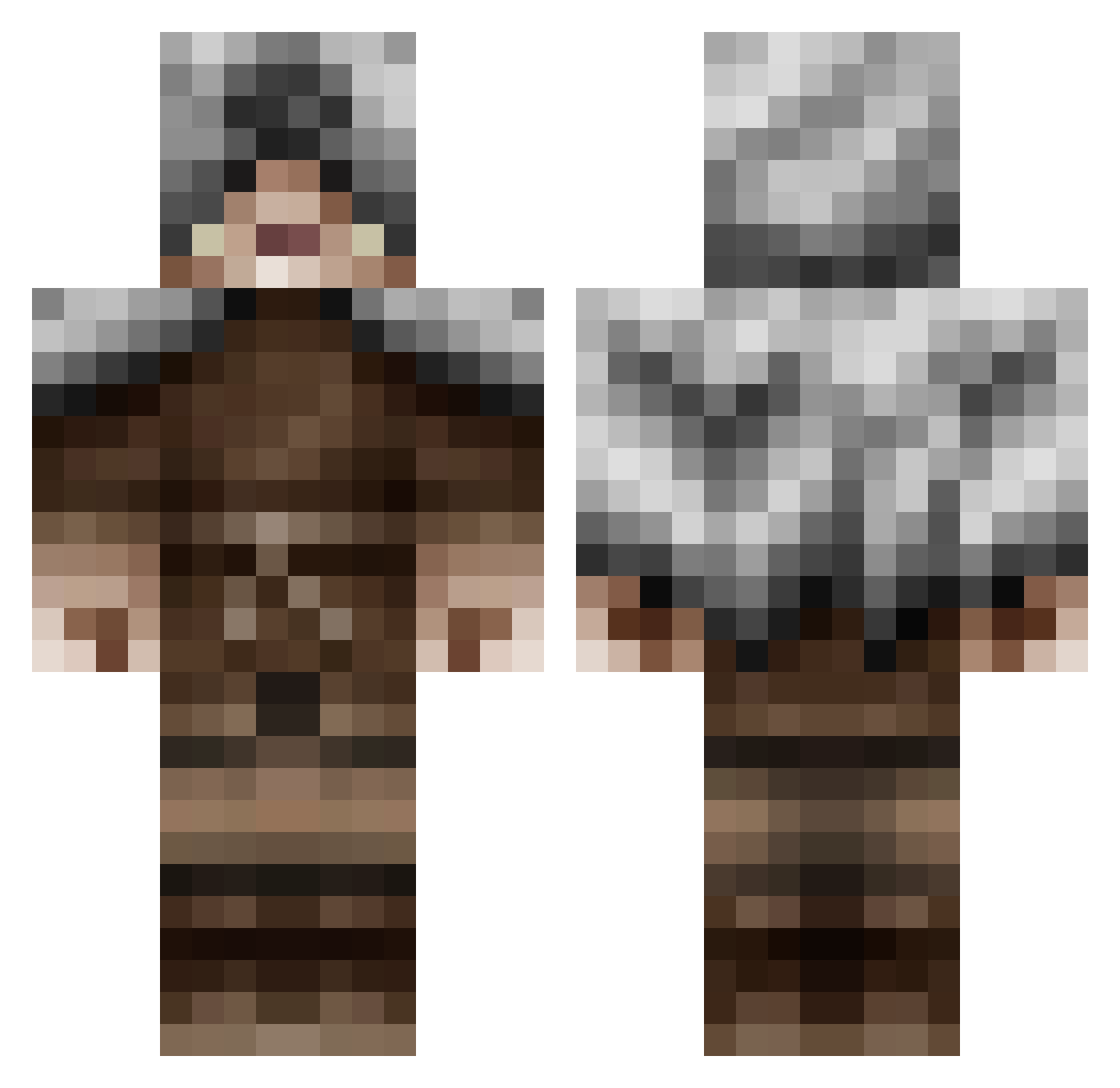
Current Minecraft skin of the player Erlo72, loaded from the official Mojang API. Rotate the 3D model with your mouse or finger, then download the skin as a PNG file and use it in Minecraft: Bedrock Edition or Java Edition for free. When Erlo72 changes their skin, this page updates automatically and the old skin stays in the history below.
Other players with this skin (479)
Erlo72 was the 67th player we have seen with this skin, first spotted on 10.08.2026. The same skin was seen on these players. Open a nickname to see their current skin and skin history.
 LrdNMstrFoamy Maltusch06 LegacyDealer BudderLord99 superswagg786 Simon_383 Specimin Kerryob13 Cobbler_dog somebody11 goredaddy hlynur92 Seems_Good Gorathium xrichyx Shadow_Mannn Elijah_780 LordAelfric ThatBikeGuy tophersmo22 kobbel24 Wolfzur Drekkn Anonemus Meridith22 sparthor9 alfr0401 sophoro Mithaniel_Marr Martomb theRageXIII rave6991 mamepooh Ganster4mo Shadedwulf Narna Zuthul exobi Phrosti Qman6 f6776 CookieCreature34 Toki_92 the_cogle GivenReaper Orangehalo Paul194 Stalord25 Mihaen urbpaulius lobokala razorwire911 guaxismile RaginRed pijjy17 Novin Celenar Blueice9 ItsMrMachoMan Blaque_Liberator
More Rogue Minecraft skins
How to install the Erlo72 skin
- Press the Download button above to save the skin as a PNG file.
- Minecraft: Bedrock Edition (PE): open the Dressing Room from the main menu (or tap your character → Edit Character), go to Classic Skins → Owned, press the + (new skin) button, choose the downloaded PNG and pick the Classic (Steve) model. Works on PC and mobile; consoles cannot import custom skins.
- Minecraft: Java Edition: open the Minecraft Launcher, go to the Skins tab, click New Skin, load the PNG, pick the Classic (Steve) model and press Save & Use. You can also upload it at minecraft.net → Profile → Change Skin.
The skin does not show up after import - what should I do?
Restart Minecraft and open the Dressing Room again - imported skins sometimes appear only after a restart. Also make sure you selected the imported skin and picked the Classic (Steve) model.
Which model should I choose, Classic or Slim?
This skin is designed for the Classic (Steve) model. If you pick the wrong model, the arms of the skin will look stretched or squeezed.
Is the skin of Erlo72 free to download?
Yes. Press Download, save the PNG file and use it in Minecraft: Bedrock Edition or Java Edition - no payment or registration needed. The skin also works on multiplayer servers and Realms.
More skins
Looking for more? Go back to all Minecraft skins and check the top skins of the week, month and all time, or find any player's skin by nickname.