
EricSeals94 - Minecraft Skins & Skin History
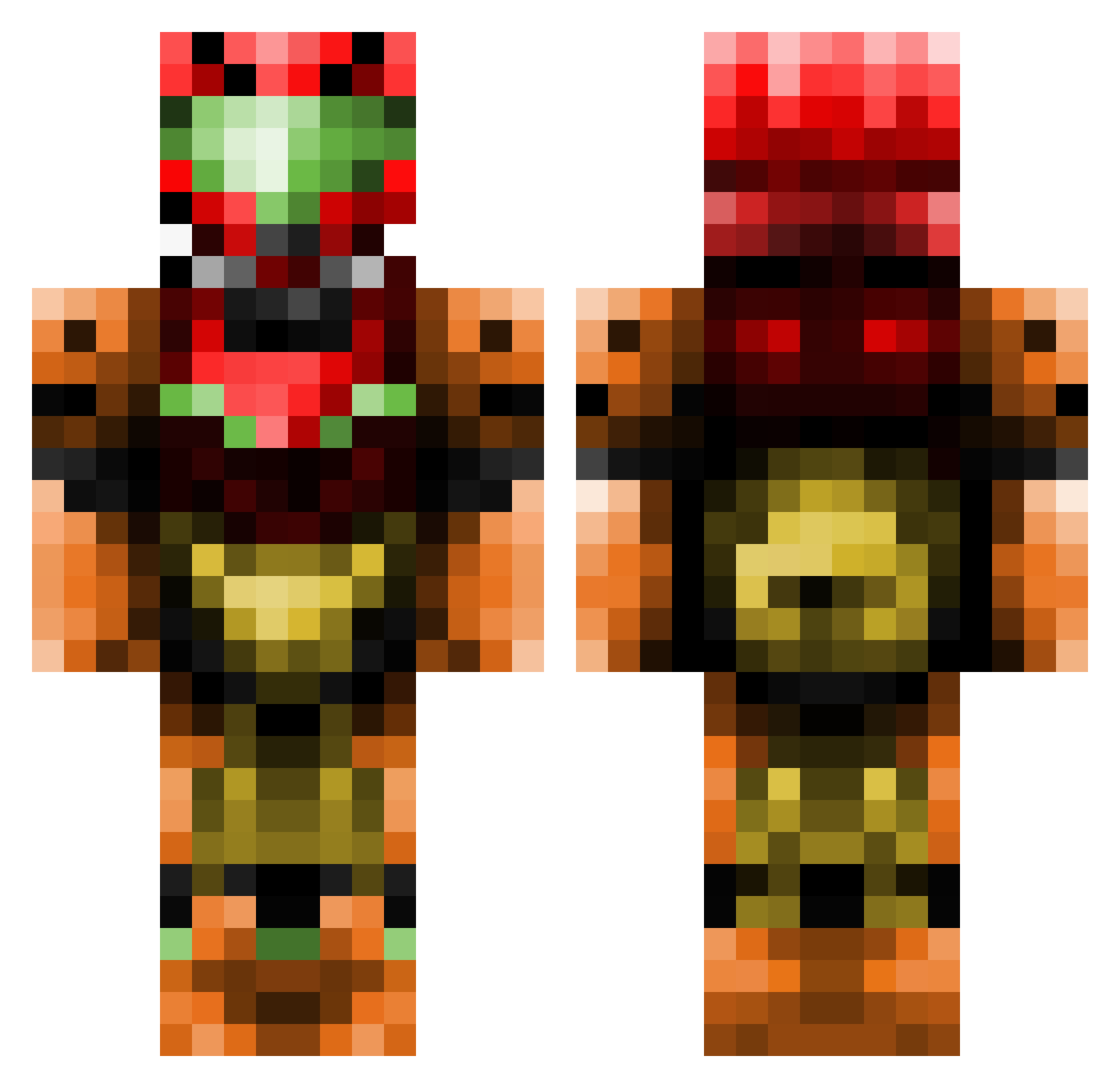
Current Minecraft skin of the player EricSeals94, loaded from the official Mojang API. Rotate the 3D model with your mouse or finger, then download the skin as a PNG file and use it in Minecraft: Bedrock Edition or Java Edition for free. When EricSeals94 changes their skin, this page updates automatically and the old skin stays in the history below.
Other players with this skin (387)
EricSeals94 was the 6th player we have seen with this skin, first spotted on 22.07.2026. The same skin was seen on these players. Open a nickname to see their current skin and skin history.
 Rakanishu87 martiansoup ErsadMC Sesin Ninpox Seabowlt MasterC86 buy_at_vape_gg satsuki_leo Infiltration kareekrans ZarusInfinite aceminime liam623 UhPenguin Exostream VisceralStrike SquareHill CaptainHammer72 KnownToBeLethal Libblebibble Qualm6 Taig XxsamusxX2 Eternal_winds xAeternae ppaesi SnazasaurusRex Archer2463 earth_guardian PimpMyXzibit A1NA1S Edgetiger macriley Grey_Dawn Skellskull Furubanut japanstrikesback Aminosama ronalopolis Jackisback archangel249 karramrahd GrimNicker kulmas ooo5559o J_San14 Uthon Centsy Av4LaNcH3 Spreaddato darkksaber asdfander VisamburoGamer mishinme BRICKSmovies AA12_Minecraft KingTriforce64 gryp84 Toasted101
More Samus Aran Minecraft skins
How to install the EricSeals94 skin
- Press the Download button above to save the skin as a PNG file.
- Minecraft: Bedrock Edition (PE): open the Dressing Room from the main menu (or tap your character → Edit Character), go to Classic Skins → Owned, press the + (new skin) button, choose the downloaded PNG and pick the Classic (Steve) model. Works on PC and mobile; consoles cannot import custom skins.
- Minecraft: Java Edition: open the Minecraft Launcher, go to the Skins tab, click New Skin, load the PNG, pick the Classic (Steve) model and press Save & Use. You can also upload it at minecraft.net → Profile → Change Skin.
The skin does not show up after import - what should I do?
Restart Minecraft and open the Dressing Room again - imported skins sometimes appear only after a restart. Also make sure you selected the imported skin and picked the Classic (Steve) model.
Which model should I choose, Classic or Slim?
This skin is designed for the Classic (Steve) model. If you pick the wrong model, the arms of the skin will look stretched or squeezed.
Is the skin of EricSeals94 free to download?
Yes. Press Download, save the PNG file and use it in Minecraft: Bedrock Edition or Java Edition - no payment or registration needed. The skin also works on multiplayer servers and Realms.
More skins
Looking for more? Go back to all Minecraft skins and check the top skins of the week, month and all time, or find any player's skin by nickname.