
Er__Xiao - Minecraft Skins & Skin History
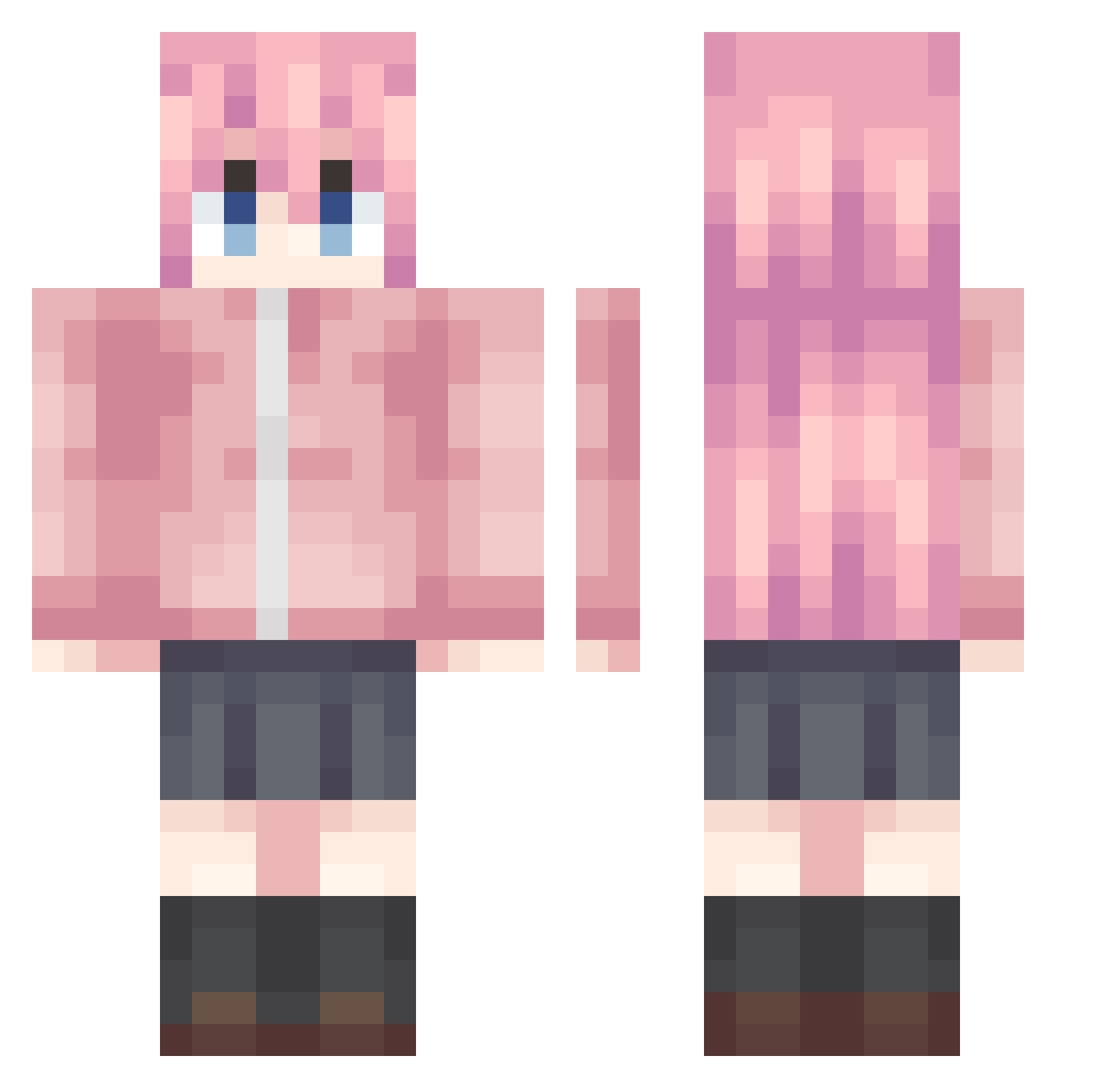
Current Minecraft skin of the player Er__Xiao, loaded from the official Mojang API. Rotate the 3D model with your mouse or finger, then download the skin as a PNG file and use it in Minecraft: Bedrock Edition or Java Edition for free. When Er__Xiao changes their skin, this page updates automatically and the old skin stays in the history below.
Other players with this skin (991)
Er__Xiao was the 221st player we have seen with this skin, first spotted on 18.08.2026. The same skin was seen on these players. Open a nickname to see their current skin and skin history.
 Tian_Xiao_ keven__ jinsu34 Spiritish Tetres100 Winter__cloud niklly seanlin0911 ddadda7 N0N_ame IsochroHC Bluelvren cutecatQwQ123 kfxm Coffee2007 UnknownMother Ettiennee chip1111 Rauliz Mr_santian yunyunzi114514 4654777 hitoritan Dakonglong FZSH2004 Wengugu tingfengyu __InabaMeguru__ Bnlo mc_ritian XiangKai angelkawaiii2 bdbdgbdd Forg0305 Deng33 Hitori__Gotoh_ Elle_Fanning NoTrue_ whyuz dinner2233
 LIYAN666 mimizuqu ganleccc Loliphile Miko_Iino Yndsea wuyaun fen134 LengCheng YZMLXR yutaran1919 FBAI lulugi777 Flvec kh66789 KrunkAintDead7 Viviana666 lvyin_ tomoyo24 PanFeng_
More Bocchi Minecraft skins
How to install the Er__Xiao skin
- Press the Download button above to save the skin as a PNG file.
- Minecraft: Bedrock Edition (PE): open the Dressing Room from the main menu (or tap your character → Edit Character), go to Classic Skins → Owned, press the + (new skin) button, choose the downloaded PNG and pick the Classic (Steve) model. Works on PC and mobile; consoles cannot import custom skins.
- Minecraft: Java Edition: open the Minecraft Launcher, go to the Skins tab, click New Skin, load the PNG, pick the Classic (Steve) model and press Save & Use. You can also upload it at minecraft.net → Profile → Change Skin.
The skin does not show up after import - what should I do?
Restart Minecraft and open the Dressing Room again - imported skins sometimes appear only after a restart. Also make sure you selected the imported skin and picked the Classic (Steve) model.
Which model should I choose, Classic or Slim?
This skin is designed for the Classic (Steve) model. If you pick the wrong model, the arms of the skin will look stretched or squeezed.
Is the skin of Er__Xiao free to download?
Yes. Press Download, save the PNG file and use it in Minecraft: Bedrock Edition or Java Edition - no payment or registration needed. The skin also works on multiplayer servers and Realms.
More skins
Looking for more? Go back to all Minecraft skins and check the top skins of the week, month and all time, or find any player's skin by nickname.