
Epitaxy - Minecraft Skins & Skin History
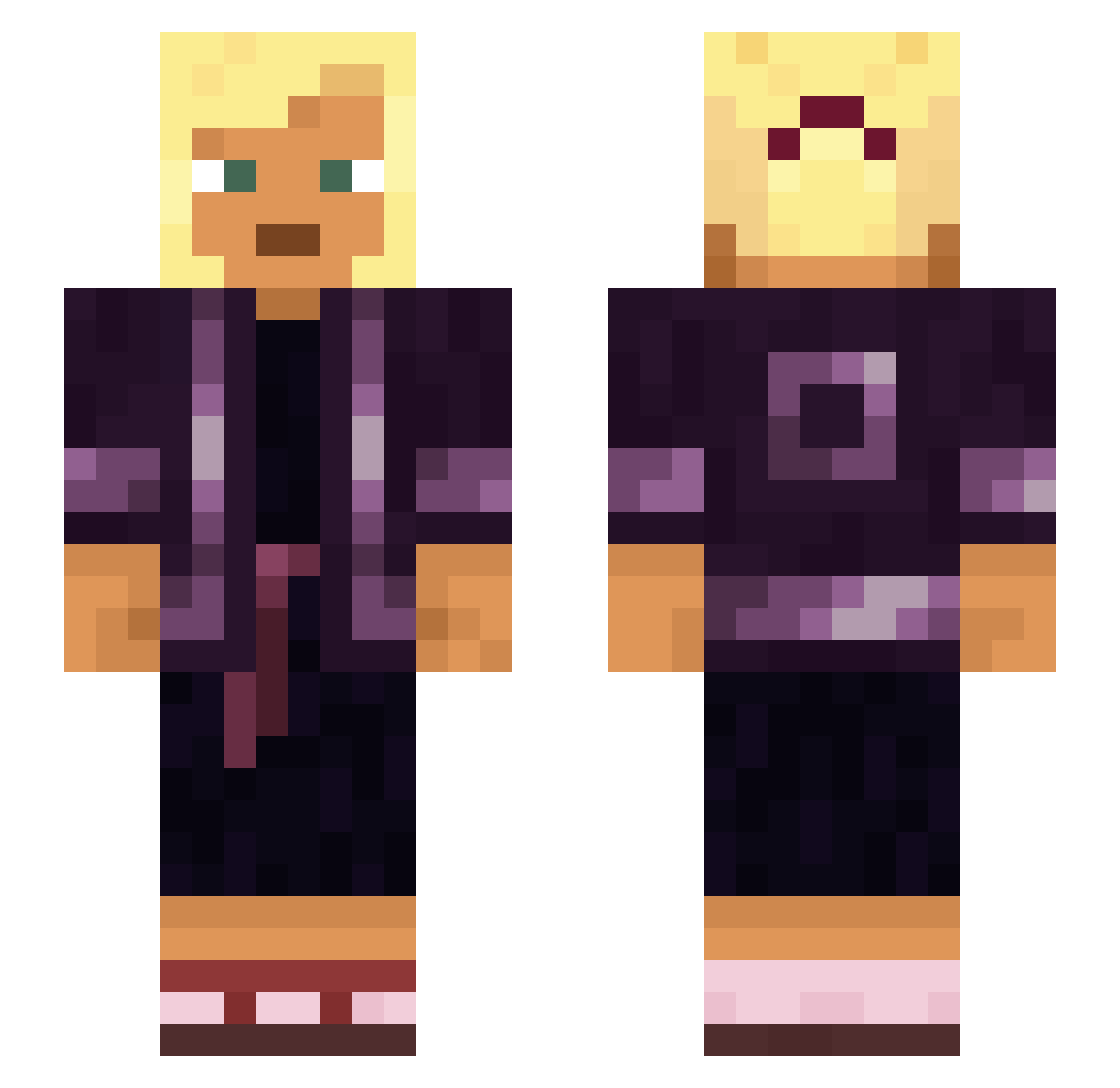
Current Minecraft skin of the player Epitaxy, loaded from the official Mojang API. Rotate the 3D model with your mouse or finger, then download the skin as a PNG file and use it in Minecraft: Bedrock Edition or Java Edition for free. When Epitaxy changes their skin, this page updates automatically and the old skin stays in the history below.
Other players with this skin (930)
Epitaxy was the 726th player we have seen with this skin, first spotted on 16.10.2026. The same skin was seen on these players. Open a nickname to see their current skin and skin history.
 Akhenaton yerik962 KnechtKinder feynman1729 DannyShao KevinK7 GoGoo Cathetus Inertial Curr texans Risky888 Troubleshot __Damian makoto_katagiri denki_usagi AirMaroc__ Kiffi88 CosmosC rave23qUrQGv dangerful qzmx Unlocks AdziolYT chapfallen Marquis Dindon Morlowwww ImZdog10 Monomer Spryly Brownian machineWATCH Bootlessly Yeshua918 raketheblimp insculped TiredKeyBoard GerCobra Drowners kkesen BabaKapa reivers Bioplastic HughWillie Zwergi72 mote Hotzone musculus Nontronite DreamHoodie aekwvkqey Jeremy_1230 Jutlander misway Courtney21k yIceDragon Octavarium taco57 oliwieczori
More Asian Minecraft skins
How to install the Epitaxy skin
- Press the Download button above to save the skin as a PNG file.
- Minecraft: Bedrock Edition (PE): open the Dressing Room from the main menu (or tap your character → Edit Character), go to Classic Skins → Owned, press the + (new skin) button, choose the downloaded PNG and pick the Slim (Alex) model. Works on PC and mobile; consoles cannot import custom skins.
- Minecraft: Java Edition: open the Minecraft Launcher, go to the Skins tab, click New Skin, load the PNG, pick the Slim (Alex) model and press Save & Use. You can also upload it at minecraft.net → Profile → Change Skin.
The skin does not show up after import - what should I do?
Restart Minecraft and open the Dressing Room again - imported skins sometimes appear only after a restart. Also make sure you selected the imported skin and picked the Slim (Alex) model.
Which model should I choose, Classic or Slim?
This skin is designed for the Slim (Alex) model. If you pick the wrong model, the arms of the skin will look stretched or squeezed.
Is the skin of Epitaxy free to download?
Yes. Press Download, save the PNG file and use it in Minecraft: Bedrock Edition or Java Edition - no payment or registration needed. The skin also works on multiplayer servers and Realms.
More skins
Looking for more? Go back to all Minecraft skins and check the top skins of the week, month and all time, or find any player's skin by nickname.