
EphemVB - Minecraft Skins & Skin History
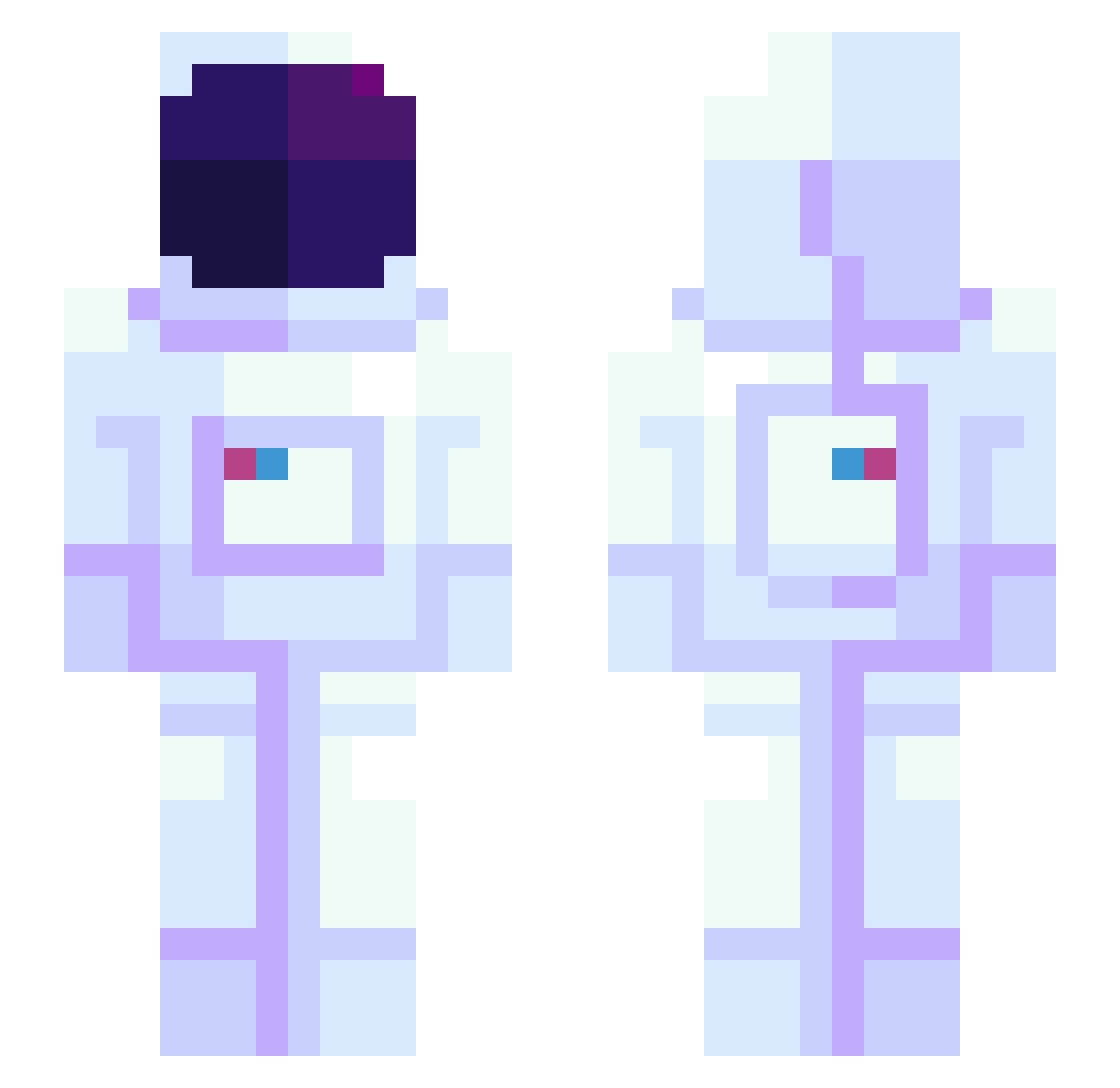
Current Minecraft skin of the player EphemVB, loaded from the official Mojang API. Rotate the 3D model with your mouse or finger, then download the skin as a PNG file and use it in Minecraft: Bedrock Edition or Java Edition for free. When EphemVB changes their skin, this page updates automatically and the old skin stays in the history below.
Other players with this skin (945)
EphemVB was the 144th player we have seen with this skin, first spotted on 11.08.2026. The same skin was seen on these players. Open a nickname to see their current skin and skin history.
 meeloe Thunski louitooos Cold_42 Stuipie 19xk GeluLain Ryuunia ItsUniverse TwestyAu Fizzlebang2 TheOnly2 Meggslee k0fta228 MityPlays beerman317 DaProtatoGamer31 Chanthuata elffaWaffle Janick9 nezpy Vader_22 ShopStar Sl1fer miko4413 EB_223 BumBagle Siegnao TeamAstralis haamdyu ballsus staqoqo velmon2000 __Junho__ AngelicGoddess Cosmic_Axolotl JoeyDaKing ResidentMoth972 iamBaijiu BullyGorilla graffiti_cp DMOtheDon pmatlas alden_ handsomeheihei RZXKD Valenb2007 zipstone PrimeT1ME30 cjlh1029 Darkskineag Slimms PoppyVila Astro_Life362 Ifilyn Zambovore Richi_nyan K_Deer KaNE1114 enwooc
More Astronaut Minecraft skins
How to install the EphemVB skin
- Press the Download button above to save the skin as a PNG file.
- Minecraft: Bedrock Edition (PE): open the Dressing Room from the main menu (or tap your character → Edit Character), go to Classic Skins → Owned, press the + (new skin) button, choose the downloaded PNG and pick the Slim (Alex) model. Works on PC and mobile; consoles cannot import custom skins.
- Minecraft: Java Edition: open the Minecraft Launcher, go to the Skins tab, click New Skin, load the PNG, pick the Slim (Alex) model and press Save & Use. You can also upload it at minecraft.net → Profile → Change Skin.
The skin does not show up after import - what should I do?
Restart Minecraft and open the Dressing Room again - imported skins sometimes appear only after a restart. Also make sure you selected the imported skin and picked the Slim (Alex) model.
Which model should I choose, Classic or Slim?
This skin is designed for the Slim (Alex) model. If you pick the wrong model, the arms of the skin will look stretched or squeezed.
Is the skin of EphemVB free to download?
Yes. Press Download, save the PNG file and use it in Minecraft: Bedrock Edition or Java Edition - no payment or registration needed. The skin also works on multiplayer servers and Realms.
More skins
Looking for more? Go back to all Minecraft skins and check the top skins of the week, month and all time, or find any player's skin by nickname.