
Entitilo_nHALU - Minecraft Skins & Skin History
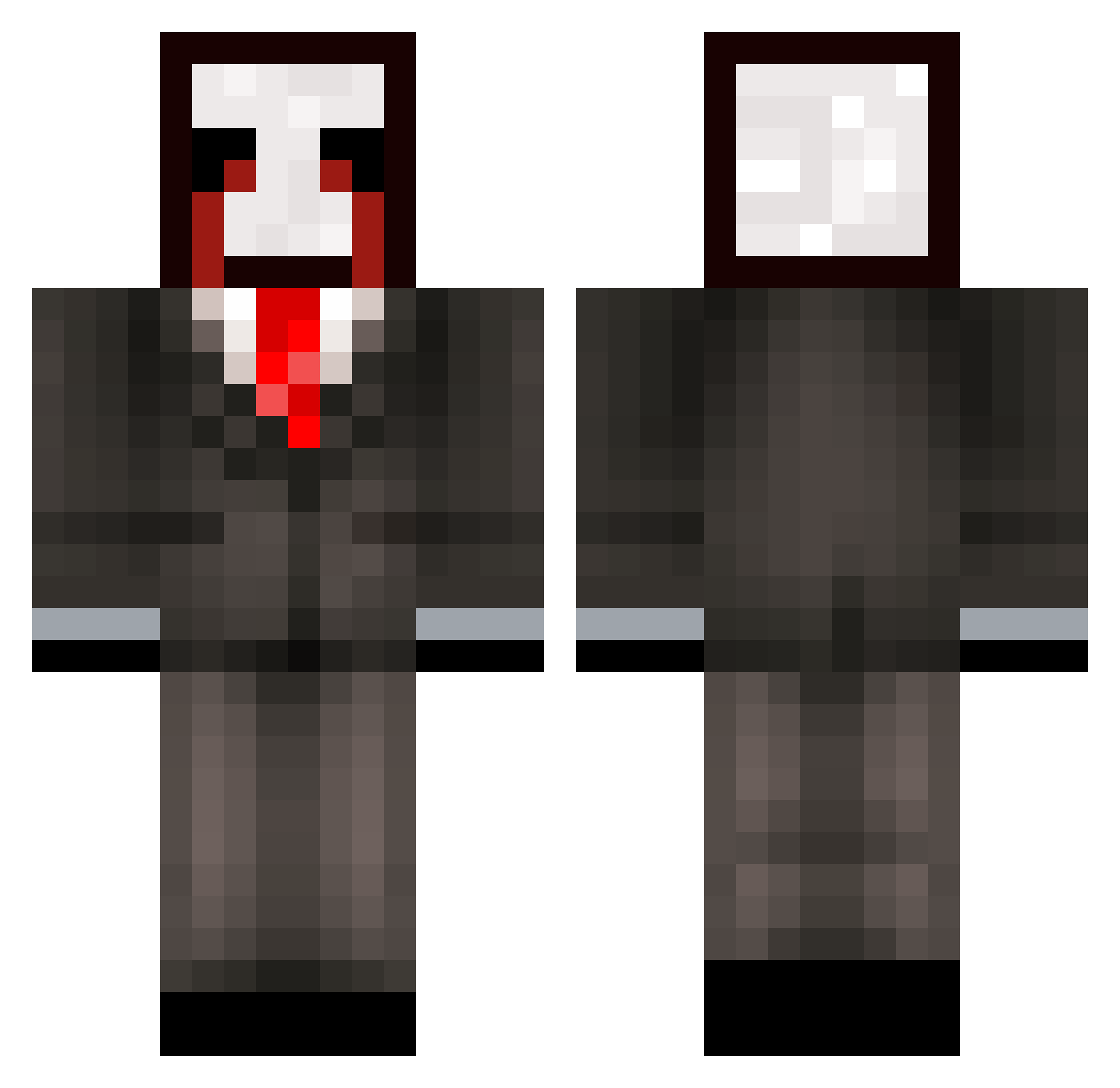
Current Minecraft skin of the player Entitilo_nHALU, loaded from the official Mojang API. Rotate the 3D model with your mouse or finger, then download the skin as a PNG file and use it in Minecraft: Bedrock Edition or Java Edition for free. When Entitilo_nHALU changes their skin, this page updates automatically and the old skin stays in the history below.
Other players with this skin (371)
Entitilo_nHALU was the 197th player we have seen with this skin, first spotted on 25.09.2026. The same skin was seen on these players. Open a nickname to see their current skin and skin history.
 zzxgp_PkMsm mogalts_uqwYf mur_nicegen_jn1 kek_msmc_3ys Ardell_costly040 meowalt_hgiqV_07 lds_msmc_ebe h8a_msmc_tvn orish_unfolded78 i48_msmc_3y5 zzxgp_XaPPm Dollar19past165 sseltaunaware332 LinhLyYZN0407 zz_wzsPq_12_09 meowalt_uKvvG_10 Letobuka Lazyrichy swt_shadow_9bl MikaCool22 zzxgp_GVZYvTwv ncc_msmc_xno 43m_shadow_7fc LinhHawkwagUwU usk_msmc_cia Trufant80smug540 fa4_msmc_dhc LinhmKQQu0118 da2yCugnacious transcenden0tal ravebeAlZgIp vxz_msmc_k21 ertolli_shadowy7 oaoAG_mogged_xD rih_nicegen_uju KonLew ravewtrfd1ZN Clark6547 bz_hRlun_10_25 DarkDarkness1 Mal_DaRbVw GorkemErpolat Night__25 zzxgp_dirvR confide1ntialAf KevinSnow794 Haugjunior836 Meendering_aged6 Bonatti8best2 Toci_watchful911 zz_AQRKJ_01_07 utx_msmc_l9x 2k8_msmc_8de orf_powerless497 meowalt_rbnLD_09 78n_Heckir 4yx_msmc_3h9 ptaltsXXjmy mogged_OUyZc LinhCxcmi0107
More Slenderman Minecraft skins
How to install the Entitilo_nHALU skin
- Press the Download button above to save the skin as a PNG file.
- Minecraft: Bedrock Edition (PE): open the Dressing Room from the main menu (or tap your character → Edit Character), go to Classic Skins → Owned, press the + (new skin) button, choose the downloaded PNG and pick the Classic (Steve) model. Works on PC and mobile; consoles cannot import custom skins.
- Minecraft: Java Edition: open the Minecraft Launcher, go to the Skins tab, click New Skin, load the PNG, pick the Classic (Steve) model and press Save & Use. You can also upload it at minecraft.net → Profile → Change Skin.
The skin does not show up after import - what should I do?
Restart Minecraft and open the Dressing Room again - imported skins sometimes appear only after a restart. Also make sure you selected the imported skin and picked the Classic (Steve) model.
Which model should I choose, Classic or Slim?
This skin is designed for the Classic (Steve) model. If you pick the wrong model, the arms of the skin will look stretched or squeezed.
Is the skin of Entitilo_nHALU free to download?
Yes. Press Download, save the PNG file and use it in Minecraft: Bedrock Edition or Java Edition - no payment or registration needed. The skin also works on multiplayer servers and Realms.
More skins
Looking for more? Go back to all Minecraft skins and check the top skins of the week, month and all time, or find any player's skin by nickname.