
Endercraz - Minecraft Skins & Skin History
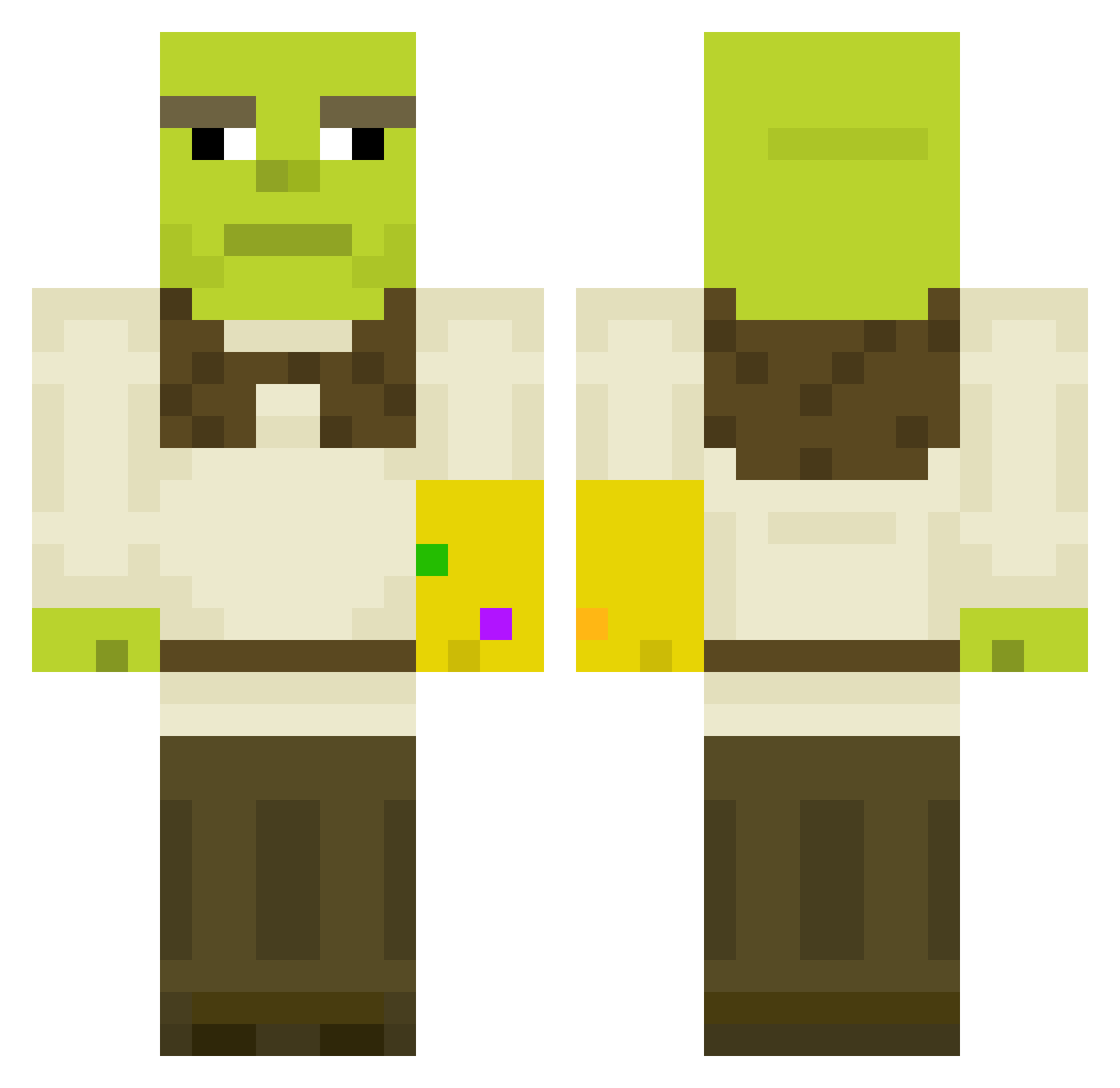
Current Minecraft skin of the player Endercraz, loaded from the official Mojang API. Rotate the 3D model with your mouse or finger, then download the skin as a PNG file and use it in Minecraft: Bedrock Edition or Java Edition for free. When Endercraz changes their skin, this page updates automatically and the old skin stays in the history below.
Other players with this skin (611)
Endercraz was the 579th player we have seen with this skin, first spotted on 13.11.2026. The same skin was seen on these players. Open a nickname to see their current skin and skin history.
 lukasteodor444 diegocherryruiz GentleProtector rocky_02 harroolldd mattburch1 Tegsta taku41 Qavoc AllanM98 PusssyEater tafl AjLudlow jkatz71 yoholimomi SocceAssassin 7evn__ BrenoLixo LackinSleep pancreaft Martin_Pedersen Fortis15 dwightski Samwise_Gam Thunda10 ImpyDoodah itsNoog jeppeBBC anderazua macius5991 ganxter0071 Ander_sos ByDeemz Blazehuntar WaverLP torzeeh Goodwin1907 emirp12 chmoshnik Otojmis hippophobias BerMp BeanmanGaming69 kendall28 xrastamanx Kriitcher Coryw883 turbosprezarka00 wanryavka Dervodeau Lil_Snutty Potatocat73 iSlimeHD Ammty1h PokerLad Chronovan Maxizockt19 NowDead8 Sourio seenieboi
More Infinity Gauntlet Minecraft skins
See all 716 Infinity Gauntlet skins
How to install the Endercraz skin
- Press the Download button above to save the skin as a PNG file.
- Minecraft: Bedrock Edition (PE): open the Dressing Room from the main menu (or tap your character → Edit Character), go to Classic Skins → Owned, press the + (new skin) button, choose the downloaded PNG and pick the Classic (Steve) model. Works on PC and mobile; consoles cannot import custom skins.
- Minecraft: Java Edition: open the Minecraft Launcher, go to the Skins tab, click New Skin, load the PNG, pick the Classic (Steve) model and press Save & Use. You can also upload it at minecraft.net → Profile → Change Skin.
The skin does not show up after import - what should I do?
Restart Minecraft and open the Dressing Room again - imported skins sometimes appear only after a restart. Also make sure you selected the imported skin and picked the Classic (Steve) model.
Which model should I choose, Classic or Slim?
This skin is designed for the Classic (Steve) model. If you pick the wrong model, the arms of the skin will look stretched or squeezed.
Is the skin of Endercraz free to download?
Yes. Press Download, save the PNG file and use it in Minecraft: Bedrock Edition or Java Edition - no payment or registration needed. The skin also works on multiplayer servers and Realms.
More skins
Looking for more? Go back to all Minecraft skins and check the top skins of the week, month and all time, or find any player's skin by nickname.