
EndangeredBubs - Minecraft Skins & Skin History
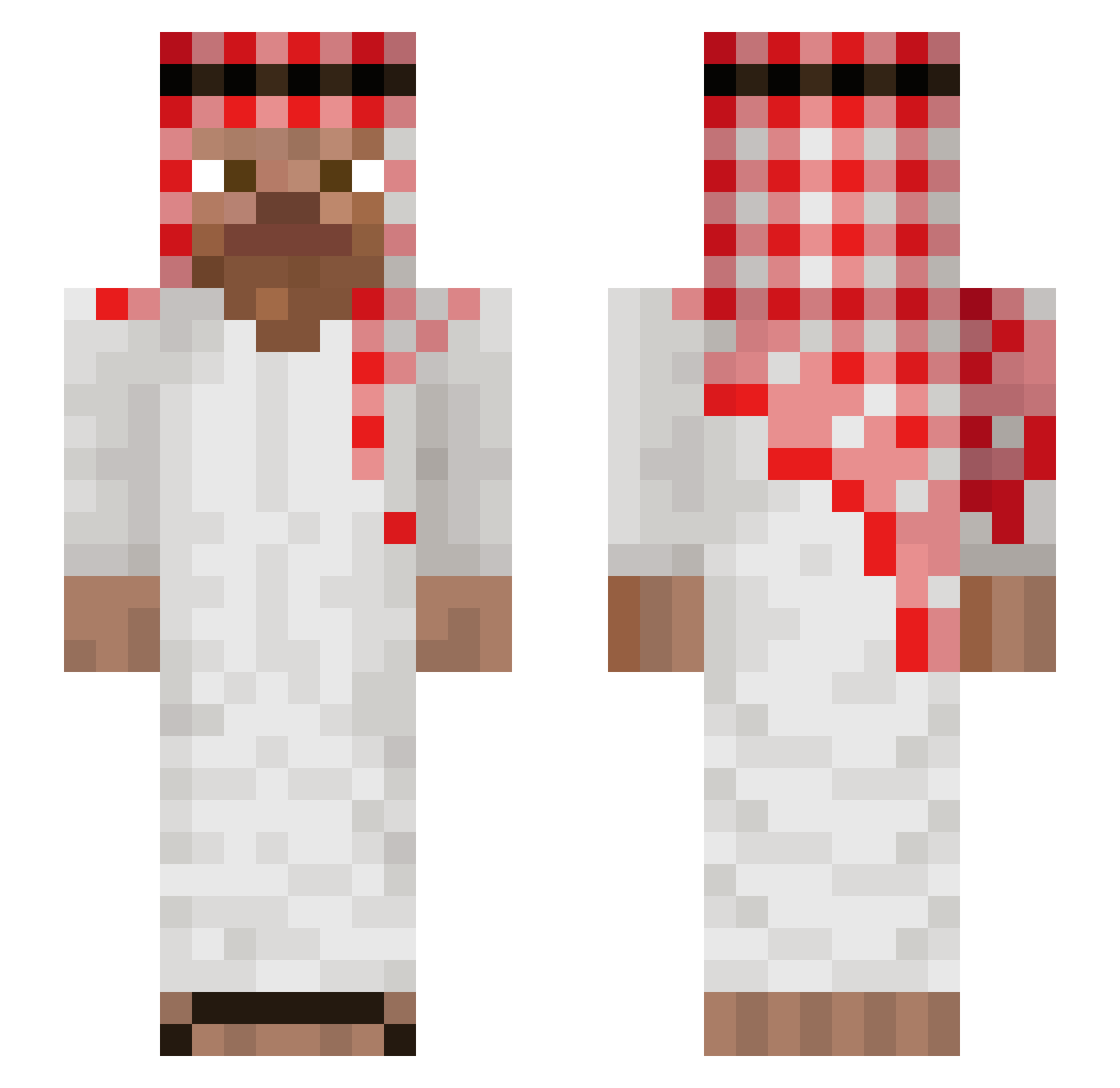
Current Minecraft skin of the player EndangeredBubs, loaded from the official Mojang API. Rotate the 3D model with your mouse or finger, then download the skin as a PNG file and use it in Minecraft: Bedrock Edition or Java Edition for free. When EndangeredBubs changes their skin, this page updates automatically and the old skin stays in the history below.
Other players with this skin (1038)
EndangeredBubs was the 735th player we have seen with this skin, first spotted on 09.10.2026. The same skin was seen on these players. Open a nickname to see their current skin and skin history.
 Deviete BotMarcosZzz YigitBaba61 EntombedBard412 TALLE1662 Baroniusz flygift Abdull25 Alex_P67 firstzajaaa gus534ea K_Holyy grigthegawd mustacheofpower Spprite MrAmyne Pl1xo RadzioraN Kriadiaz KhalidQH MrAR18793 thejaipie FRE6 Earleytorise1 gua1003 swif38 ErFabione0 Schnitte420 utek_321 gilefico BNK211 1fzxq _AlbinoPanda Louaye Pagliaccio_x Dragos2079 Haktan2168 FamilyZoom dnlarts169 kyunxm1n KIRO2010 Qudow Bandidaje Deckywi basouu54 amir_sir Titan_GG PalutenTY DerBub05 NoLimitDettol RanjiidAmApparat treinadoroficial Txnmxla Aboood10 Emirklkk Valjeet allahbenim still_Fly Itz_nikito cetroilcetro
More Arabic Minecraft skins
How to install the EndangeredBubs skin
- Press the Download button above to save the skin as a PNG file.
- Minecraft: Bedrock Edition (PE): open the Dressing Room from the main menu (or tap your character → Edit Character), go to Classic Skins → Owned, press the + (new skin) button, choose the downloaded PNG and pick the Slim (Alex) model. Works on PC and mobile; consoles cannot import custom skins.
- Minecraft: Java Edition: open the Minecraft Launcher, go to the Skins tab, click New Skin, load the PNG, pick the Slim (Alex) model and press Save & Use. You can also upload it at minecraft.net → Profile → Change Skin.
The skin does not show up after import - what should I do?
Restart Minecraft and open the Dressing Room again - imported skins sometimes appear only after a restart. Also make sure you selected the imported skin and picked the Slim (Alex) model.
Which model should I choose, Classic or Slim?
This skin is designed for the Slim (Alex) model. If you pick the wrong model, the arms of the skin will look stretched or squeezed.
Is the skin of EndangeredBubs free to download?
Yes. Press Download, save the PNG file and use it in Minecraft: Bedrock Edition or Java Edition - no payment or registration needed. The skin also works on multiplayer servers and Realms.
More skins
Looking for more? Go back to all Minecraft skins and check the top skins of the week, month and all time, or find any player's skin by nickname.