
ElverumES2 - Minecraft Skins & Skin History
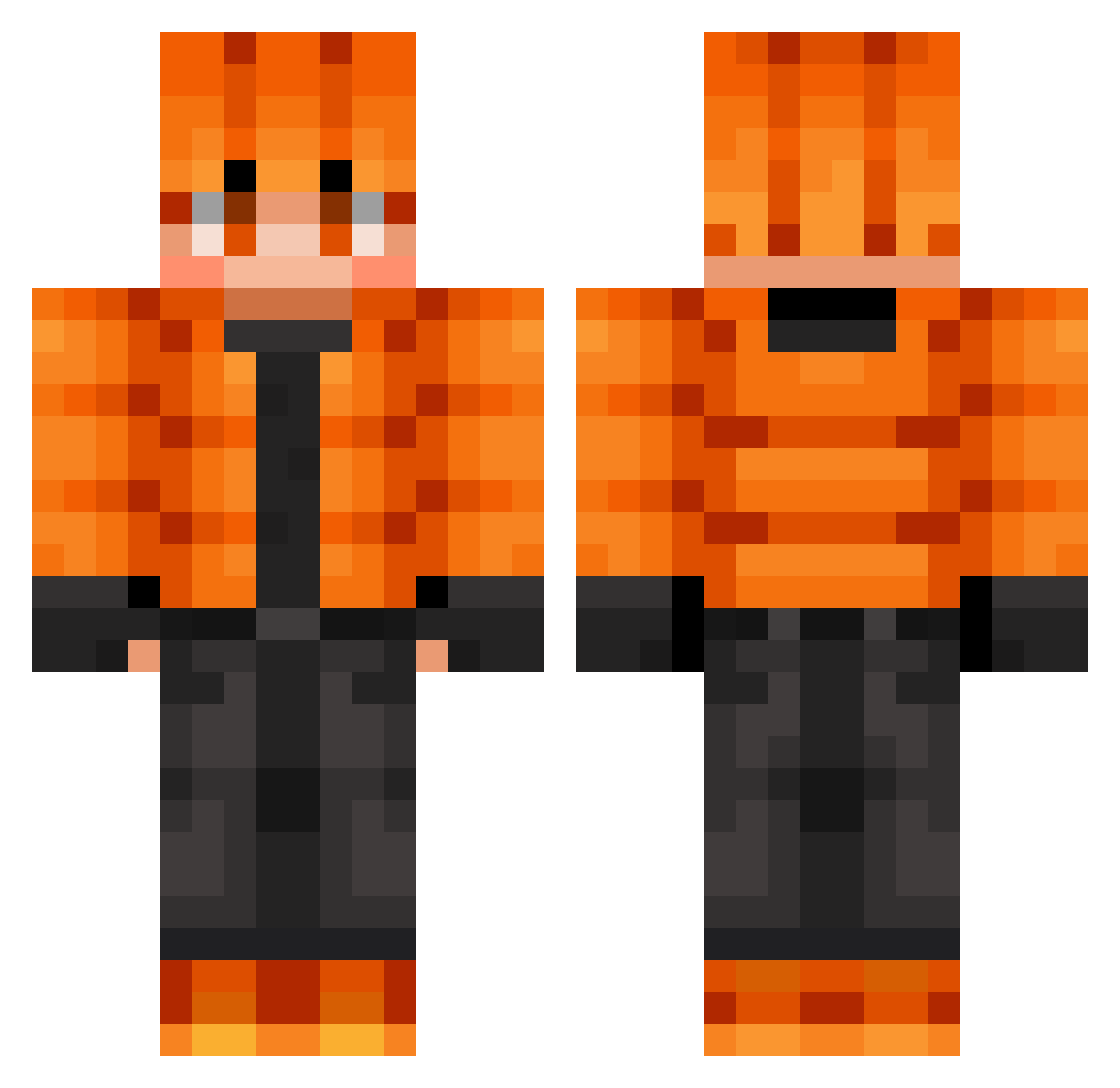
Current Minecraft skin of the player ElverumES2, loaded from the official Mojang API. Rotate the 3D model with your mouse or finger, then download the skin as a PNG file and use it in Minecraft: Bedrock Edition or Java Edition for free. When ElverumES2 changes their skin, this page updates automatically and the old skin stays in the history below.
Other players with this skin (867)
ElverumES2 was the 737th player we have seen with this skin, first spotted on 02.11.2026. The same skin was seen on these players. Open a nickname to see their current skin and skin history.
 aks_2E0Tz_05_10 Varnesus NG2k4 Augutis Wildsilver1000 RealMaksym doanhiep Ainz0oalGown__ Arkhano02 Naik_Spycher TheDarkDevil__ UKingdomGamer ccyuyu MushyHorsen LAID2 Batsu_Sama Leonx08 Tyler3425 spokdack gycks colt12341234 EHREN__ ayayayayaaaaaaaa Roger5572019 Pinkypig7474 alejandro_102 7g5_msmc_l82 dewee4 koldkum LEONEK2020 C0NqU3sT_ Hushpuppi33 CrazyDiamond_030 sksmsdi18 Thoralf1989 LiamKass KrakenShell Alanik0213 AmigoDoBronzatx Santi201218 NastyDodge kauamenezes14 IceFang210 KIKIIK Bartozy misterkid1 Tyasauras DarkM2 courage_chiken AlaD1NCZ1k pikawho1234 sionkjw quixLeo erikandrei ErFerro Henotix dbucheit qujxitte Eysr33m Xanderman1208
How to install the ElverumES2 skin
- Press the Download button above to save the skin as a PNG file.
- Minecraft: Bedrock Edition (PE): open the Dressing Room from the main menu (or tap your character → Edit Character), go to Classic Skins → Owned, press the + (new skin) button, choose the downloaded PNG and pick the Classic (Steve) model. Works on PC and mobile; consoles cannot import custom skins.
- Minecraft: Java Edition: open the Minecraft Launcher, go to the Skins tab, click New Skin, load the PNG, pick the Classic (Steve) model and press Save & Use. You can also upload it at minecraft.net → Profile → Change Skin.
The skin does not show up after import - what should I do?
Restart Minecraft and open the Dressing Room again - imported skins sometimes appear only after a restart. Also make sure you selected the imported skin and picked the Classic (Steve) model.
Which model should I choose, Classic or Slim?
This skin is designed for the Classic (Steve) model. If you pick the wrong model, the arms of the skin will look stretched or squeezed.
Is the skin of ElverumES2 free to download?
Yes. Press Download, save the PNG file and use it in Minecraft: Bedrock Edition or Java Edition - no payment or registration needed. The skin also works on multiplayer servers and Realms.
More skins
Looking for more? Go back to all Minecraft skins and check the top skins of the week, month and all time, or find any player's skin by nickname.