
ElvanEnes - Minecraft Skins & Skin History
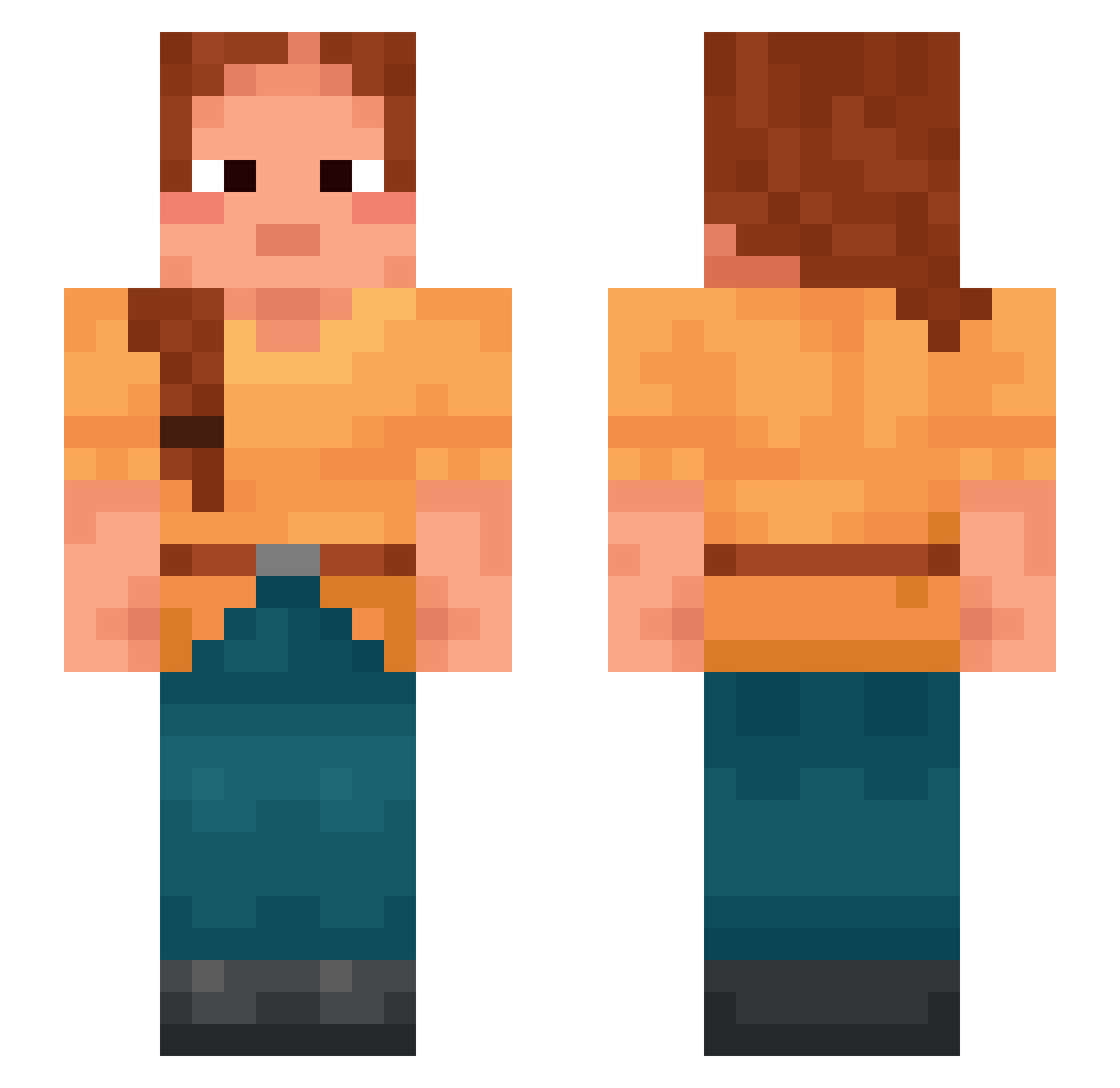
Current Minecraft skin of the player ElvanEnes, loaded from the official Mojang API. Rotate the 3D model with your mouse or finger, then download the skin as a PNG file and use it in Minecraft: Bedrock Edition or Java Edition for free. When ElvanEnes changes their skin, this page updates automatically and the old skin stays in the history below.
Other players with this skin (1186)
ElvanEnes was the 980th player we have seen with this skin, first spotted on 02.11.2026. The same skin was seen on these players. Open a nickname to see their current skin and skin history.
 rusa Medievalism T7NN1 GamerGirl890 Sebascraft Conceder SummerCake27732 Malinche standupshakebum Muscology imabadboygay holsom Belli cumin SHECK1WES SirircJames_ rave5mfdlYs6 Umbrous Keltoftank structureless Flatboat Unsabotaged tousjob JamesMMlX superjepy Inadequacy LameDuck Unhallowed chichuGAYY Puppeteers Caledonia Cabrillas xXJanescoXx 2amPookie demal Orchat Long_Vjp_Pro Savok Heterophobia friborg Flakey_Fox rnxodnswl Neanic Len_BBQ lordlily takyr RassKal Chiquito Eiljah117 Subroot Hydropathic WorldHuG Singh916 NotThunder_ Cosmology Whitens DephtStrider_III HeavyMental MrPuglieSi SteinKirk
More Braid Minecraft skins
How to install the ElvanEnes skin
- Press the Download button above to save the skin as a PNG file.
- Minecraft: Bedrock Edition (PE): open the Dressing Room from the main menu (or tap your character → Edit Character), go to Classic Skins → Owned, press the + (new skin) button, choose the downloaded PNG and pick the Slim (Alex) model. Works on PC and mobile; consoles cannot import custom skins.
- Minecraft: Java Edition: open the Minecraft Launcher, go to the Skins tab, click New Skin, load the PNG, pick the Slim (Alex) model and press Save & Use. You can also upload it at minecraft.net → Profile → Change Skin.
The skin does not show up after import - what should I do?
Restart Minecraft and open the Dressing Room again - imported skins sometimes appear only after a restart. Also make sure you selected the imported skin and picked the Slim (Alex) model.
Which model should I choose, Classic or Slim?
This skin is designed for the Slim (Alex) model. If you pick the wrong model, the arms of the skin will look stretched or squeezed.
Is the skin of ElvanEnes free to download?
Yes. Press Download, save the PNG file and use it in Minecraft: Bedrock Edition or Java Edition - no payment or registration needed. The skin also works on multiplayer servers and Realms.
More skins
Looking for more? Go back to all Minecraft skins and check the top skins of the week, month and all time, or find any player's skin by nickname.