
ElputeroGaba - Minecraft Skins & Skin History
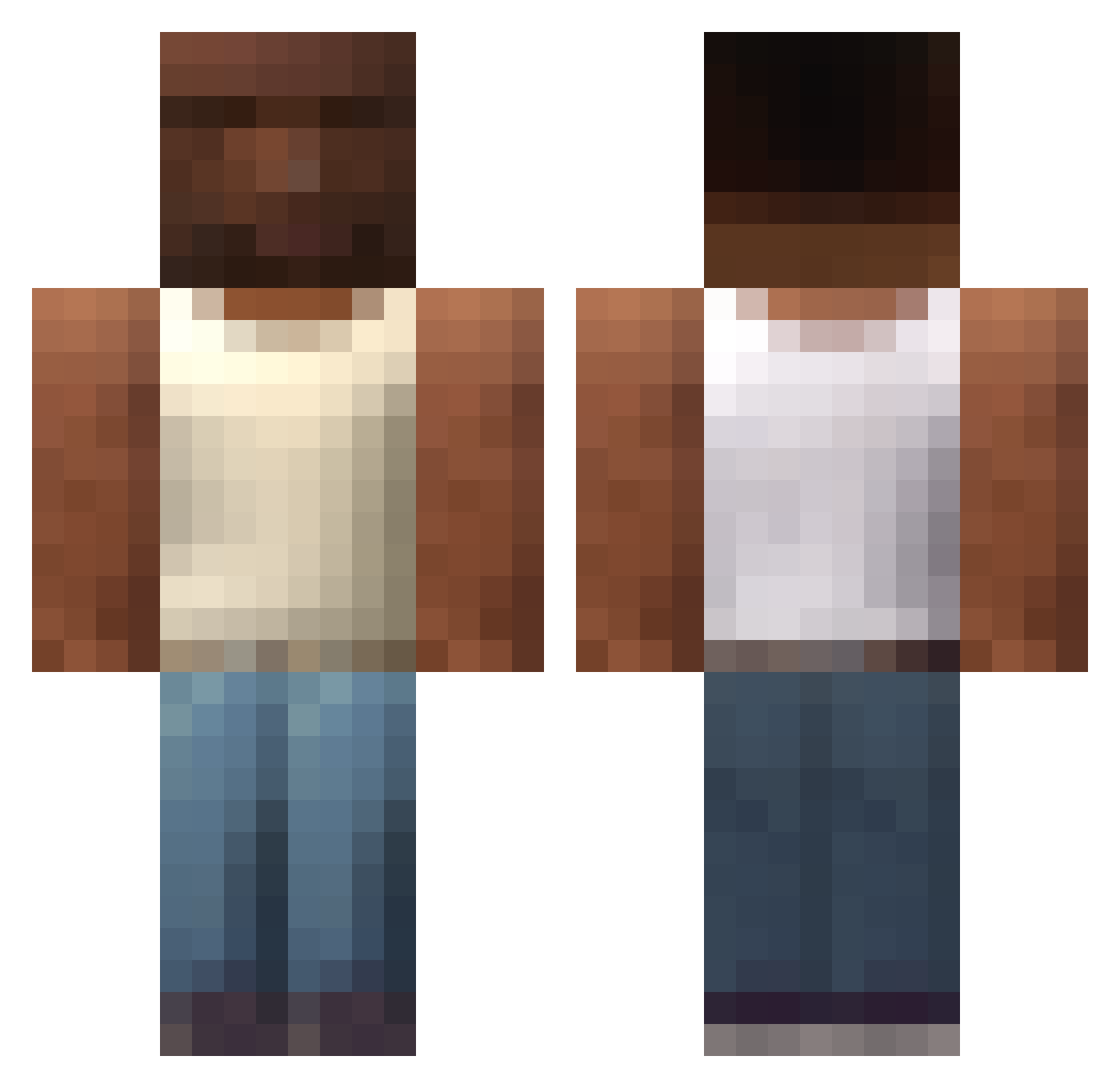
Current Minecraft skin of the player ElputeroGaba, loaded from the official Mojang API. Rotate the 3D model with your mouse or finger, then download the skin as a PNG file and use it in Minecraft: Bedrock Edition or Java Edition for free. When ElputeroGaba changes their skin, this page updates automatically and the old skin stays in the history below.
Other players with this skin (588)
ElputeroGaba was the 520th player we have seen with this skin, first spotted on 22.10.2026. The same skin was seen on these players. Open a nickname to see their current skin and skin history.
 Finnx8 mr_dragonslayer 22leil MrKacper12321PL Jimaku Achrafsimo Davidinosauro wrmo paulo_v Dxrbyz LUPlN Pro101YT Glevis99 Kamelgesicht dolly3212 zain0099 goonToSkibidi Murky762 qfvq jackq_ JegueSUPERdotado bezinhu soyfrigopie Torreschenko Babysharkx_ s0md4y DeathFriend02 LPmitSaton WiLLiHD97 StampedBirch66 grunkn Sidorator illojuan1 glitchh1 DonChusco sxnrain guineu2023 FranekJD BA3O999 bbbalazs_ divs__ Villads003XvX supremevibes420 Juhmill jfkisafk1808 yhaly LaLacra VIZLOPAN ryersonnn MrStealUrWaifu BamBorgen TaMereQcWeed ZeNordeste Miha69420 ColoColo31 sii9x FURMOMMY Prostagma_6 Aluzzo All_bin
More San Andreas Minecraft skins
How to install the ElputeroGaba skin
- Press the Download button above to save the skin as a PNG file.
- Minecraft: Bedrock Edition (PE): open the Dressing Room from the main menu (or tap your character → Edit Character), go to Classic Skins → Owned, press the + (new skin) button, choose the downloaded PNG and pick the Classic (Steve) model. Works on PC and mobile; consoles cannot import custom skins.
- Minecraft: Java Edition: open the Minecraft Launcher, go to the Skins tab, click New Skin, load the PNG, pick the Classic (Steve) model and press Save & Use. You can also upload it at minecraft.net → Profile → Change Skin.
The skin does not show up after import - what should I do?
Restart Minecraft and open the Dressing Room again - imported skins sometimes appear only after a restart. Also make sure you selected the imported skin and picked the Classic (Steve) model.
Which model should I choose, Classic or Slim?
This skin is designed for the Classic (Steve) model. If you pick the wrong model, the arms of the skin will look stretched or squeezed.
Is the skin of ElputeroGaba free to download?
Yes. Press Download, save the PNG file and use it in Minecraft: Bedrock Edition or Java Edition - no payment or registration needed. The skin also works on multiplayer servers and Realms.
More skins
Looking for more? Go back to all Minecraft skins and check the top skins of the week, month and all time, or find any player's skin by nickname.