
EliteskillsXx - Minecraft Skins & Skin History
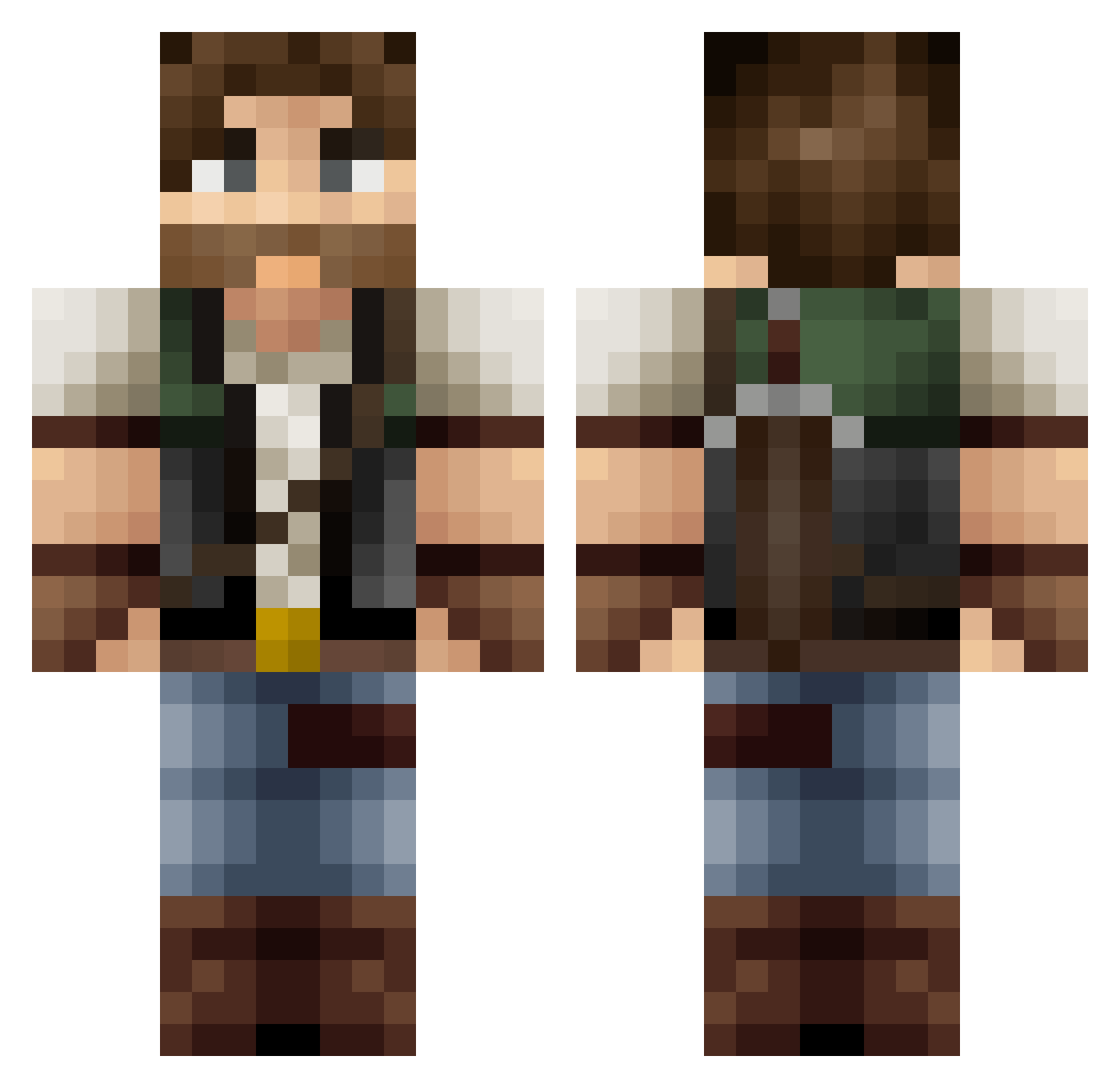
Current Minecraft skin of the player EliteskillsXx, loaded from the official Mojang API. Rotate the 3D model with your mouse or finger, then download the skin as a PNG file and use it in Minecraft: Bedrock Edition or Java Edition for free. When EliteskillsXx changes their skin, this page updates automatically and the old skin stays in the history below.
Other players with this skin (418)
EliteskillsXx was the 186th player we have seen with this skin, first spotted on 02.09.2026. The same skin was seen on these players. Open a nickname to see their current skin and skin history.
 pfilip1997 monik223 Deimos13 SwishySlime HolographicHero harrison110 The_Law1875 Madman888 Chewwe bandon359 Diashi viggstar44 AetherialHeron baruter Deerhunter102 1MrSir spintilie Doddelz1 FusselZombie MinerBarny cschomp_44 killian2911 _Hex5_ Darkkneez ApeBehavior420 VeGa_Infinity NorindeR cunhao69 EffuseDex Moeuser Merlok97 BenjiSlayer666 DarkErion MadMap Stainfeilds_king Norris_2000 E_6812 Aalinger Schnitzellover Babsmcacc OGproductions Chocosnowman Inowai Big4ids Pilly445 MakroCraft TheZambyKillerMC 80ty70 DerSchwarzBaer Llewxam73 Domkaaa Winther Pikachuuable Ernavill HappyH DarixMC Taishomaro McLovingz TimpahGamesEU JohnnyKelso
More Joel Miller Minecraft skins
How to install the EliteskillsXx skin
- Press the Download button above to save the skin as a PNG file.
- Minecraft: Bedrock Edition (PE): open the Dressing Room from the main menu (or tap your character → Edit Character), go to Classic Skins → Owned, press the + (new skin) button, choose the downloaded PNG and pick the Classic (Steve) model. Works on PC and mobile; consoles cannot import custom skins.
- Minecraft: Java Edition: open the Minecraft Launcher, go to the Skins tab, click New Skin, load the PNG, pick the Classic (Steve) model and press Save & Use. You can also upload it at minecraft.net → Profile → Change Skin.
The skin does not show up after import - what should I do?
Restart Minecraft and open the Dressing Room again - imported skins sometimes appear only after a restart. Also make sure you selected the imported skin and picked the Classic (Steve) model.
Which model should I choose, Classic or Slim?
This skin is designed for the Classic (Steve) model. If you pick the wrong model, the arms of the skin will look stretched or squeezed.
Is the skin of EliteskillsXx free to download?
Yes. Press Download, save the PNG file and use it in Minecraft: Bedrock Edition or Java Edition - no payment or registration needed. The skin also works on multiplayer servers and Realms.
More skins
Looking for more? Go back to all Minecraft skins and check the top skins of the week, month and all time, or find any player's skin by nickname.