
ElijahTheKingX - Minecraft Skins & Skin History
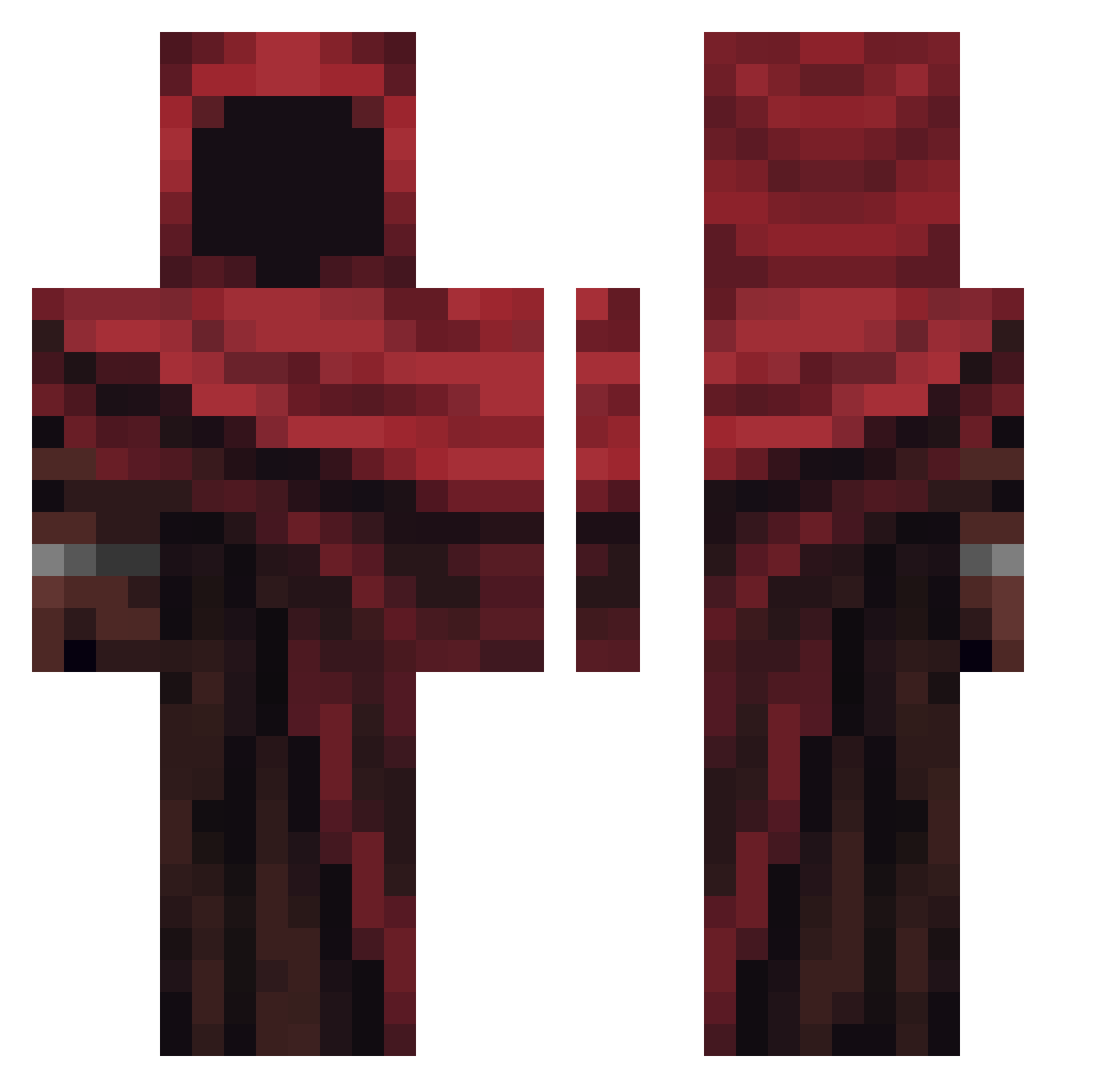
Current Minecraft skin of the player ElijahTheKingX, loaded from the official Mojang API. Rotate the 3D model with your mouse or finger, then download the skin as a PNG file and use it in Minecraft: Bedrock Edition or Java Edition for free. When ElijahTheKingX changes their skin, this page updates automatically and the old skin stays in the history below.
Other players with this skin (364)
ElijahTheKingX was the 205th player we have seen with this skin, first spotted on 23.09.2026. The same skin was seen on these players. Open a nickname to see their current skin and skin history.
 szmarcos xbaturay Elkkuz96 Mr_Effen Drunk_Monkey gualdonixd BRBt3xting AngelBlackXD SzybkiJony123 sahvv NotAnne7 leo_official722 Alcalyx88 IrisTheGuy Noxuis Legolax Vordop Ganjubasiq Poemander77 Justus_slw dci1k Sometime_1127 frogyishome grimstone2004 EDHEDH Clem_brgr bobr42802 DemonsQc derdeter FlyCatcherX Damiiiixdd SirHobbit_ minic420 Lucas111000 NexoShoww_ VoidVenox FRIKANDEL97 RedManJay_ SPJelly J0T0S0 CaallmeRio ChosoKamo090 Abnarmal Dyamonic EiLOBO Keil19706 nu9p Polioli12 BGonZ qisash Lbrian_03 OneVesper _oLefty LiminalMeadow Storm56 YZBJC Mvtrin Nscy Prodiged jyllis
More Rogue Minecraft skins
How to install the ElijahTheKingX skin
- Press the Download button above to save the skin as a PNG file.
- Minecraft: Bedrock Edition (PE): open the Dressing Room from the main menu (or tap your character → Edit Character), go to Classic Skins → Owned, press the + (new skin) button, choose the downloaded PNG and pick the Classic (Steve) model. Works on PC and mobile; consoles cannot import custom skins.
- Minecraft: Java Edition: open the Minecraft Launcher, go to the Skins tab, click New Skin, load the PNG, pick the Classic (Steve) model and press Save & Use. You can also upload it at minecraft.net → Profile → Change Skin.
The skin does not show up after import - what should I do?
Restart Minecraft and open the Dressing Room again - imported skins sometimes appear only after a restart. Also make sure you selected the imported skin and picked the Classic (Steve) model.
Which model should I choose, Classic or Slim?
This skin is designed for the Classic (Steve) model. If you pick the wrong model, the arms of the skin will look stretched or squeezed.
Is the skin of ElijahTheKingX free to download?
Yes. Press Download, save the PNG file and use it in Minecraft: Bedrock Edition or Java Edition - no payment or registration needed. The skin also works on multiplayer servers and Realms.
More skins
Looking for more? Go back to all Minecraft skins and check the top skins of the week, month and all time, or find any player's skin by nickname.