
Elemental_23 - Minecraft Skins & Skin History
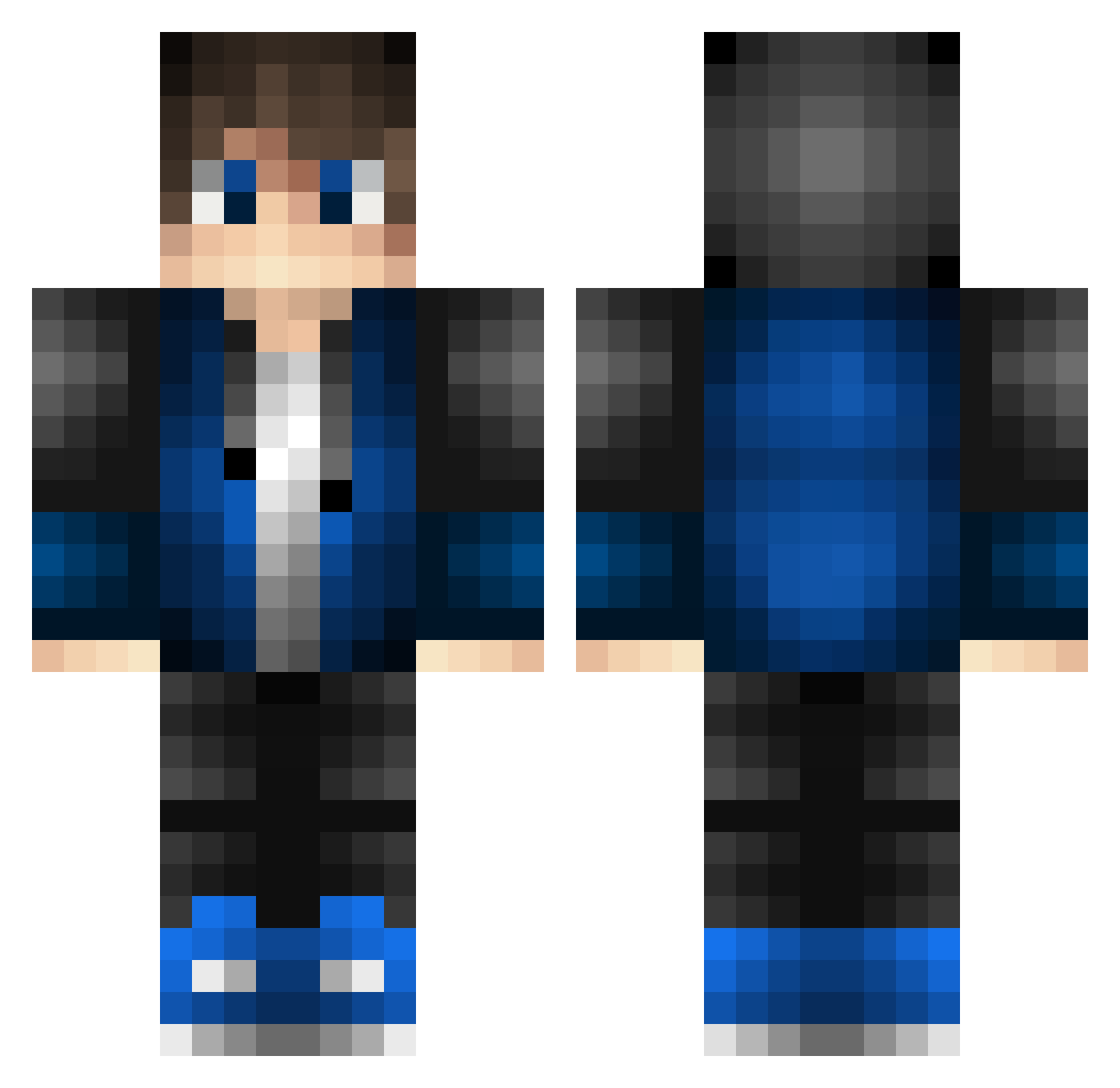
Current Minecraft skin of the player Elemental_23, loaded from the official Mojang API. Rotate the 3D model with your mouse or finger, then download the skin as a PNG file and use it in Minecraft: Bedrock Edition or Java Edition for free. When Elemental_23 changes their skin, this page updates automatically and the old skin stays in the history below.
Other players with this skin (528)
Elemental_23 was the 17th player we have seen with this skin, first spotted on 28.07.2026. The same skin was seen on these players. Open a nickname to see their current skin and skin history.
 Aurafoss NathWolf45 fatto1234 YosidaKun_ manuelgamer55 Nick01129 BrunoCct brasow3 Yoyo32123 Lighting_Playz81 wkldgs myharbor Shellthor Ex6734 MaserLaser103 xNorimunex HoodWraith Benninger4 7Mystics KOUKIkun0618 FraLASER Mizuki0822 CJ_TheBest Pilooo83 obidoss Choghan Juaquigm DieggoSena HHXShhxs PoilceMuster Deep44 Artoian Espctro JoeyBear28 Yezhou274 Askarddd SpaceCadet26 togedono ArthurKes heiquan SubArcticChill xX_DarkChaos_Xx No_No557 XM_GG LyleKolodi MikeFCT2000 Eli088 PastAce ButterGZ Miner_Diner Personofearth JonyGamerBr KKimchee24 SolSticEz nanael194 Fiftraba Chrisack66 AungZy Major_333 AlexanderJ16c
How to install the Elemental_23 skin
- Press the Download button above to save the skin as a PNG file.
- Minecraft: Bedrock Edition (PE): open the Dressing Room from the main menu (or tap your character → Edit Character), go to Classic Skins → Owned, press the + (new skin) button, choose the downloaded PNG and pick the Classic (Steve) model. Works on PC and mobile; consoles cannot import custom skins.
- Minecraft: Java Edition: open the Minecraft Launcher, go to the Skins tab, click New Skin, load the PNG, pick the Classic (Steve) model and press Save & Use. You can also upload it at minecraft.net → Profile → Change Skin.
The skin does not show up after import - what should I do?
Restart Minecraft and open the Dressing Room again - imported skins sometimes appear only after a restart. Also make sure you selected the imported skin and picked the Classic (Steve) model.
Which model should I choose, Classic or Slim?
This skin is designed for the Classic (Steve) model. If you pick the wrong model, the arms of the skin will look stretched or squeezed.
Is the skin of Elemental_23 free to download?
Yes. Press Download, save the PNG file and use it in Minecraft: Bedrock Edition or Java Edition - no payment or registration needed. The skin also works on multiplayer servers and Realms.
More skins
Looking for more? Go back to all Minecraft skins and check the top skins of the week, month and all time, or find any player's skin by nickname.