
El_boulsito - Minecraft Skins & Skin History
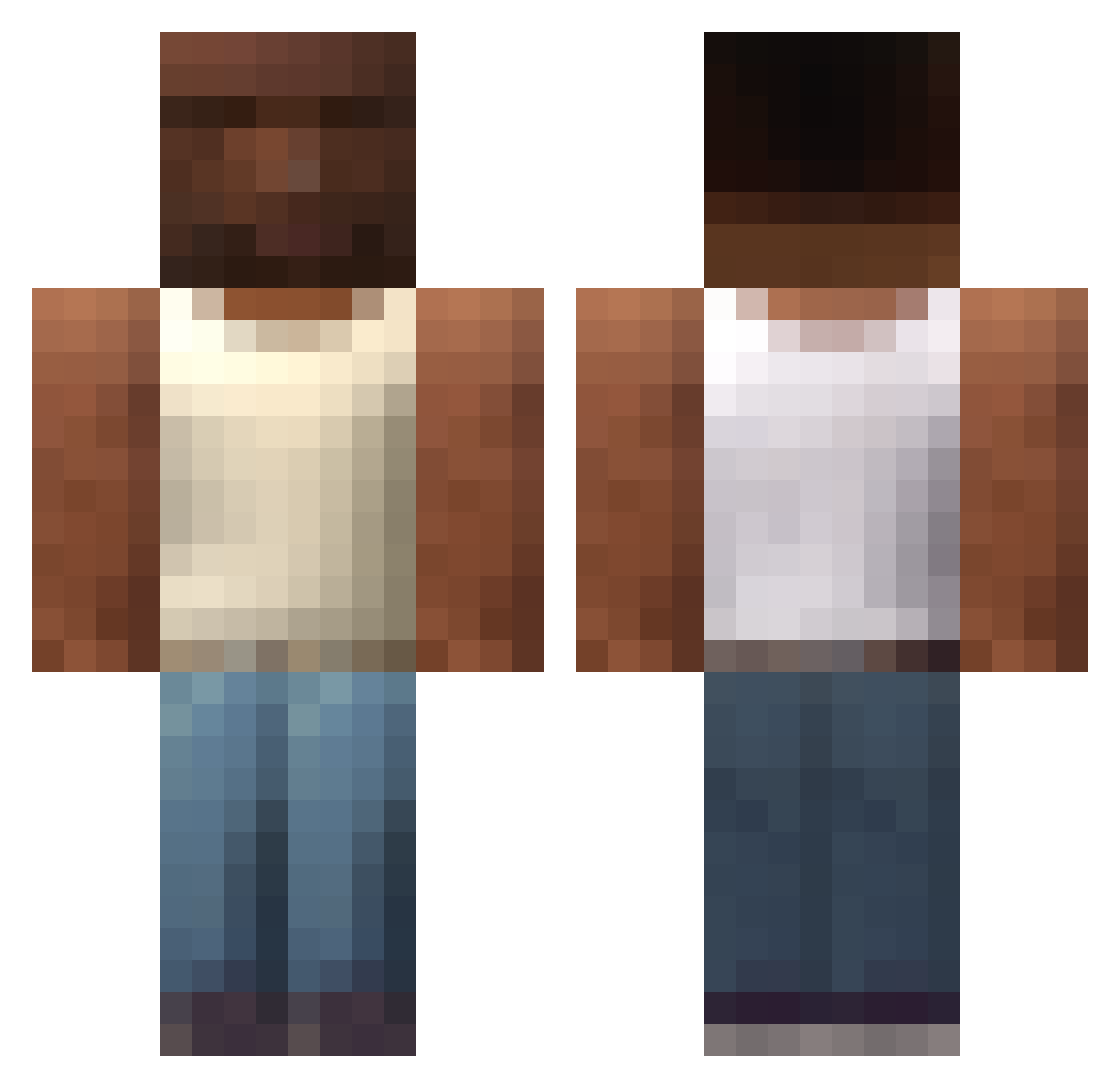
Current Minecraft skin of the player El_boulsito, loaded from the official Mojang API. Rotate the 3D model with your mouse or finger, then download the skin as a PNG file and use it in Minecraft: Bedrock Edition or Java Edition for free. When El_boulsito changes their skin, this page updates automatically and the old skin stays in the history below.
Other players with this skin (709)
El_boulsito was the 628th player we have seen with this skin, first spotted on 07.11.2026. The same skin was seen on these players. Open a nickname to see their current skin and skin history.
 alfxro Agry_Birb_Movi_3 NitchTV321 DEXX98 Silvdog painhamad R0HANP donlol Jaimito7821 GG_GG4521 hijoelpico J4K307 akergorri ertos10 Sunrise_Ginger szavenk supce0 forelka0 farontek9 MaoBrakoWao fl8o DerFrankfurter Cinus_ Carlos7704 KochamDancia 710cabs Sergg22 S1koM0de Krakencompass MadMav07 cleitin3236 M1nt_pod breakfastTM yachty25 Litlse Qwerty_92 JeMangeTesOngles Lord_Kot ARTHURS5F hyenuhh YasmiinPlayer DehnisBehindert SuperFuta69 Dead_Imposter GravitDarck Gabururu Sching Thibseh kurumiwari_6 Mauraso pabloo_mg sebasrojass GobekRaki l1deon w1qrl Nayeff ILikeTrains203 sweaty_dog14 P0N61 sudhuman
More San Andreas Minecraft skins
How to install the El_boulsito skin
- Press the Download button above to save the skin as a PNG file.
- Minecraft: Bedrock Edition (PE): open the Dressing Room from the main menu (or tap your character → Edit Character), go to Classic Skins → Owned, press the + (new skin) button, choose the downloaded PNG and pick the Classic (Steve) model. Works on PC and mobile; consoles cannot import custom skins.
- Minecraft: Java Edition: open the Minecraft Launcher, go to the Skins tab, click New Skin, load the PNG, pick the Classic (Steve) model and press Save & Use. You can also upload it at minecraft.net → Profile → Change Skin.
The skin does not show up after import - what should I do?
Restart Minecraft and open the Dressing Room again - imported skins sometimes appear only after a restart. Also make sure you selected the imported skin and picked the Classic (Steve) model.
Which model should I choose, Classic or Slim?
This skin is designed for the Classic (Steve) model. If you pick the wrong model, the arms of the skin will look stretched or squeezed.
Is the skin of El_boulsito free to download?
Yes. Press Download, save the PNG file and use it in Minecraft: Bedrock Edition or Java Edition - no payment or registration needed. The skin also works on multiplayer servers and Realms.
More skins
Looking for more? Go back to all Minecraft skins and check the top skins of the week, month and all time, or find any player's skin by nickname.