
El_Limon2001 - Minecraft Skins & Skin History
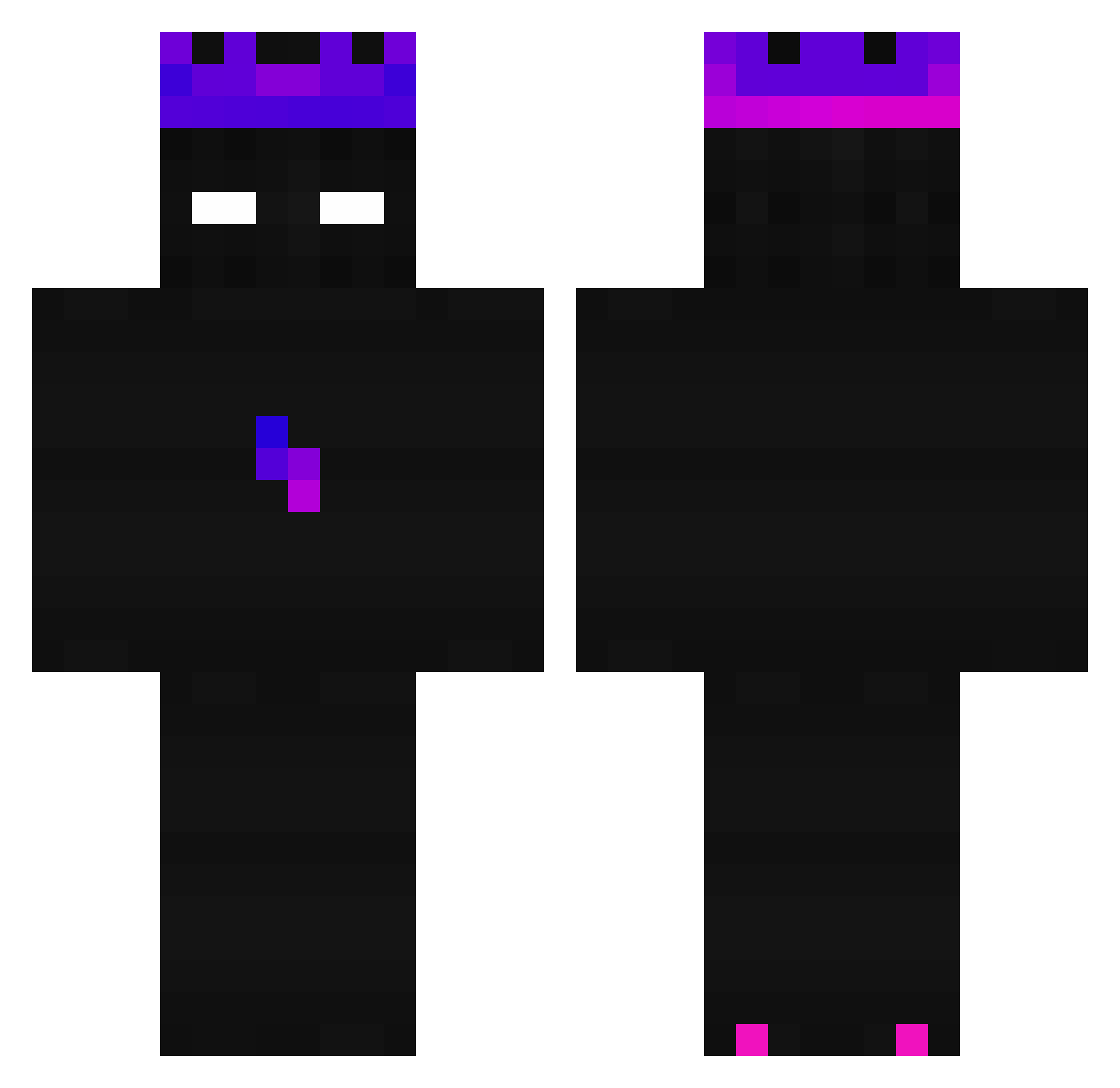
Current Minecraft skin of the player El_Limon2001, loaded from the official Mojang API. Rotate the 3D model with your mouse or finger, then download the skin as a PNG file and use it in Minecraft: Bedrock Edition or Java Edition for free. When El_Limon2001 changes their skin, this page updates automatically and the old skin stays in the history below.
Other players with this skin (243)
El_Limon2001 was the 118th player we have seen with this skin, first spotted on 19.09.2026. The same skin was seen on these players. Open a nickname to see their current skin and skin history.
 Stroxi MxxiCat Nenok PokoLouko NinetyBac Sabe0510 better_smurf futrezix Merlusa67 JJJJJOKER Woorer HayzoxFR Diablo3453 OpgespotenLippen Lus4ious MrNutz010 OramX VersideGu Lothlorients Cryptyk_ zarrok1234 NOT_Timmy__ ________lol___ zRevenge_YT_ BrummHummel11 10legitfrog01_ operandumlux EZ_kyky xxXZedXxx Axdma_ TheeBobo magikio NateTheAlien Justlikethiskr R3I_EDX mrosben jinl987a Plazma998 Alexfoxy456 Zezx_ NOREDBEANHOPPANG GAMING_T0M Karzelek321 MrPickup jonaffe ZebraMaximi horyangha1 CR0skullzy WaspResp RockaSchocka Hunito03 GlimesValentinCz PBC2014 JOHANN2013 emmagattina BAIYIMIN Elkavi_3sg zMarcoos StripedGoblin1 Karpas
Previous skins of El_Limon2001
Skins that El_Limon2001 wore before, newest first. Click a skin to open its page and download it.
How to install the El_Limon2001 skin
- Press the Download button above to save the skin as a PNG file.
- Minecraft: Bedrock Edition (PE): open the Dressing Room from the main menu (or tap your character → Edit Character), go to Classic Skins → Owned, press the + (new skin) button, choose the downloaded PNG and pick the Classic (Steve) model. Works on PC and mobile; consoles cannot import custom skins.
- Minecraft: Java Edition: open the Minecraft Launcher, go to the Skins tab, click New Skin, load the PNG, pick the Classic (Steve) model and press Save & Use. You can also upload it at minecraft.net → Profile → Change Skin.
The skin does not show up after import - what should I do?
Restart Minecraft and open the Dressing Room again - imported skins sometimes appear only after a restart. Also make sure you selected the imported skin and picked the Classic (Steve) model.
Which model should I choose, Classic or Slim?
This skin is designed for the Classic (Steve) model. If you pick the wrong model, the arms of the skin will look stretched or squeezed.
Is the skin of El_Limon2001 free to download?
Yes. Press Download, save the PNG file and use it in Minecraft: Bedrock Edition or Java Edition - no payment or registration needed. The skin also works on multiplayer servers and Realms.
More skins
Looking for more? Go back to all Minecraft skins and check the top skins of the week, month and all time, or find any player's skin by nickname.