
ElHarrys - Minecraft Skins & Skin History
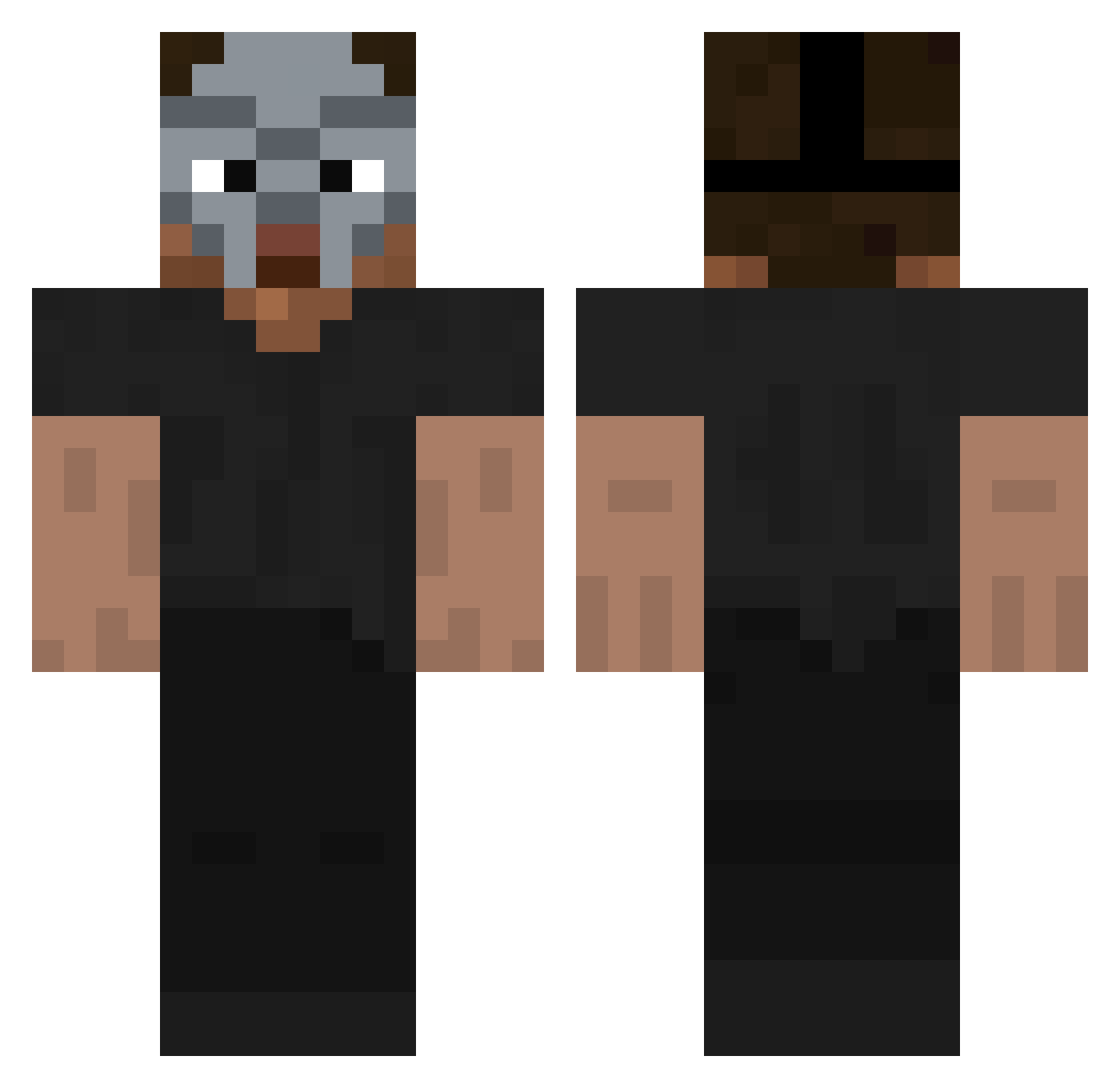
Current Minecraft skin of the player ElHarrys, loaded from the official Mojang API. Rotate the 3D model with your mouse or finger, then download the skin as a PNG file and use it in Minecraft: Bedrock Edition or Java Edition for free. When ElHarrys changes their skin, this page updates automatically and the old skin stays in the history below.
Other players with this skin (160)
ElHarrys was the 133rd player we have seen with this skin, first spotted on 31.10.2026. The same skin was seen on these players. Open a nickname to see their current skin and skin history.
 senoxxx Onxva77 RikuLikesCrayons AyZeur0 5tastes SandeeInfinity starkdz_ QuinnSleepsAlot Samlingen eniq09 Unholyt0 iQantix yozsvg rekvui OAyy2010 greyyAPE truermz jdizzlem5 dbstj0119 mrRafas AM_z Kazehnas Anty_cheat vrdr Jxces Leaf_Ninja122 Xausenn COUP_2 kakaship fenalty 11nd k8pp Ghostflip oscarlgnx Soberakis AceCrizm0n ogxo Predominado MattGC ChipiFredo ItsKaw Snug_01 alicyp demonlordao jamsiiu Antagn1st heatzzz tiho AS1ev tronch8 DivineProbably icsstl Suckjuice piddypiddlerson WhitenessX Stoqnow TheBigWang1 Sonoosh alidarwiche Castianer
More Hip Hop Minecraft skins
How to install the ElHarrys skin
- Press the Download button above to save the skin as a PNG file.
- Minecraft: Bedrock Edition (PE): open the Dressing Room from the main menu (or tap your character → Edit Character), go to Classic Skins → Owned, press the + (new skin) button, choose the downloaded PNG and pick the Classic (Steve) model. Works on PC and mobile; consoles cannot import custom skins.
- Minecraft: Java Edition: open the Minecraft Launcher, go to the Skins tab, click New Skin, load the PNG, pick the Classic (Steve) model and press Save & Use. You can also upload it at minecraft.net → Profile → Change Skin.
The skin does not show up after import - what should I do?
Restart Minecraft and open the Dressing Room again - imported skins sometimes appear only after a restart. Also make sure you selected the imported skin and picked the Classic (Steve) model.
Which model should I choose, Classic or Slim?
This skin is designed for the Classic (Steve) model. If you pick the wrong model, the arms of the skin will look stretched or squeezed.
Is the skin of ElHarrys free to download?
Yes. Press Download, save the PNG file and use it in Minecraft: Bedrock Edition or Java Edition - no payment or registration needed. The skin also works on multiplayer servers and Realms.
More skins
Looking for more? Go back to all Minecraft skins and check the top skins of the week, month and all time, or find any player's skin by nickname.