
Ehlohim - Minecraft Skins & Skin History
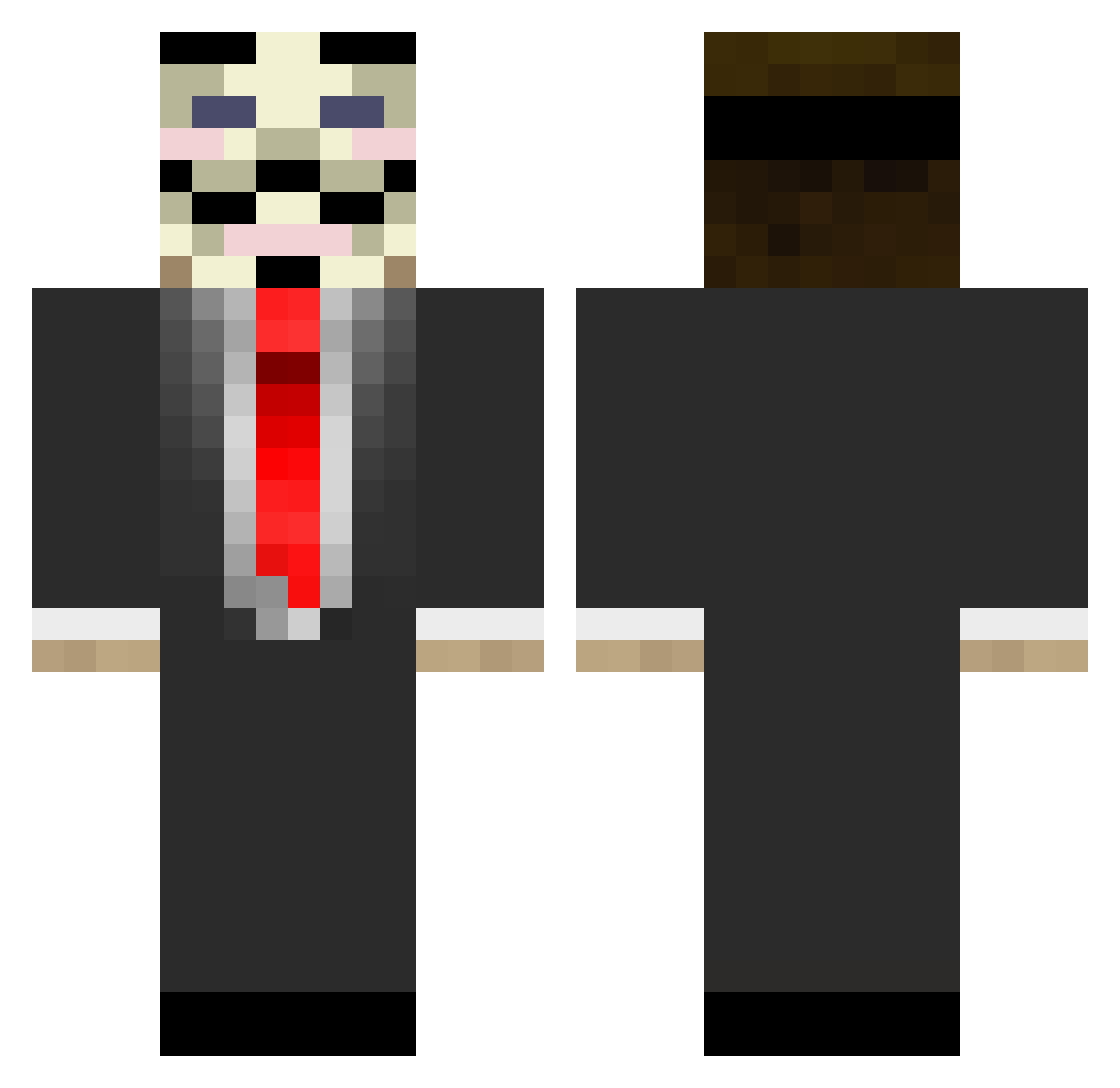
Current Minecraft skin of the player Ehlohim, loaded from the official Mojang API. Rotate the 3D model with your mouse or finger, then download the skin as a PNG file and use it in Minecraft: Bedrock Edition or Java Edition for free. When Ehlohim changes their skin, this page updates automatically and the old skin stays in the history below.
Other players with this skin (677)
Ehlohim was the 422nd player we have seen with this skin, first spotted on 23.09.2026. The same skin was seen on these players. Open a nickname to see their current skin and skin history.
 Paccho Relooo FarCop Leakage_ janni001 PaloMice ScHunck Dr_Vetzky Xx_FaKe_xX dylbar Dejax Antniox ermac08 Kallewoody blopa29 mask_man Karl_vandendries Cressi_MC Dx_Cisper Billyleppard simon_oder kitty_321 Haegar_D XenoBlaster chillfactor87 KJ7 Mootiz matt4689 OhItsAo wafflenuggets23 crazyThe11 a7las_ OneStrayBullet EAD_Gaming o7MoDz Anonimyss Gerbil_Lord kryna27zab23 trebor76 Programistab04 dark_mamba leCorbu Pheroxx_28 313tan Dream1988 leeter1337 SidTheScientist1 tomboonen Alec33 MineingYOU Balerion13 billtropical CwanyZergG dekkzter Maximehel LeBarjot GiantsRepublic SlaterBW Chiggzz08 robo_guy
More V For Vendetta Minecraft skins
See all 258 V For Vendetta skins
How to install the Ehlohim skin
- Press the Download button above to save the skin as a PNG file.
- Minecraft: Bedrock Edition (PE): open the Dressing Room from the main menu (or tap your character → Edit Character), go to Classic Skins → Owned, press the + (new skin) button, choose the downloaded PNG and pick the Classic (Steve) model. Works on PC and mobile; consoles cannot import custom skins.
- Minecraft: Java Edition: open the Minecraft Launcher, go to the Skins tab, click New Skin, load the PNG, pick the Classic (Steve) model and press Save & Use. You can also upload it at minecraft.net → Profile → Change Skin.
The skin does not show up after import - what should I do?
Restart Minecraft and open the Dressing Room again - imported skins sometimes appear only after a restart. Also make sure you selected the imported skin and picked the Classic (Steve) model.
Which model should I choose, Classic or Slim?
This skin is designed for the Classic (Steve) model. If you pick the wrong model, the arms of the skin will look stretched or squeezed.
Is the skin of Ehlohim free to download?
Yes. Press Download, save the PNG file and use it in Minecraft: Bedrock Edition or Java Edition - no payment or registration needed. The skin also works on multiplayer servers and Realms.
More skins
Looking for more? Go back to all Minecraft skins and check the top skins of the week, month and all time, or find any player's skin by nickname.