
EgorKarpt - Minecraft Skins & Skin History
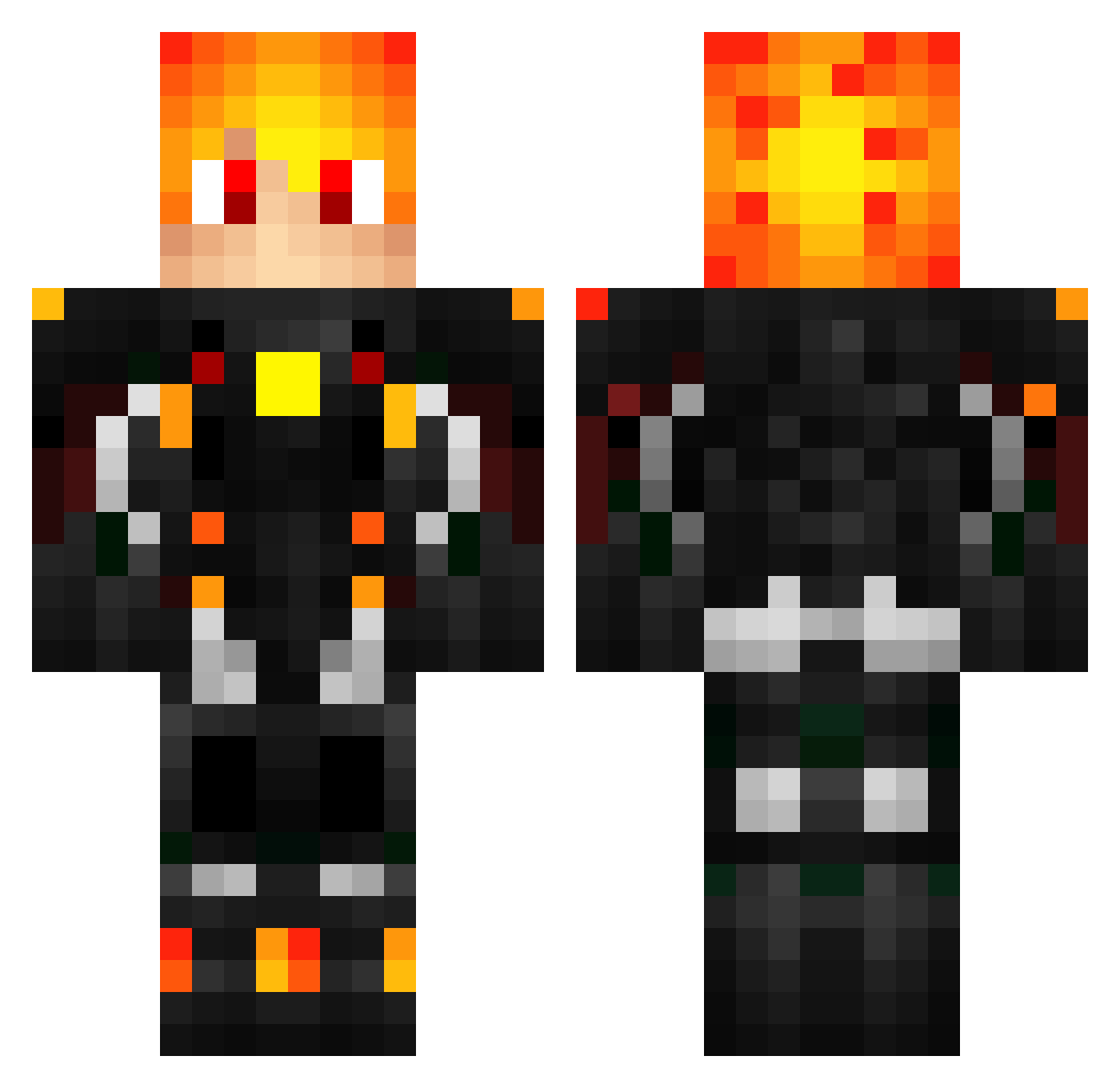
Current Minecraft skin of the player EgorKarpt, loaded from the official Mojang API. Rotate the 3D model with your mouse or finger, then download the skin as a PNG file and use it in Minecraft: Bedrock Edition or Java Edition for free. When EgorKarpt changes their skin, this page updates automatically and the old skin stays in the history below.
Other players with this skin (557)
EgorKarpt was the 473rd player we have seen with this skin, first spotted on 26.10.2026. The same skin was seen on these players. Open a nickname to see their current skin and skin history.
 RobotDeCarton P3LLI Zephun Blueplayer11 _Cerry_ Aubock nianjiu29 NotJimCarrey Raven107 intromal4ik123 Rynnzlerr Akashta Hirumau parramarra jonathan132456 BreakPointsPt Davco7 xXWarmachinePTXx Cacikke cams20gamer pryckz XRedSoulX9999 NollanHD FeniceOscura Nagant_92 Zenq777 MastreoSoul sakire112 Zackruel Star_Miz xYuvX carroh_ _Muellten_ yarakBaron SCHEDARTR Sebmah LegendeExcalibur Travis250 BIGBABO08 Tiell8078 Sidneey Della_Vega Mertons ferdimille Goslane CZescelo2138 WayneXLi SmakoszKaszy vory9 Jordan_S Bassoi_kk Gortharrrr raipur kazichek1 Skualet AnzXdeath Jose_Pomt Junglizzzt Shadow_Killer5 Daniiiyyii
More Futuristic Armor Minecraft skins
See all 598 Futuristic Armor skins
How to install the EgorKarpt skin
- Press the Download button above to save the skin as a PNG file.
- Minecraft: Bedrock Edition (PE): open the Dressing Room from the main menu (or tap your character → Edit Character), go to Classic Skins → Owned, press the + (new skin) button, choose the downloaded PNG and pick the Classic (Steve) model. Works on PC and mobile; consoles cannot import custom skins.
- Minecraft: Java Edition: open the Minecraft Launcher, go to the Skins tab, click New Skin, load the PNG, pick the Classic (Steve) model and press Save & Use. You can also upload it at minecraft.net → Profile → Change Skin.
The skin does not show up after import - what should I do?
Restart Minecraft and open the Dressing Room again - imported skins sometimes appear only after a restart. Also make sure you selected the imported skin and picked the Classic (Steve) model.
Which model should I choose, Classic or Slim?
This skin is designed for the Classic (Steve) model. If you pick the wrong model, the arms of the skin will look stretched or squeezed.
Is the skin of EgorKarpt free to download?
Yes. Press Download, save the PNG file and use it in Minecraft: Bedrock Edition or Java Edition - no payment or registration needed. The skin also works on multiplayer servers and Realms.
More skins
Looking for more? Go back to all Minecraft skins and check the top skins of the week, month and all time, or find any player's skin by nickname.