
Egg_brian_roll - Minecraft Skins & Skin History
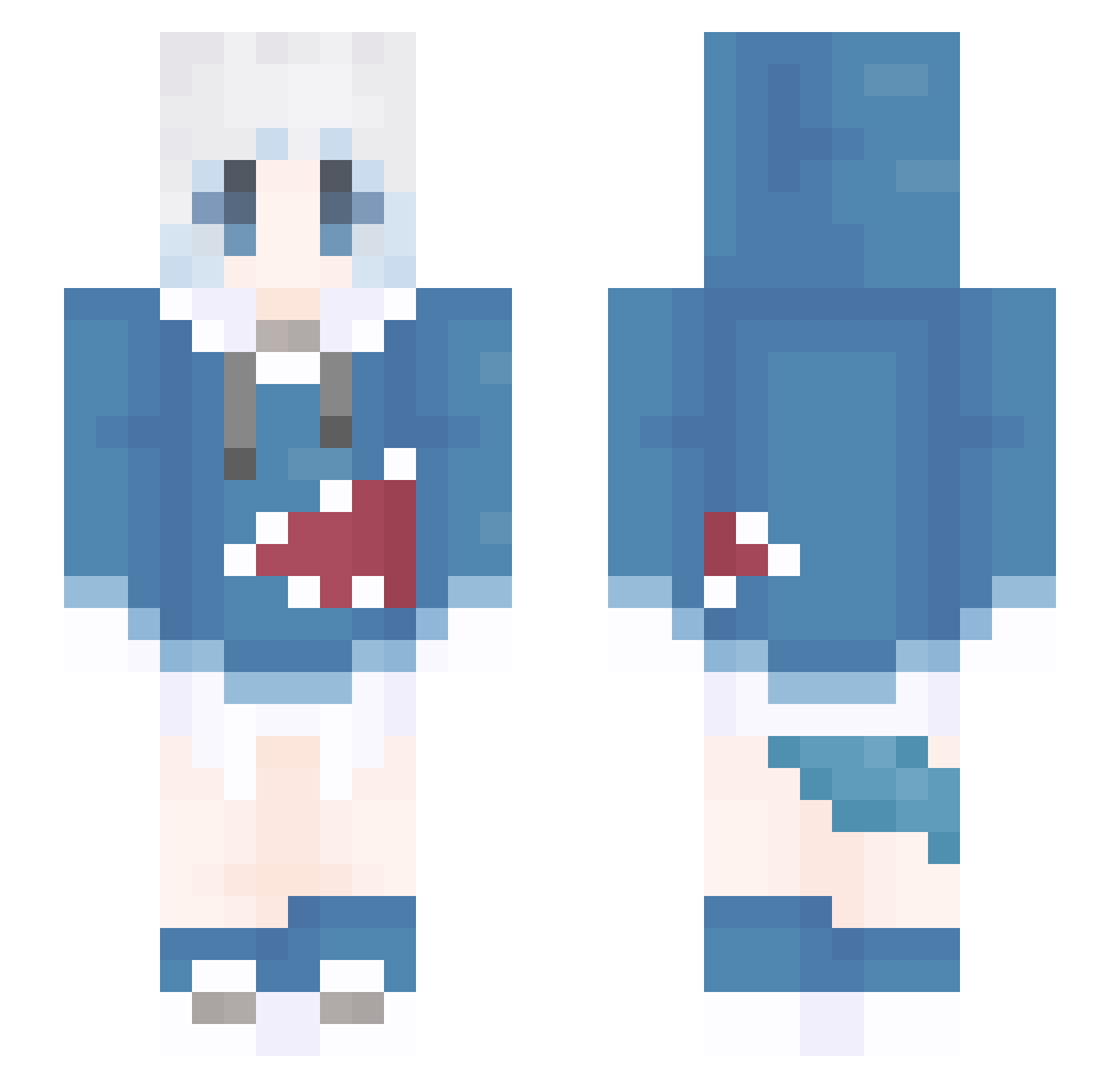
Current Minecraft skin of the player Egg_brian_roll, loaded from the official Mojang API. Rotate the 3D model with your mouse or finger, then download the skin as a PNG file and use it in Minecraft: Bedrock Edition or Java Edition for free. When Egg_brian_roll changes their skin, this page updates automatically and the old skin stays in the history below.
Other players with this skin (1309)
Egg_brian_roll was the 1045th player we have seen with this skin, first spotted on 18.10.2026. The same skin was seen on these players. Open a nickname to see their current skin and skin history.
 MLGMsama y_yun627 40140 SpacigesFisch YG43 Gamehacker404 JJJ189700 Xiouyueh D_Jelly4K_ mizu_water Alanshung zwggwzs xie_sama YunMO4967 loveZaiWu KaiKaiKai2 Azazvil Dkaka Icreentea chen812 Yato1216 Olyfat fengy666 Lshd125 SaGoUTo ashbury137 lxk2333 NoRThFoXX trykissme qing_feng02 zSunflowerc MtarK11 qz0_0 PigMMD C2cai EmPaFrosty LostFaded Ares_shrimp kohon01 doris356 SummerRoyal Mint_0328 Niweiouo KuRoKa96 gaoneng FUYICHEN woju1203 wei_me youxs773 YIK1NG yoki073 Myuqx niruirui kika1577 xaoyvu GOG69 Link_007ii Edmond_Targaryen wasabiaaaaaa Schwertfish
More Gawr Gura Minecraft skins
How to install the Egg_brian_roll skin
- Press the Download button above to save the skin as a PNG file.
- Minecraft: Bedrock Edition (PE): open the Dressing Room from the main menu (or tap your character → Edit Character), go to Classic Skins → Owned, press the + (new skin) button, choose the downloaded PNG and pick the Slim (Alex) model. Works on PC and mobile; consoles cannot import custom skins.
- Minecraft: Java Edition: open the Minecraft Launcher, go to the Skins tab, click New Skin, load the PNG, pick the Slim (Alex) model and press Save & Use. You can also upload it at minecraft.net → Profile → Change Skin.
The skin does not show up after import - what should I do?
Restart Minecraft and open the Dressing Room again - imported skins sometimes appear only after a restart. Also make sure you selected the imported skin and picked the Slim (Alex) model.
Which model should I choose, Classic or Slim?
This skin is designed for the Slim (Alex) model. If you pick the wrong model, the arms of the skin will look stretched or squeezed.
Is the skin of Egg_brian_roll free to download?
Yes. Press Download, save the PNG file and use it in Minecraft: Bedrock Edition or Java Edition - no payment or registration needed. The skin also works on multiplayer servers and Realms.
More skins
Looking for more? Go back to all Minecraft skins and check the top skins of the week, month and all time, or find any player's skin by nickname.