
EggRNG - Minecraft Skins & Skin History
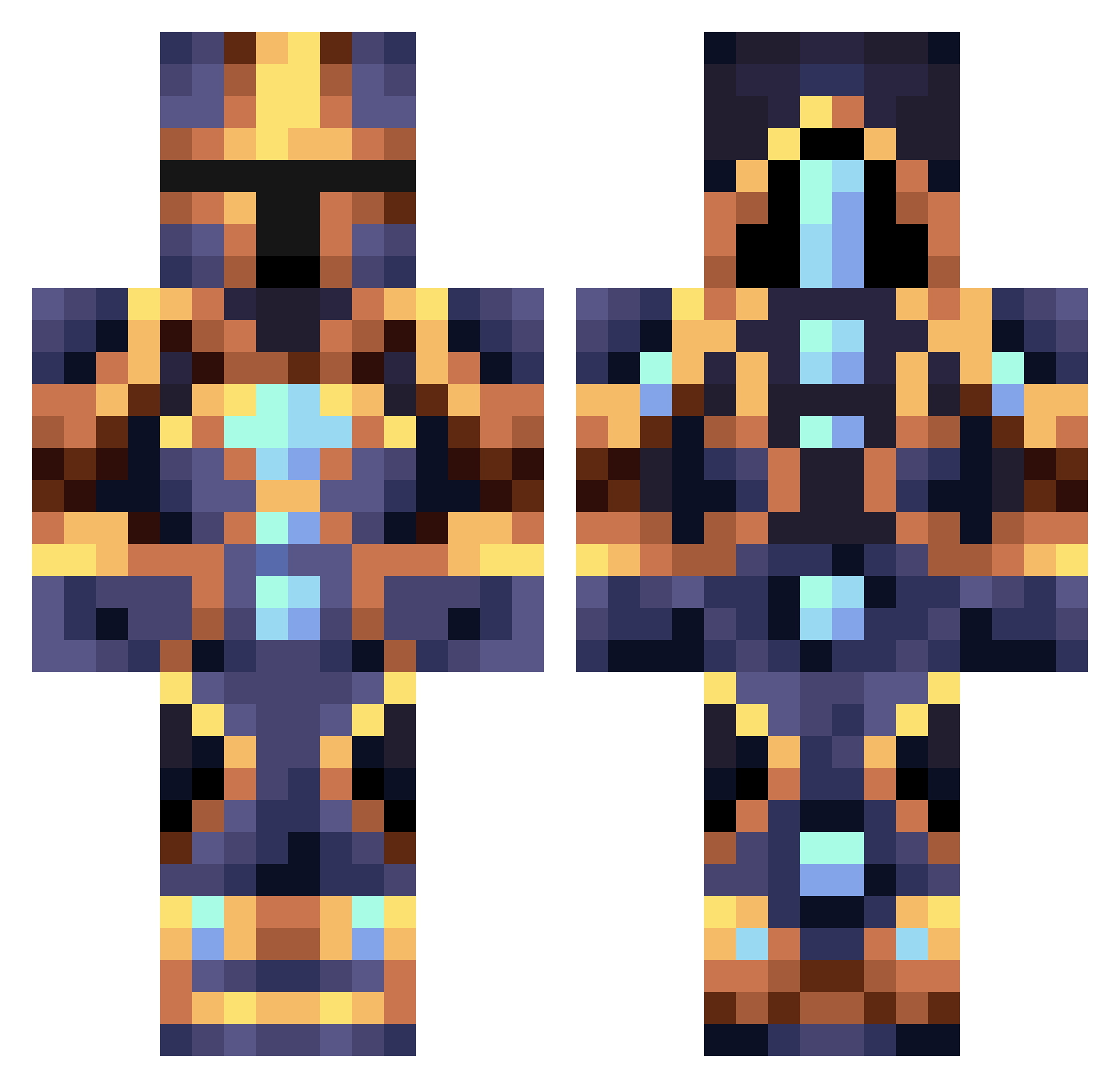
Current Minecraft skin of the player EggRNG, loaded from the official Mojang API. Rotate the 3D model with your mouse or finger, then download the skin as a PNG file and use it in Minecraft: Bedrock Edition or Java Edition for free. When EggRNG changes their skin, this page updates automatically and the old skin stays in the history below.
Other players with this skin (362)
EggRNG was the 310th player we have seen with this skin, first spotted on 18.10.2026. The same skin was seen on these players. Open a nickname to see their current skin and skin history.
 amgbiznes thsamman Noxmira SnoopyDionysus FoneBone_ BJL001 kabushibere_ KingYohanV viper1356 Lariat_Express WOLvE4167 Vilael TheSunslicer Tremex5639 kdm15 HanounaOfficiel Howlk_ Eakwing1 eduKiller159 Noctuadj ICECLOCK__ NightDog1243 Snieps myxdemon Startim007 SaLsA97 holapollo3000 Lilfurr MartinItsLive jiwoo5162 Eterea_Silca LaoChe85 ArcRaptor isaactse elbatu7 Hydrax12004 A_Uranium_Atom blueninja222 Vaserfon Dexown ProTheWolf432 ombraGG Stonie217 Hermysz Evin357 ZuluMeister CrazJ91 Revali100 Remedies__ MRaXxUY RraptorX King_Boom21 Gypsyto98 loxrratron zagamer50 JohnnyMack212 yonatan_rec AltrosNightLeaf 7triste Jenuvil
More Sci Fi Minecraft skins
How to install the EggRNG skin
- Press the Download button above to save the skin as a PNG file.
- Minecraft: Bedrock Edition (PE): open the Dressing Room from the main menu (or tap your character → Edit Character), go to Classic Skins → Owned, press the + (new skin) button, choose the downloaded PNG and pick the Classic (Steve) model. Works on PC and mobile; consoles cannot import custom skins.
- Minecraft: Java Edition: open the Minecraft Launcher, go to the Skins tab, click New Skin, load the PNG, pick the Classic (Steve) model and press Save & Use. You can also upload it at minecraft.net → Profile → Change Skin.
The skin does not show up after import - what should I do?
Restart Minecraft and open the Dressing Room again - imported skins sometimes appear only after a restart. Also make sure you selected the imported skin and picked the Classic (Steve) model.
Which model should I choose, Classic or Slim?
This skin is designed for the Classic (Steve) model. If you pick the wrong model, the arms of the skin will look stretched or squeezed.
Is the skin of EggRNG free to download?
Yes. Press Download, save the PNG file and use it in Minecraft: Bedrock Edition or Java Edition - no payment or registration needed. The skin also works on multiplayer servers and Realms.
More skins
Looking for more? Go back to all Minecraft skins and check the top skins of the week, month and all time, or find any player's skin by nickname.