
Edoy20 - Minecraft Skins & Skin History
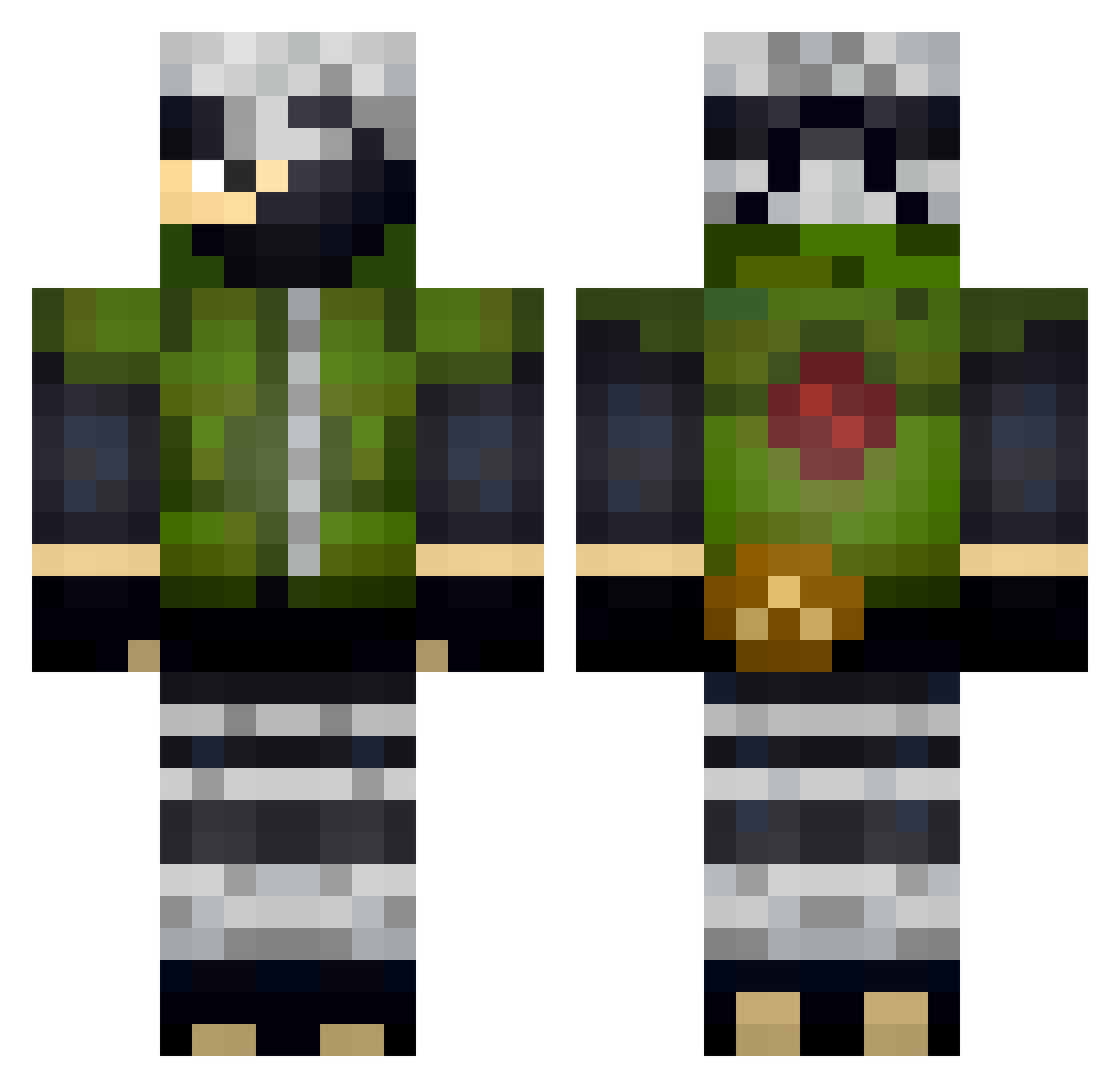
Current Minecraft skin of the player Edoy20, loaded from the official Mojang API. Rotate the 3D model with your mouse or finger, then download the skin as a PNG file and use it in Minecraft: Bedrock Edition or Java Edition for free. When Edoy20 changes their skin, this page updates automatically and the old skin stays in the history below.
Other players with this skin (331)
Edoy20 was the 83rd player we have seen with this skin, first spotted on 26.08.2026. The same skin was seen on these players. Open a nickname to see their current skin and skin history.
 REDLLAMA25 WEqrqq Moraes99 Uncle_Iroh2077 ChrisTheWolf210 Enguer78 HDC16 KINGLicha845 Jorgescuti StevieAcw NoStrike Eroshin _LucasMarcelo_ kakashijb OldWolf3005 Last_Shinob1 Titanium_PS TomKomand Juliocrx FeliGar18 dryxy2007 Bentloney Manigg Littlericebunz Snakou_ mevlt98 Bueno_187 Stretch_Zone Stinkbomber04 Zeus_14 g1230 Samwang_TW Uschi204 xXTaronusXx Darkknight15674 leo_chsr levenhagamer Perezas kkaashy Brownsugar0803 ProRicso _Krzychxd_ Apples1017482 Tomnago Airam_asr Marvin_ECSR SCAF_34 Hataki_Kakashi Spalari XOgamer47 Lizou_ Bunny_1712 evan95120 Schuld_Boi LancelotRoger CarLitros998 DeityYT LaPasstck Devwick ecd_cs
More Kakashi Hatake Minecraft skins
See all 468 Kakashi Hatake skins
How to install the Edoy20 skin
- Press the Download button above to save the skin as a PNG file.
- Minecraft: Bedrock Edition (PE): open the Dressing Room from the main menu (or tap your character → Edit Character), go to Classic Skins → Owned, press the + (new skin) button, choose the downloaded PNG and pick the Classic (Steve) model. Works on PC and mobile; consoles cannot import custom skins.
- Minecraft: Java Edition: open the Minecraft Launcher, go to the Skins tab, click New Skin, load the PNG, pick the Classic (Steve) model and press Save & Use. You can also upload it at minecraft.net → Profile → Change Skin.
The skin does not show up after import - what should I do?
Restart Minecraft and open the Dressing Room again - imported skins sometimes appear only after a restart. Also make sure you selected the imported skin and picked the Classic (Steve) model.
Which model should I choose, Classic or Slim?
This skin is designed for the Classic (Steve) model. If you pick the wrong model, the arms of the skin will look stretched or squeezed.
Is the skin of Edoy20 free to download?
Yes. Press Download, save the PNG file and use it in Minecraft: Bedrock Edition or Java Edition - no payment or registration needed. The skin also works on multiplayer servers and Realms.
More skins
Looking for more? Go back to all Minecraft skins and check the top skins of the week, month and all time, or find any player's skin by nickname.