
Eddy1601 - Minecraft Skins & Skin History
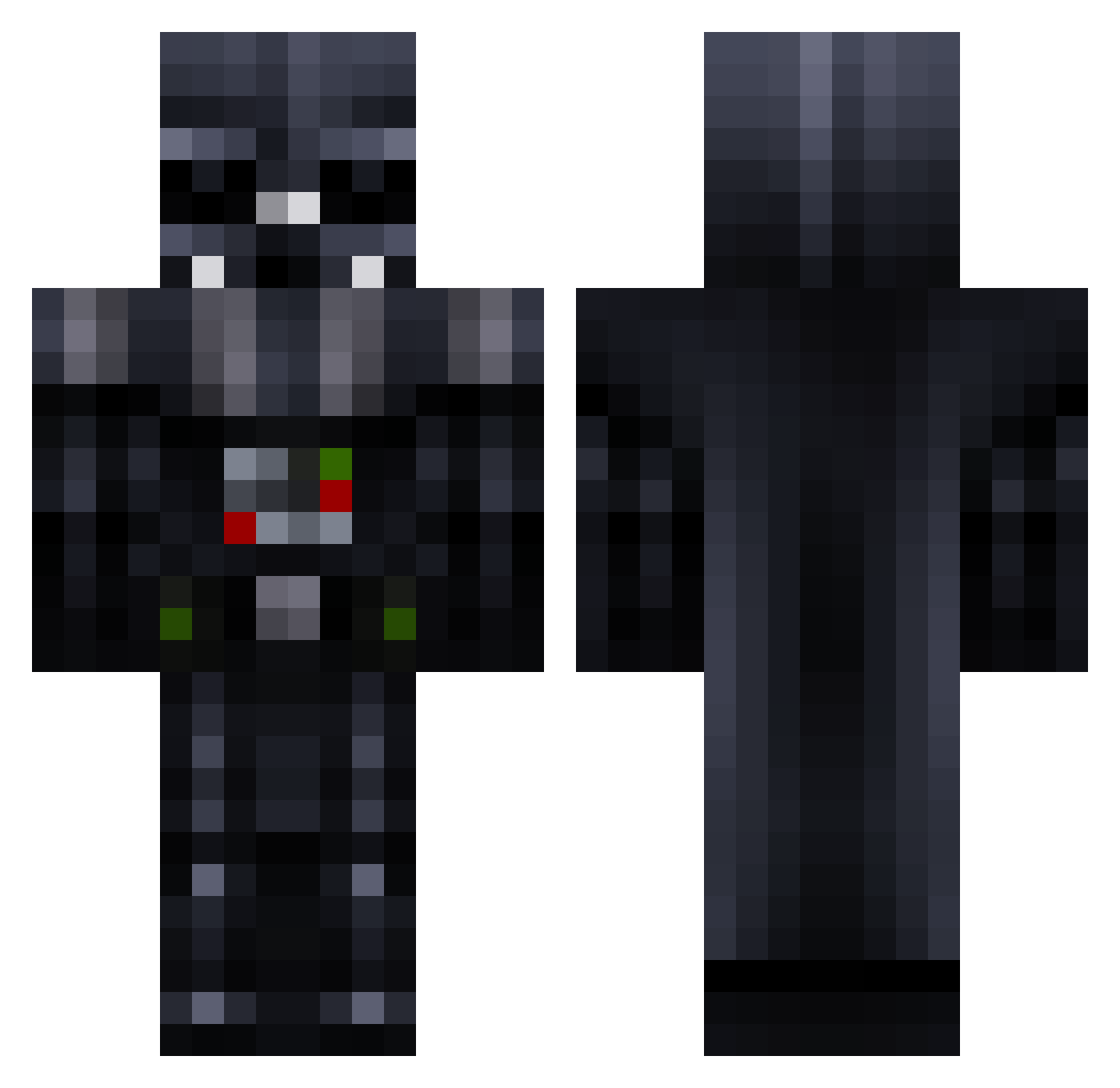
Current Minecraft skin of the player Eddy1601, loaded from the official Mojang API. Rotate the 3D model with your mouse or finger, then download the skin as a PNG file and use it in Minecraft: Bedrock Edition or Java Edition for free. When Eddy1601 changes their skin, this page updates automatically and the old skin stays in the history below.
Other players with this skin (780)
Eddy1601 was the 664th player we have seen with this skin, first spotted on 20.10.2026. The same skin was seen on these players. Open a nickname to see their current skin and skin history.
 z0rk0l Bainbridge_123 x3nikix3 Robotnic101 Dart_Vaider_ sdcornett lightningraptor7 CheapJedi tatou22 heruur xDat_Combo Ofnir_050 halabone30 RyyyRy polillao aageon Thoranson greenjarrod Darkphire000 Cirrio01 King_Tutty Gaurdai WyManster RissaNae DevinTheDevil1 MuffinDevil depdarkvan admar11 poke_Brede IsaacQuiroga DeathVader1337 Feldonis TK_vader sirHimel KikoBarbosa Lcian OLLY2410 Antknee668 wvcrieki Martineitor02 DarthVader18 tajacraft pookiebear27 CERIUM23 Robbl_ Truzedo BubbaGanoush Acustica184Crew Marcosm2986 BeastSpec bromanbro123 ElectroHouse6 criticalslide hiphopman89 lixornia TheSuperPsycko Josh_Gage_Aaron Cirqu3DuFr3ak Sgt_StabStabs Bjornatorke
More Darth Vader Minecraft skins
How to install the Eddy1601 skin
- Press the Download button above to save the skin as a PNG file.
- Minecraft: Bedrock Edition (PE): open the Dressing Room from the main menu (or tap your character → Edit Character), go to Classic Skins → Owned, press the + (new skin) button, choose the downloaded PNG and pick the Classic (Steve) model. Works on PC and mobile; consoles cannot import custom skins.
- Minecraft: Java Edition: open the Minecraft Launcher, go to the Skins tab, click New Skin, load the PNG, pick the Classic (Steve) model and press Save & Use. You can also upload it at minecraft.net → Profile → Change Skin.
The skin does not show up after import - what should I do?
Restart Minecraft and open the Dressing Room again - imported skins sometimes appear only after a restart. Also make sure you selected the imported skin and picked the Classic (Steve) model.
Which model should I choose, Classic or Slim?
This skin is designed for the Classic (Steve) model. If you pick the wrong model, the arms of the skin will look stretched or squeezed.
Is the skin of Eddy1601 free to download?
Yes. Press Download, save the PNG file and use it in Minecraft: Bedrock Edition or Java Edition - no payment or registration needed. The skin also works on multiplayer servers and Realms.
More skins
Looking for more? Go back to all Minecraft skins and check the top skins of the week, month and all time, or find any player's skin by nickname.