
Eddie_Gus - Minecraft Skins & Skin History
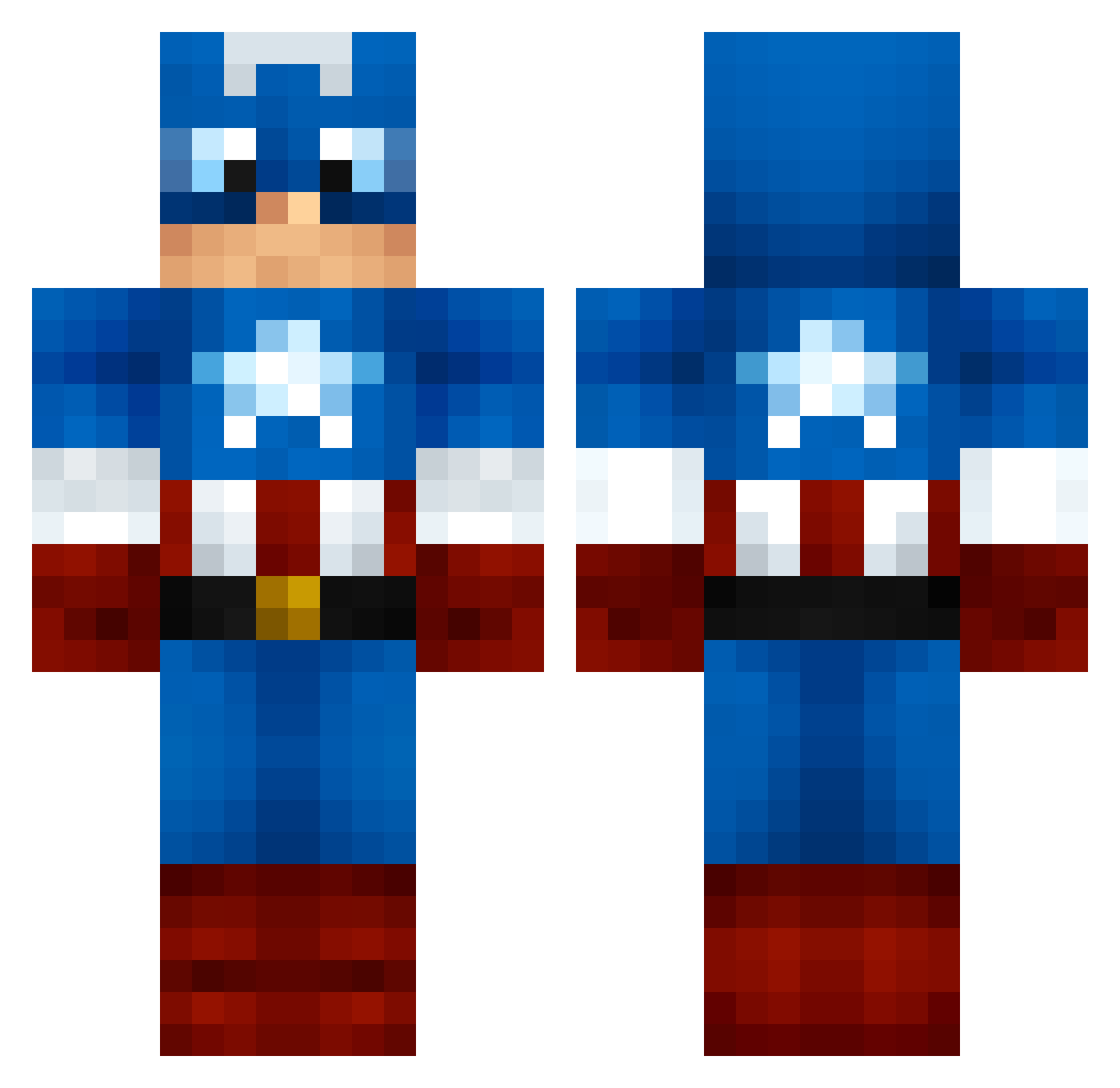
Current Minecraft skin of the player Eddie_Gus, loaded from the official Mojang API. Rotate the 3D model with your mouse or finger, then download the skin as a PNG file and use it in Minecraft: Bedrock Edition or Java Edition for free. When Eddie_Gus changes their skin, this page updates automatically and the old skin stays in the history below.
Other players with this skin (1000)
Eddie_Gus was the 668th player we have seen with this skin, first spotted on 26.09.2026. The same skin was seen on these players. Open a nickname to see their current skin and skin history.
 Smitty_21 GregJ95 iliesxd MX_MONKEY_MoDz bluedevil23 e_sa gularinet AliRoberts Sammy_Steel TegridyFarms UnreadVoicemail tobsterminecraft tiger14black tait269 CaptShaggy Greavsie99 yzou111 Bertman502 penjustin TheGriswold RamonaPumpkin Blackrose1254 kingerben MrIngit Jojo_bon jmw2278 Malarius187 Offley HungerGamesKiler JimmyMCFC Bionicyelo HTWIZ RajaAnbazhagan The_Sour_Mango madonaldson26 Bennylacovara ArsenicAppetizer Bouche91 wldusWKd901 LitDN ASerol blobofepicnes Freecam_Sized MissFrappichino StormSilent Hero_of_Justice1 CoXx91 mollymarie24 cooper_earley Skidbear KubSoon ovvelo GravyBoy123 bboygiglio89 williamnattor mreed_15 Speedy1558 5Richelieu TheRustyPanda Glitchyclock19
More Captain America Minecraft skins
See all 148 Captain America skins
How to install the Eddie_Gus skin
- Press the Download button above to save the skin as a PNG file.
- Minecraft: Bedrock Edition (PE): open the Dressing Room from the main menu (or tap your character → Edit Character), go to Classic Skins → Owned, press the + (new skin) button, choose the downloaded PNG and pick the Classic (Steve) model. Works on PC and mobile; consoles cannot import custom skins.
- Minecraft: Java Edition: open the Minecraft Launcher, go to the Skins tab, click New Skin, load the PNG, pick the Classic (Steve) model and press Save & Use. You can also upload it at minecraft.net → Profile → Change Skin.
The skin does not show up after import - what should I do?
Restart Minecraft and open the Dressing Room again - imported skins sometimes appear only after a restart. Also make sure you selected the imported skin and picked the Classic (Steve) model.
Which model should I choose, Classic or Slim?
This skin is designed for the Classic (Steve) model. If you pick the wrong model, the arms of the skin will look stretched or squeezed.
Is the skin of Eddie_Gus free to download?
Yes. Press Download, save the PNG file and use it in Minecraft: Bedrock Edition or Java Edition - no payment or registration needed. The skin also works on multiplayer servers and Realms.
More skins
Looking for more? Go back to all Minecraft skins and check the top skins of the week, month and all time, or find any player's skin by nickname.