
Ecxpse - Minecraft Skins & Skin History
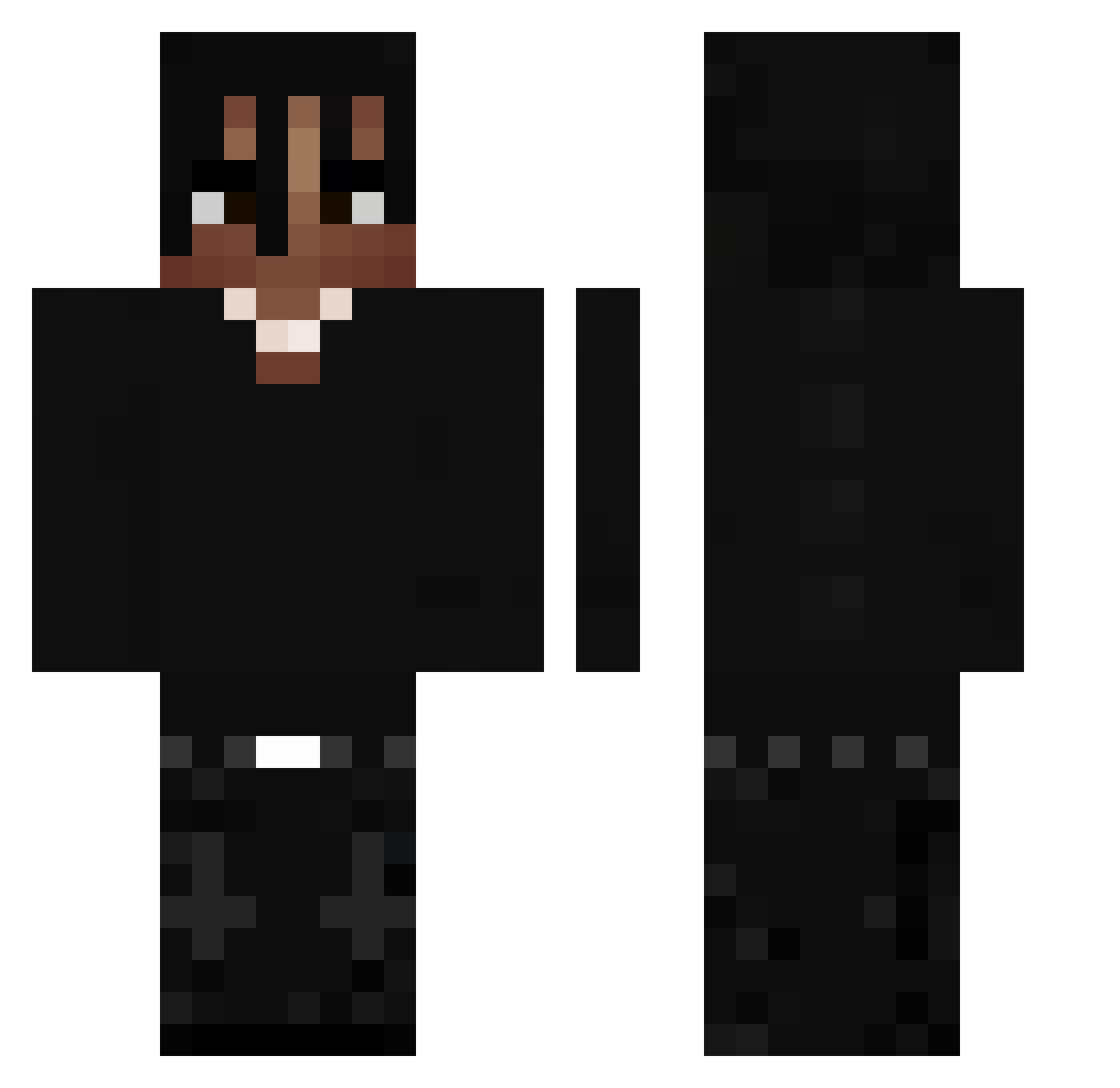
Current Minecraft skin of the player Ecxpse, loaded from the official Mojang API. Rotate the 3D model with your mouse or finger, then download the skin as a PNG file and use it in Minecraft: Bedrock Edition or Java Edition for free. When Ecxpse changes their skin, this page updates automatically and the old skin stays in the history below.
Other players with this skin (398)
Ecxpse was the 220th player we have seen with this skin, first spotted on 17.09.2026. The same skin was seen on these players. Open a nickname to see their current skin and skin history.
 qyfp nappiy999 268xfan MiniCracka ythz_VfZaQ_08_19 UKCrashout ohtrix1 Keynz Migueecadizz Jarred20 Gravanis FeiTianDaCao666 Airixs_ Kqizo Keofr blindeads Vsx_2137 doun_0401 Guelitu Abdullama Chend0_ JakubSzkudi Emjayfb Yauix by307 Mehl_456 arvents0 WiloSosa DrunkcleNick Alain_09 xmhu Terrol7 wRizzk Andrea4532 seoung_min PoloCapalotG tr5tn Cristinel12345 FriskyTurtle792 3ziiwa Cioras zanudaphone Lieblingskahi Prut09 1Black_Cat citrus33333 iWatchClips l1week zPattrZ lilzk eliasf22 pazjose1513 r4cb ttordo DomerToJa starfalling7 S7_M4RIAN Clavito_10 einstein_wsh ZaTrOxEkOwner
More Dreadlocks Minecraft skins
How to install the Ecxpse skin
- Press the Download button above to save the skin as a PNG file.
- Minecraft: Bedrock Edition (PE): open the Dressing Room from the main menu (or tap your character → Edit Character), go to Classic Skins → Owned, press the + (new skin) button, choose the downloaded PNG and pick the Classic (Steve) model. Works on PC and mobile; consoles cannot import custom skins.
- Minecraft: Java Edition: open the Minecraft Launcher, go to the Skins tab, click New Skin, load the PNG, pick the Classic (Steve) model and press Save & Use. You can also upload it at minecraft.net → Profile → Change Skin.
The skin does not show up after import - what should I do?
Restart Minecraft and open the Dressing Room again - imported skins sometimes appear only after a restart. Also make sure you selected the imported skin and picked the Classic (Steve) model.
Which model should I choose, Classic or Slim?
This skin is designed for the Classic (Steve) model. If you pick the wrong model, the arms of the skin will look stretched or squeezed.
Is the skin of Ecxpse free to download?
Yes. Press Download, save the PNG file and use it in Minecraft: Bedrock Edition or Java Edition - no payment or registration needed. The skin also works on multiplayer servers and Realms.
More skins
Looking for more? Go back to all Minecraft skins and check the top skins of the week, month and all time, or find any player's skin by nickname.