
Eclipse_7ffada - Minecraft Skins & Skin History
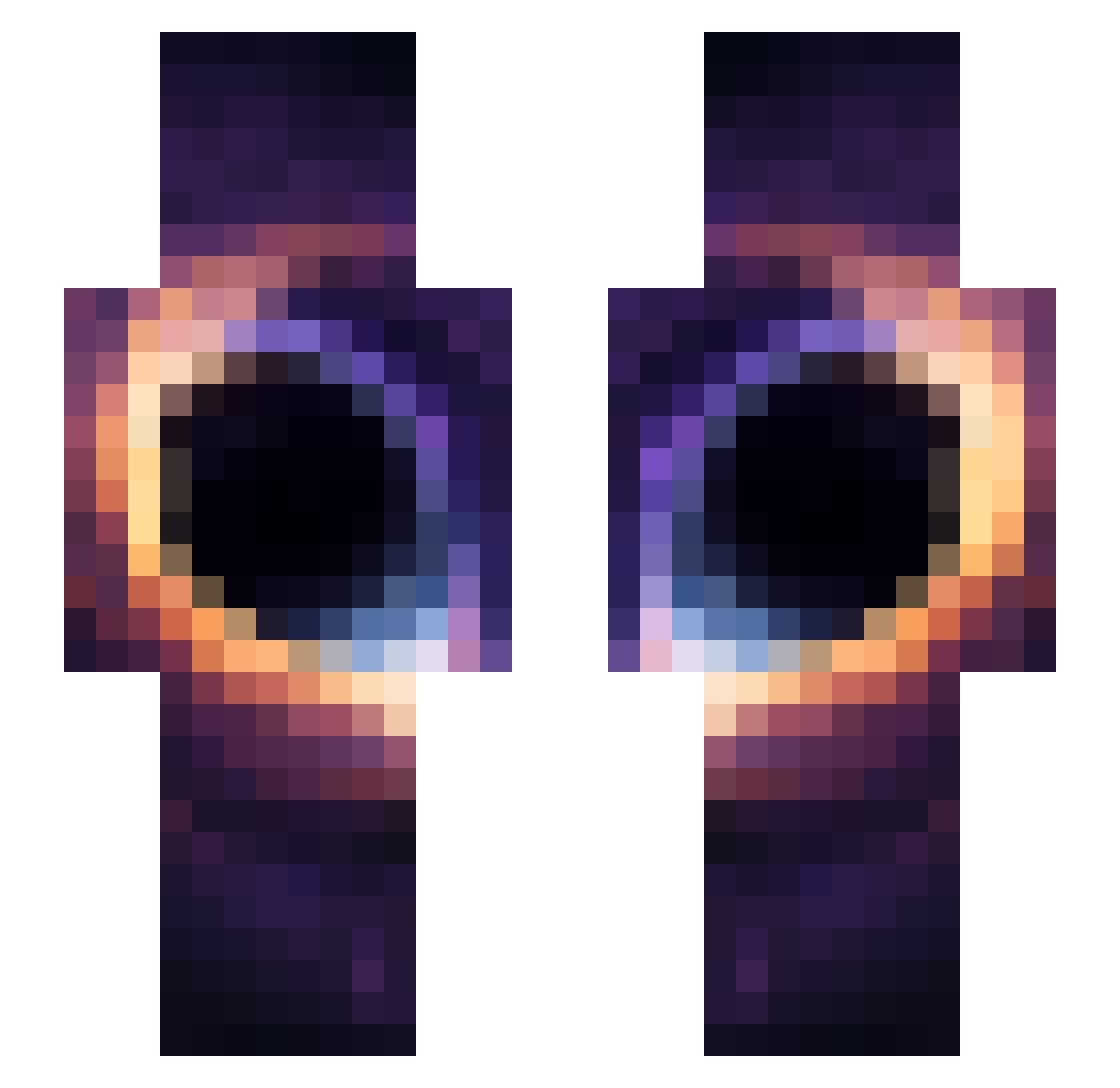
Current Minecraft skin of the player Eclipse_7ffada, loaded from the official Mojang API. Rotate the 3D model with your mouse or finger, then download the skin as a PNG file and use it in Minecraft: Bedrock Edition or Java Edition for free. When Eclipse_7ffada changes their skin, this page updates automatically and the old skin stays in the history below.
Other players with this skin (46)
Eclipse_7ffada was the 25th player we have seen with this skin, first spotted on 12.09.2026. The same skin was seen on these players. Open a nickname to see their current skin and skin history.
 JCHAP1 TN_Kannou_06 fxnp ebraheemsaif Honorarily pedarzhepeto Seungmin0107 qyritoo xTaco_ Seowon_O DragosDD Askself ellinkass MaryMeih Stella_82 Teeqzz_ hiko1000 R0CKSTARS jas0nThedrag0n chs607 riiku11 IceMatt_ noecc33 InPro1001 davi_play778 YoshYoshYosh HM122
 heyhey1217 fryboy6622 frxtured kingbee1239 Nobleotter11 _SleepyGoose_
 Utishka123 IfUReadThisUSmel H5ytem Frifri12 AYHEROX UFAF __Artem_ 2percentdev Vykex_8 bula1243825 Su_ebz nathpop
 Cosxms
More Universe Minecraft skins
How to install the Eclipse_7ffada skin
- Press the Download button above to save the skin as a PNG file.
- Minecraft: Bedrock Edition (PE): open the Dressing Room from the main menu (or tap your character → Edit Character), go to Classic Skins → Owned, press the + (new skin) button, choose the downloaded PNG and pick the Slim (Alex) model. Works on PC and mobile; consoles cannot import custom skins.
- Minecraft: Java Edition: open the Minecraft Launcher, go to the Skins tab, click New Skin, load the PNG, pick the Slim (Alex) model and press Save & Use. You can also upload it at minecraft.net → Profile → Change Skin.
The skin does not show up after import - what should I do?
Restart Minecraft and open the Dressing Room again - imported skins sometimes appear only after a restart. Also make sure you selected the imported skin and picked the Slim (Alex) model.
Which model should I choose, Classic or Slim?
This skin is designed for the Slim (Alex) model. If you pick the wrong model, the arms of the skin will look stretched or squeezed.
Is the skin of Eclipse_7ffada free to download?
Yes. Press Download, save the PNG file and use it in Minecraft: Bedrock Edition or Java Edition - no payment or registration needed. The skin also works on multiplayer servers and Realms.
More skins
Looking for more? Go back to all Minecraft skins and check the top skins of the week, month and all time, or find any player's skin by nickname.